Instant Connection for Pixel Streaming
— New Feature Automated Setup

Best GeForce Now Alternatives in 2026: 5 Top Options
Best GeForce Now Alternatives in 2026: 5 Top Options
ComputerPerformance
Best GeForce Now Alternatives in 2026: 5 Top Options
Table of Contents
If you want the closest GeForce Now alternative for supported PC games you already own, start with Boosteroid. Xbox Cloud Gaming is a better fit for subscription discovery, Amazon Luna makes sense for existing Prime members, Shadow PC suits people who want a persistent Windows desktop, and Vagon Cloud Computer is the more flexible option for occasional, usage-billed full-PC access.
The catch is simple: the “best” service can become useless if it doesn't carry your game, serve your country, support your device, or place a server close enough to you. This guide is based on official product information verified on August 13, 2026. No comparable first-hand testing was supplied or completed, so provider maximums below are claims, not measured results.
Which GeForce Now Alternative Fits Each Use Case?
These GeForce Now alternatives solve different problems. Check the service model and game-access column before comparing resolution or price.
Service | Service Model | How You Get Games | Full Desktop | Mac Access | Verified Free Option | Current Price Basis | Best Fit |
|---|---|---|---|---|---|---|---|
Boosteroid | Managed PC game streaming | Play supported free-to-play titles or supported games you own on eligible stores | No | macOS app and browser | None; no current free trial | EU: Ultra €12.89 monthly, or €7.49/month equivalent on a 12-month plan | Supported owned PC games missing from GFN |
Xbox Cloud Gaming | Subscription console-game library plus selected owned titles | Stream cloud-enabled Game Pass games and selected console games you own | No | Supported browser | Selected free-to-play games, including Fortnite, in supported regions | US: Essential $9.99, Premium $14.99, Ultimate $22.99 monthly | Subscription discovery and Xbox players |
Amazon Luna | Curated subscription library | More than 50 games with Prime; broader Premium library | No | Mac and browser support | No standalone free tier; access is bundled with paid Prime | US: Luna Premium $9.99 monthly | Existing Prime households in supported countries |
Shadow PC | Full remote Windows 11 PC | Install and license your own stores, games, and mods where compatible | Yes | macOS app and browser | No verified general free trial | US: Neo $37.99, Power $54.99 monthly | Frequent use of a persistent Windows PC |
Vagon Cloud Computer | Configurable full cloud PC | Install and license your own launchers and games where compatible | Yes | Native macOS app and browser | No; starter trial costs $0.99 | Region-based compute by the minute, plus storage | Occasional or project-based full-PC access |
Steam Remote Play | Self-hosted remote play | Run games on a PC you already own | Your own host PC | Supported client route | No rented-compute charge | You supply the gaming PC, power, and connection | Streaming an existing PC to a weaker device |
Prices are native-market examples, not universal rates. Taxes, promotions, catalogs, regional capacity, and account eligibility can change. Check the exact title, store edition, country, and plan before paying.
How Do Managed Catalogs, Subscription Libraries, and Full Cloud PCs Differ?
A managed service such as GeForce Now or Boosteroid prepares the remote machines and supports a defined list of games and stores. Setup is quick, but ownership isn't enough. Your exact game and store version must be supported.
Xbox Cloud Gaming and Amazon Luna work more like entertainment subscriptions. They give you a changing library, although Xbox also streams selected console games you own. Neither gives you a normal Windows desktop or unrestricted access to your Steam library.
A cloud gaming PC such as Shadow or Vagon gives you a desktop where you install your own launchers and permitted software. That flexibility brings more setup, storage management, updates, and licensing responsibility. It also doesn't guarantee that every game will run: anti-cheat, DRM, publisher rules, launchers, low-level drivers, virtualization checks, and service policies can still block access.
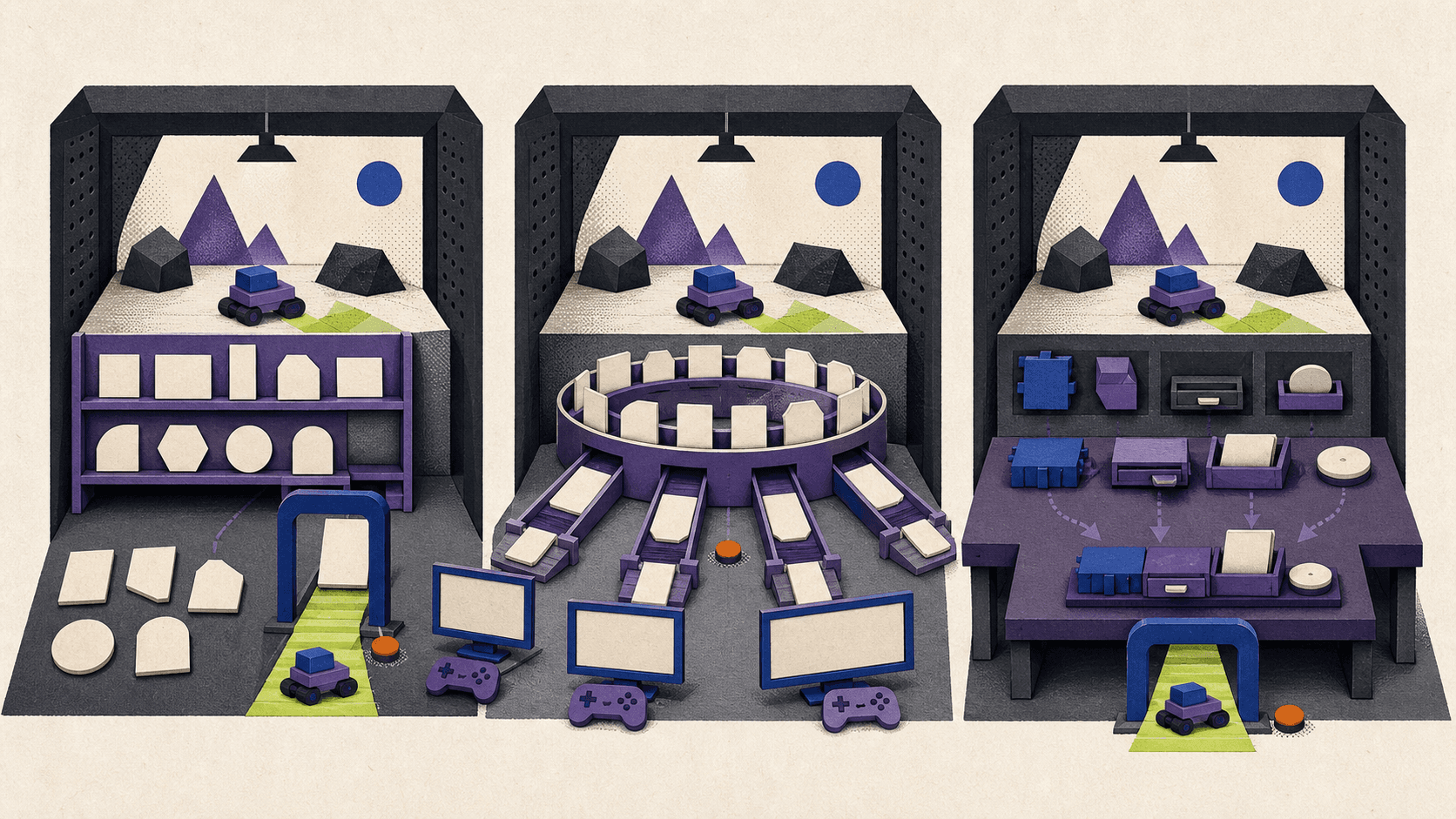
Steam Remote Play belongs in a fourth category. It streams from a computer you already own, so it can be useful if your gaming tower is in another room and your MacBook is the screen in front of you. It doesn't help if the capable host PC is the thing you're trying to avoid buying.
What Are the Best GeForce Now Alternatives in 2026?
This isn't a measured ranking. The labels below describe the best fit based on verified access models, current features, and pricing. Your game and location remain the first two filters.
Boosteroid: Best Fit for Supported PC Games Missing From GeForce Now
This is the most direct substitute when you want a managed PC game-streaming experience. You sign in to a supported game-store account, then launch an eligible title you already own. Paid games still need a valid purchase, and even free-to-play titles require an active streaming subscription.
Mac users can choose the native macOS app or a supported browser. The provider also offers Windows, Linux, mobile, and TV clients. Its official pages advertise streams up to 4K and 120 FPS and no session-time limit, but actual output depends on device, application, game, network, and regional capacity.
The current pricing update lists Ultra at €12.89 monthly or €7.49 per month on a 12-month commitment. Ultra Pro is €14.89 monthly or €134.89 paid annually. A temporary six-month offer was listed at €49.89 through September 1, 2026, so don't treat that promotion as permanent.
There is no current free trial. The largest practical limitation is capacity: the official queue policy says users can wait when no suitable regional desktop is free. Check the catalog and connection test before buying a long plan.
Xbox Cloud Gaming: Best Fit for Subscription Discovery
Xbox is the easiest choice here if you want a ready-made library rather than access to a broad collection of PC storefronts. It streams cloud-enabled console games from Game Pass, plus selected compatible console games you own. Microsoft said the latter collection had grown beyond 1,000 titles by February 2026.
The service works on Windows PCs, Xbox consoles, mobile devices, selected TVs, and supported browsers on Mac. A controller is standard, although selected games support touch or keyboard and mouse. This is an Xbox console-cloud experience, not a remote Windows machine.
Current US Game Pass pricing is $9.99 per month for Essential, $14.99 for Premium, and $22.99 for Ultimate. Microsoft currently displays introductory $1 offers for some eligible accounts, but these are limited promotions that renew at the regular price.
The legitimate no-subscription route is narrow but useful. According to the Xbox Cloud Gaming requirements, selected free-to-play games such as Fortnite need only a free Microsoft account in a supported region. Other cloud games require an eligible Game Pass plan, and the library varies by plan, platform, and country.
Region checks matter here. Selling Game Pass in a country doesn't automatically mean cloud streaming is available there. For example, Microsoft's Turkish region page currently lists Xbox Cloud Gaming as unavailable.
Amazon Luna: Best Fit for Existing Prime Households
Luna is most attractive when you're already paying for Prime and live in a supported country. Prime currently includes more than 50 cloud-delivered games, while Luna Premium adds a larger catalog for $9.99 per month in the US.
The current Luna overview lists support for PC, Mac, mobile devices, Fire TV, and selected smart TVs. Standard games need a compatible controller or keyboard and mouse. GameNight titles can use phones as controllers.
Don't rely on older comparisons that describe Luna as a broad storefront hub. Amazon ended individual game purchases and third-party subscriptions on June 10, 2026. The current product is a curated subscription library, not a personal desktop or a general way to stream every PC game you bought elsewhere.
Prime access also isn't truly free. It's a benefit inside a paid membership, and titles can rotate. Luna is currently available for cloud-delivered games in 14 countries, including the US, UK, Canada, Germany, France, Italy, and Spain. Readers elsewhere need another option.
Shadow PC: Best Fit for a Fixed-Month Full Windows PC
Shadow gives you a persistent Windows 11 desktop. You can install supported stores, games, applications, and mods, then keep that environment between sessions. That's useful when a managed catalog is too restrictive and you expect to use the machine regularly.
Its apps cover macOS, Windows, Linux, mobile devices, and selected TVs, with browser access too. Check your exact Mac and peripherals before subscribing.
For readers checking Shadow PC price, the current US offers list Neo at $37.99 per month and Power at $54.99. Standard plans include 512 GB SSD storage, up to 210 hours per month, and sessions of up to six hours before an immediate reconnect. Lite plans cost less under longer commitments but reduce storage, resolution, monthly hours, display count, and session length.
Memory is fixed by plan: Neo lists 16 GB RAM and Power 28 GB. Storage upgrades are separate.
There is no verified general Shadow PC free trial in the checked US offer, and its cancellation policy says cancellations ordinarily don't produce refunds. Availability is limited to the continental US, Canada, and a published group of European countries.
The biggest warning is game compatibility. Shadow's July 2026 incompatible-games list includes many popular anti-cheat titles and says the list isn't exhaustive. A full desktop gives you installation freedom, not a promise that every game will start.
Vagon Cloud Computer: Best Fit for Occasional Full-PC Access
Vagon provides a configurable Windows desktop rather than a managed game catalog. You choose a region and machine tier, start the computer when needed, and install your own launchers and licensed games. The environment and files persist through the paid storage plan.
That model can suit someone who needs a remote gaming PC for a limited project or occasional sessions from a Mac or weak laptop. Browser access works across device types, and native Vagon apps are available for macOS and Windows. The provider advertises streaming up to 4K at 60 FPS.
Pricing combines compute and storage. On the current region table, North Virginia lists Planet with an NVIDIA T4, 16 GB GPU memory, and 16 GB RAM at $0.99 per hour. Spark with an A10G, 24 GB GPU memory, and 16 GB RAM is $1.67 per hour. Usage is billed by the minute, while Personal persistent storage costs $7.99 per month. Extra disk and outbound transfer beyond the included allowance can add cost.
The starter trial isn't free. The current Vagon pricing page charges $0.99 for one hour of Planet or equivalent Spark use plus seven days of storage.
The setup burden is higher than on a managed service, and current public documentation doesn't provide a per-game anti-cheat list, controller matrix, or clear gaming-session cap. That leaves important compatibility questions unanswered. Vagon makes sense only after you confirm the exact game and calculate total usage; a managed service or fixed monthly PC is simpler for frequent play.
How Was This Guide Evaluated, and Why Can Location Change the Answer?
This guide uses official pricing, platform, regional, storage, and compatibility pages checked on August 13, 2026. Provider specifications are not first-hand results, so there is no overall score.
A fair future test would use the same Mac, display, Ethernet connection, controller, and time windows across every service. It would require several peak and off-peak runs, with records of loaded latency, jitter, packet loss, queue time, time to first play, compression, controls, and save persistence.
Even that test needs a common market. Germany is a reasonable choice because all five shortlisted providers currently serve it. Istanbul isn't: Shadow and Luna don't list Turkey, Xbox cloud streaming is unavailable there, and GeForce Now uses partner-specific GAME+ plans.
Which Option Is Best for Mac, Weak Laptops, Full-PC Access, or Free Play?
The best GeForce Now alternative for Mac starts with the game. If an eligible PC title is available on the closest managed service, that will usually be easier than maintaining Windows yourself. Xbox and Luna are simpler for their included libraries, while Shadow and Vagon are for people who specifically need a desktop.
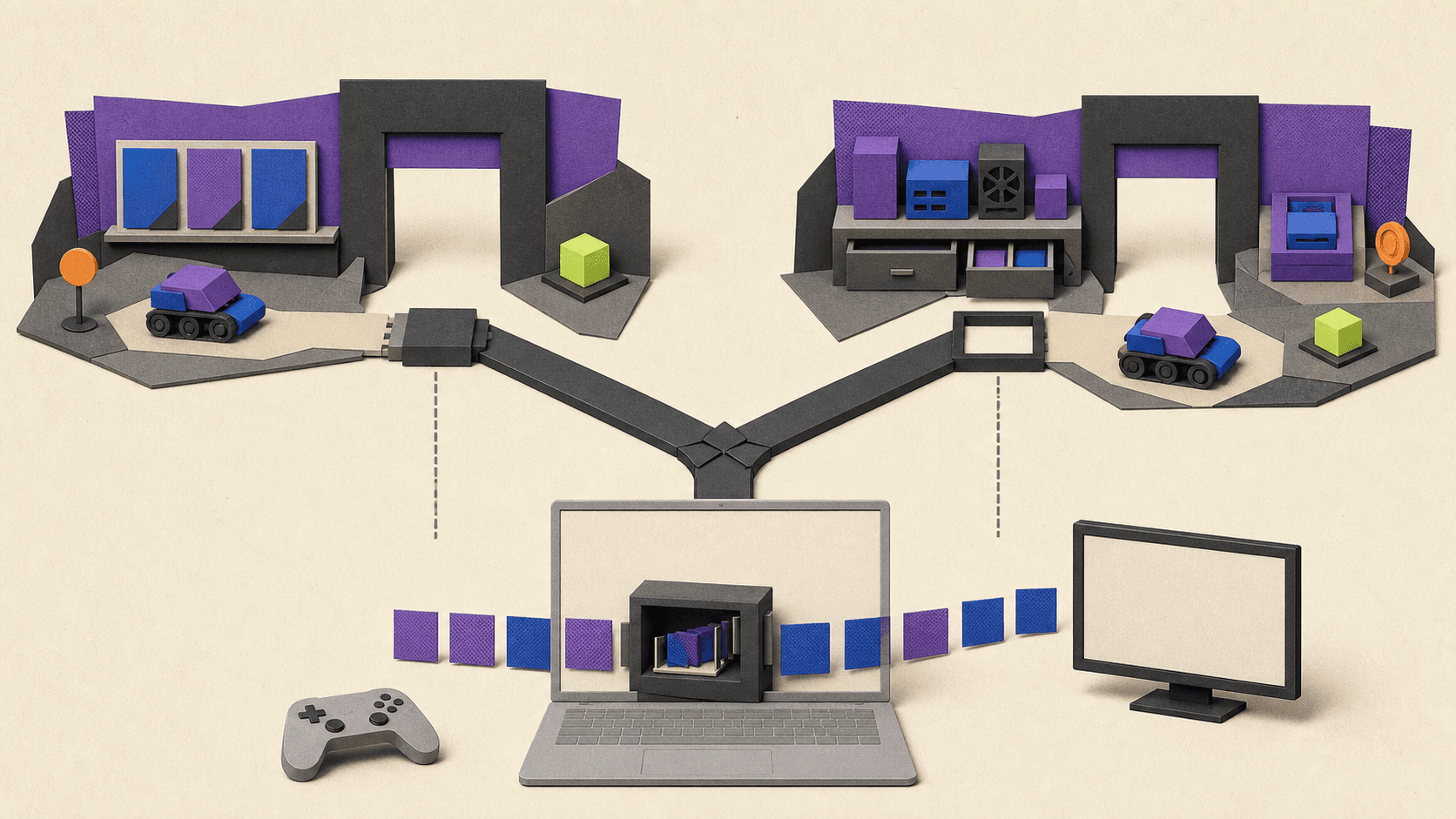
Mac compatibility is more than opening a web page. Check the native client, macOS version, Intel or Apple Silicon behavior, hardware decoding, controls, external displays, and region. A weak laptop can still struggle if it can't decode the selected stream efficiently.
For full-PC use, Shadow is easier to budget for frequent monthly play. Vagon is the more situational cloud PC service when usage is occasional and minute-based compute plus storage stays economical. Both require the user to supply game licenses and verify VM compatibility.
Searches for free GeForce Now alternatives need a blunt answer. Xbox offers selected free-to-play cloud games in supported regions. Luna is bundled with paid Prime, the managed PC competitor requires a subscription, Shadow has no verified general trial, and Vagon's starter trial costs $0.99. Steam Remote Play avoids a cloud-compute bill only because you already own and operate the host PC.
How Can You Reduce Ping and Streaming Lag?
Cloud gaming adds a long chain between your hands and the screen. Your input travels through the local network and internet to a remote machine. The game processes and renders a frame, the service encodes it, the video returns to you, your device decodes it, and your display finally shows it.
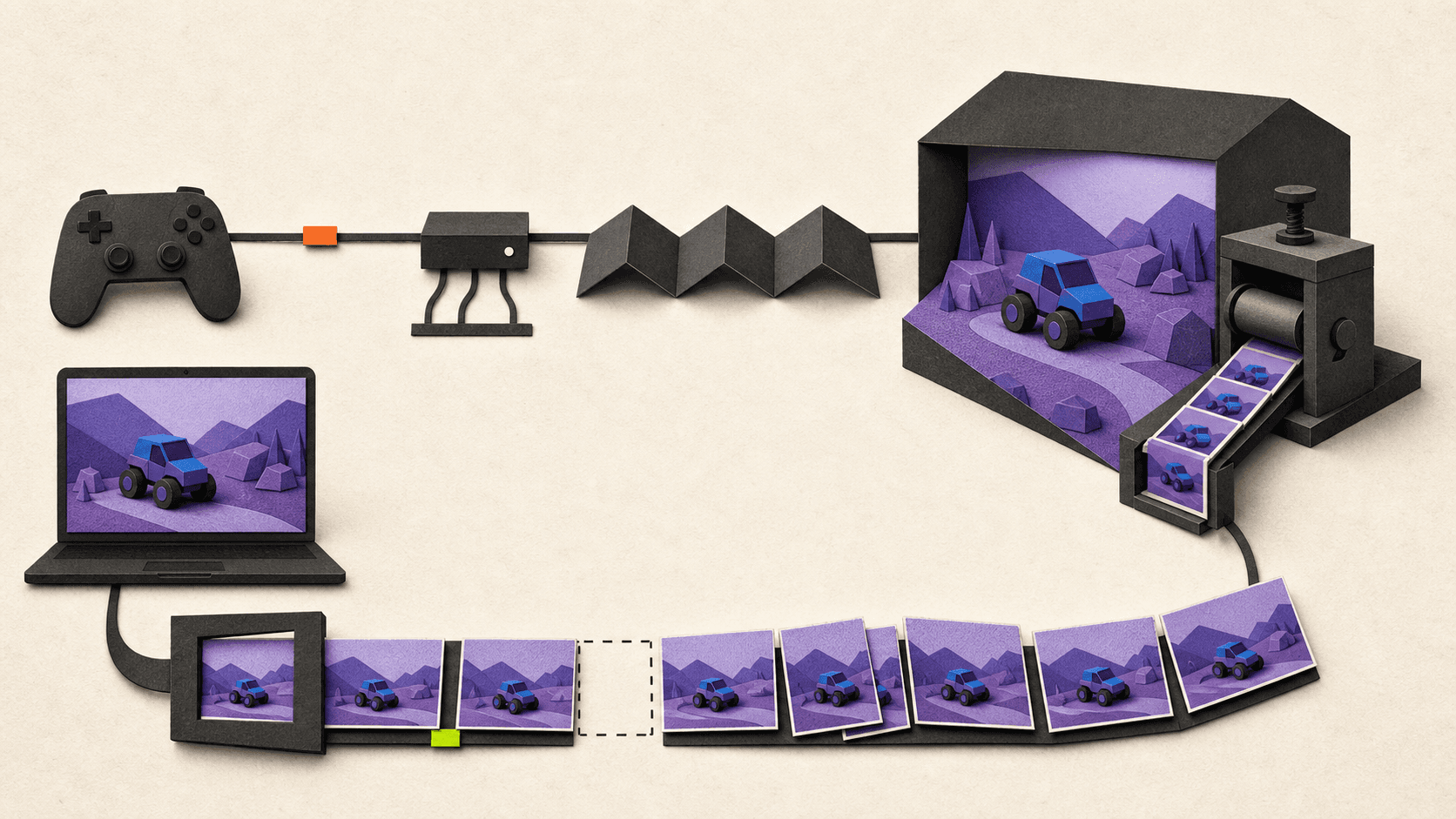
Bandwidth is just one part of that chain. Ping measures travel time, jitter measures how much that timing varies, and packet loss means some data never arrives correctly. A fast download plan can still feel bad when routing is long, Wi-Fi is congested, or packet delivery is inconsistent.
Start with the nearest officially supported service region. Use Ethernet when practical. If you must use Wi-Fi, prefer a clean 5 GHz or 6 GHz connection with strong signal, and reduce competing uploads, downloads, backups, and video streams.
Test loaded latency, jitter, and packet loss as well as headline speed. Compare the native client with a supported browser, try a wired controller, and enable a low-latency mode on the display. Avoid unnecessary VPN routing.
Lowering remote graphics settings may reduce the game's render time, especially when the remote GPU is overloaded. It doesn't automatically repair network ping, poor routing, interference, or packet loss. No setting can promise the same improvement for every location.
Frequently Asked Questions
Can a Full Cloud PC Run Every PC Game?
No. A desktop lets you install more software, but anti-cheat, DRM, publisher policies, launchers, hardware requirements, low-level drivers, virtualization detection, and service rules can still block a game. Check the exact title and edition before paying.
Is a Cloud PC the Same as Renting a Laptop?
No. You rent compute in a data center and stream its screen to your device. No physical laptop arrives, and your experience still depends on the network between you and the remote machine.
Does More Bandwidth Always Mean Lower Ping?
No. Enough bandwidth prevents one bottleneck, but it doesn't shorten server distance or fix routing, jitter, packet loss, encoding, decoding, controller delay, or display processing.
Which Service Should I Choose?
Choose by game, region, and model in that order. Use a managed service for the easiest supported PC-library experience, Xbox or Luna for included games, Shadow for frequent use of a persistent desktop, and Vagon for occasional full-PC access when the exact game works and usage-based pricing makes sense.
If you want the closest GeForce Now alternative for supported PC games you already own, start with Boosteroid. Xbox Cloud Gaming is a better fit for subscription discovery, Amazon Luna makes sense for existing Prime members, Shadow PC suits people who want a persistent Windows desktop, and Vagon Cloud Computer is the more flexible option for occasional, usage-billed full-PC access.
The catch is simple: the “best” service can become useless if it doesn't carry your game, serve your country, support your device, or place a server close enough to you. This guide is based on official product information verified on August 13, 2026. No comparable first-hand testing was supplied or completed, so provider maximums below are claims, not measured results.
Which GeForce Now Alternative Fits Each Use Case?
These GeForce Now alternatives solve different problems. Check the service model and game-access column before comparing resolution or price.
Service | Service Model | How You Get Games | Full Desktop | Mac Access | Verified Free Option | Current Price Basis | Best Fit |
|---|---|---|---|---|---|---|---|
Boosteroid | Managed PC game streaming | Play supported free-to-play titles or supported games you own on eligible stores | No | macOS app and browser | None; no current free trial | EU: Ultra €12.89 monthly, or €7.49/month equivalent on a 12-month plan | Supported owned PC games missing from GFN |
Xbox Cloud Gaming | Subscription console-game library plus selected owned titles | Stream cloud-enabled Game Pass games and selected console games you own | No | Supported browser | Selected free-to-play games, including Fortnite, in supported regions | US: Essential $9.99, Premium $14.99, Ultimate $22.99 monthly | Subscription discovery and Xbox players |
Amazon Luna | Curated subscription library | More than 50 games with Prime; broader Premium library | No | Mac and browser support | No standalone free tier; access is bundled with paid Prime | US: Luna Premium $9.99 monthly | Existing Prime households in supported countries |
Shadow PC | Full remote Windows 11 PC | Install and license your own stores, games, and mods where compatible | Yes | macOS app and browser | No verified general free trial | US: Neo $37.99, Power $54.99 monthly | Frequent use of a persistent Windows PC |
Vagon Cloud Computer | Configurable full cloud PC | Install and license your own launchers and games where compatible | Yes | Native macOS app and browser | No; starter trial costs $0.99 | Region-based compute by the minute, plus storage | Occasional or project-based full-PC access |
Steam Remote Play | Self-hosted remote play | Run games on a PC you already own | Your own host PC | Supported client route | No rented-compute charge | You supply the gaming PC, power, and connection | Streaming an existing PC to a weaker device |
Prices are native-market examples, not universal rates. Taxes, promotions, catalogs, regional capacity, and account eligibility can change. Check the exact title, store edition, country, and plan before paying.
How Do Managed Catalogs, Subscription Libraries, and Full Cloud PCs Differ?
A managed service such as GeForce Now or Boosteroid prepares the remote machines and supports a defined list of games and stores. Setup is quick, but ownership isn't enough. Your exact game and store version must be supported.
Xbox Cloud Gaming and Amazon Luna work more like entertainment subscriptions. They give you a changing library, although Xbox also streams selected console games you own. Neither gives you a normal Windows desktop or unrestricted access to your Steam library.
A cloud gaming PC such as Shadow or Vagon gives you a desktop where you install your own launchers and permitted software. That flexibility brings more setup, storage management, updates, and licensing responsibility. It also doesn't guarantee that every game will run: anti-cheat, DRM, publisher rules, launchers, low-level drivers, virtualization checks, and service policies can still block access.
Steam Remote Play belongs in a fourth category. It streams from a computer you already own, so it can be useful if your gaming tower is in another room and your MacBook is the screen in front of you. It doesn't help if the capable host PC is the thing you're trying to avoid buying.
What Are the Best GeForce Now Alternatives in 2026?
This isn't a measured ranking. The labels below describe the best fit based on verified access models, current features, and pricing. Your game and location remain the first two filters.
Boosteroid: Best Fit for Supported PC Games Missing From GeForce Now
This is the most direct substitute when you want a managed PC game-streaming experience. You sign in to a supported game-store account, then launch an eligible title you already own. Paid games still need a valid purchase, and even free-to-play titles require an active streaming subscription.
Mac users can choose the native macOS app or a supported browser. The provider also offers Windows, Linux, mobile, and TV clients. Its official pages advertise streams up to 4K and 120 FPS and no session-time limit, but actual output depends on device, application, game, network, and regional capacity.
The current pricing update lists Ultra at €12.89 monthly or €7.49 per month on a 12-month commitment. Ultra Pro is €14.89 monthly or €134.89 paid annually. A temporary six-month offer was listed at €49.89 through September 1, 2026, so don't treat that promotion as permanent.
There is no current free trial. The largest practical limitation is capacity: the official queue policy says users can wait when no suitable regional desktop is free. Check the catalog and connection test before buying a long plan.
Xbox Cloud Gaming: Best Fit for Subscription Discovery
Xbox is the easiest choice here if you want a ready-made library rather than access to a broad collection of PC storefronts. It streams cloud-enabled console games from Game Pass, plus selected compatible console games you own. Microsoft said the latter collection had grown beyond 1,000 titles by February 2026.
The service works on Windows PCs, Xbox consoles, mobile devices, selected TVs, and supported browsers on Mac. A controller is standard, although selected games support touch or keyboard and mouse. This is an Xbox console-cloud experience, not a remote Windows machine.
Current US Game Pass pricing is $9.99 per month for Essential, $14.99 for Premium, and $22.99 for Ultimate. Microsoft currently displays introductory $1 offers for some eligible accounts, but these are limited promotions that renew at the regular price.
The legitimate no-subscription route is narrow but useful. According to the Xbox Cloud Gaming requirements, selected free-to-play games such as Fortnite need only a free Microsoft account in a supported region. Other cloud games require an eligible Game Pass plan, and the library varies by plan, platform, and country.
Region checks matter here. Selling Game Pass in a country doesn't automatically mean cloud streaming is available there. For example, Microsoft's Turkish region page currently lists Xbox Cloud Gaming as unavailable.
Amazon Luna: Best Fit for Existing Prime Households
Luna is most attractive when you're already paying for Prime and live in a supported country. Prime currently includes more than 50 cloud-delivered games, while Luna Premium adds a larger catalog for $9.99 per month in the US.
The current Luna overview lists support for PC, Mac, mobile devices, Fire TV, and selected smart TVs. Standard games need a compatible controller or keyboard and mouse. GameNight titles can use phones as controllers.
Don't rely on older comparisons that describe Luna as a broad storefront hub. Amazon ended individual game purchases and third-party subscriptions on June 10, 2026. The current product is a curated subscription library, not a personal desktop or a general way to stream every PC game you bought elsewhere.
Prime access also isn't truly free. It's a benefit inside a paid membership, and titles can rotate. Luna is currently available for cloud-delivered games in 14 countries, including the US, UK, Canada, Germany, France, Italy, and Spain. Readers elsewhere need another option.
Shadow PC: Best Fit for a Fixed-Month Full Windows PC
Shadow gives you a persistent Windows 11 desktop. You can install supported stores, games, applications, and mods, then keep that environment between sessions. That's useful when a managed catalog is too restrictive and you expect to use the machine regularly.
Its apps cover macOS, Windows, Linux, mobile devices, and selected TVs, with browser access too. Check your exact Mac and peripherals before subscribing.
For readers checking Shadow PC price, the current US offers list Neo at $37.99 per month and Power at $54.99. Standard plans include 512 GB SSD storage, up to 210 hours per month, and sessions of up to six hours before an immediate reconnect. Lite plans cost less under longer commitments but reduce storage, resolution, monthly hours, display count, and session length.
Memory is fixed by plan: Neo lists 16 GB RAM and Power 28 GB. Storage upgrades are separate.
There is no verified general Shadow PC free trial in the checked US offer, and its cancellation policy says cancellations ordinarily don't produce refunds. Availability is limited to the continental US, Canada, and a published group of European countries.
The biggest warning is game compatibility. Shadow's July 2026 incompatible-games list includes many popular anti-cheat titles and says the list isn't exhaustive. A full desktop gives you installation freedom, not a promise that every game will start.
Vagon Cloud Computer: Best Fit for Occasional Full-PC Access
Vagon provides a configurable Windows desktop rather than a managed game catalog. You choose a region and machine tier, start the computer when needed, and install your own launchers and licensed games. The environment and files persist through the paid storage plan.
That model can suit someone who needs a remote gaming PC for a limited project or occasional sessions from a Mac or weak laptop. Browser access works across device types, and native Vagon apps are available for macOS and Windows. The provider advertises streaming up to 4K at 60 FPS.
Pricing combines compute and storage. On the current region table, North Virginia lists Planet with an NVIDIA T4, 16 GB GPU memory, and 16 GB RAM at $0.99 per hour. Spark with an A10G, 24 GB GPU memory, and 16 GB RAM is $1.67 per hour. Usage is billed by the minute, while Personal persistent storage costs $7.99 per month. Extra disk and outbound transfer beyond the included allowance can add cost.
The starter trial isn't free. The current Vagon pricing page charges $0.99 for one hour of Planet or equivalent Spark use plus seven days of storage.
The setup burden is higher than on a managed service, and current public documentation doesn't provide a per-game anti-cheat list, controller matrix, or clear gaming-session cap. That leaves important compatibility questions unanswered. Vagon makes sense only after you confirm the exact game and calculate total usage; a managed service or fixed monthly PC is simpler for frequent play.
How Was This Guide Evaluated, and Why Can Location Change the Answer?
This guide uses official pricing, platform, regional, storage, and compatibility pages checked on August 13, 2026. Provider specifications are not first-hand results, so there is no overall score.
A fair future test would use the same Mac, display, Ethernet connection, controller, and time windows across every service. It would require several peak and off-peak runs, with records of loaded latency, jitter, packet loss, queue time, time to first play, compression, controls, and save persistence.
Even that test needs a common market. Germany is a reasonable choice because all five shortlisted providers currently serve it. Istanbul isn't: Shadow and Luna don't list Turkey, Xbox cloud streaming is unavailable there, and GeForce Now uses partner-specific GAME+ plans.
Which Option Is Best for Mac, Weak Laptops, Full-PC Access, or Free Play?
The best GeForce Now alternative for Mac starts with the game. If an eligible PC title is available on the closest managed service, that will usually be easier than maintaining Windows yourself. Xbox and Luna are simpler for their included libraries, while Shadow and Vagon are for people who specifically need a desktop.
Mac compatibility is more than opening a web page. Check the native client, macOS version, Intel or Apple Silicon behavior, hardware decoding, controls, external displays, and region. A weak laptop can still struggle if it can't decode the selected stream efficiently.
For full-PC use, Shadow is easier to budget for frequent monthly play. Vagon is the more situational cloud PC service when usage is occasional and minute-based compute plus storage stays economical. Both require the user to supply game licenses and verify VM compatibility.
Searches for free GeForce Now alternatives need a blunt answer. Xbox offers selected free-to-play cloud games in supported regions. Luna is bundled with paid Prime, the managed PC competitor requires a subscription, Shadow has no verified general trial, and Vagon's starter trial costs $0.99. Steam Remote Play avoids a cloud-compute bill only because you already own and operate the host PC.
How Can You Reduce Ping and Streaming Lag?
Cloud gaming adds a long chain between your hands and the screen. Your input travels through the local network and internet to a remote machine. The game processes and renders a frame, the service encodes it, the video returns to you, your device decodes it, and your display finally shows it.
Bandwidth is just one part of that chain. Ping measures travel time, jitter measures how much that timing varies, and packet loss means some data never arrives correctly. A fast download plan can still feel bad when routing is long, Wi-Fi is congested, or packet delivery is inconsistent.
Start with the nearest officially supported service region. Use Ethernet when practical. If you must use Wi-Fi, prefer a clean 5 GHz or 6 GHz connection with strong signal, and reduce competing uploads, downloads, backups, and video streams.
Test loaded latency, jitter, and packet loss as well as headline speed. Compare the native client with a supported browser, try a wired controller, and enable a low-latency mode on the display. Avoid unnecessary VPN routing.
Lowering remote graphics settings may reduce the game's render time, especially when the remote GPU is overloaded. It doesn't automatically repair network ping, poor routing, interference, or packet loss. No setting can promise the same improvement for every location.
Frequently Asked Questions
Can a Full Cloud PC Run Every PC Game?
No. A desktop lets you install more software, but anti-cheat, DRM, publisher policies, launchers, hardware requirements, low-level drivers, virtualization detection, and service rules can still block a game. Check the exact title and edition before paying.
Is a Cloud PC the Same as Renting a Laptop?
No. You rent compute in a data center and stream its screen to your device. No physical laptop arrives, and your experience still depends on the network between you and the remote machine.
Does More Bandwidth Always Mean Lower Ping?
No. Enough bandwidth prevents one bottleneck, but it doesn't shorten server distance or fix routing, jitter, packet loss, encoding, decoding, controller delay, or display processing.
Which Service Should I Choose?
Choose by game, region, and model in that order. Use a managed service for the easiest supported PC-library experience, Xbox or Luna for included games, Shadow for frequent use of a persistent desktop, and Vagon for occasional full-PC access when the exact game works and usage-based pricing makes sense.
Get Beyond Your Computer Performance
Run applications on your cloud computer with the latest generation hardware. No more crashes or lags.
Trial includes 1 hour usage + 7 days of storage.
Summarize with AI

Ready to focus on your creativity?
Vagon gives you the ability to create & render projects, collaborate, and stream applications with the power of the best hardware.

Vagon Blog

Run heavy applications on any device with
your personal computer on the cloud.
San Francisco, California
Solutions
Vagon Teams
Vagon Streams
Use Cases
Resources
Vagon Blog
Best GeForce Now Alternatives in 2026: 5 Top Options
FL Studio Keyboard Shortcuts: Complete Cheat Sheet
Adobe Illustrator Keyboard Shortcuts: Windows & Mac
How Much Does Maya Cost? Maya Pricing Guide (2026)
Fusion 360 Pricing 2026: Personal, Startup & Paid
SketchUp Pricing 2026: Free, Go, Pro & Studio Compared
Running SOLIDWORKS in the Cloud: A Practical Guide
Render Farm vs Cloud Workstation: Which Do You Need?
SolidWorks Keyboard Shortcuts & Mouse Gestures Guide
Vagon Blog
Run heavy applications on any device with
your personal computer on the cloud.
San Francisco, California
Solutions
Vagon Teams
Vagon Streams
Use Cases
Resources
Vagon Blog
Best GeForce Now Alternatives in 2026: 5 Top Options
FL Studio Keyboard Shortcuts: Complete Cheat Sheet
Adobe Illustrator Keyboard Shortcuts: Windows & Mac
How Much Does Maya Cost? Maya Pricing Guide (2026)
Fusion 360 Pricing 2026: Personal, Startup & Paid
SketchUp Pricing 2026: Free, Go, Pro & Studio Compared
Running SOLIDWORKS in the Cloud: A Practical Guide
Render Farm vs Cloud Workstation: Which Do You Need?
SolidWorks Keyboard Shortcuts & Mouse Gestures Guide
Vagon Blog
Run heavy applications on any device with
your personal computer on the cloud.
San Francisco, California
Solutions
Vagon Teams
Vagon Streams
Use Cases
Resources
Vagon Blog