Instant Connection for Pixel Streaming
— New Feature Automated Setup

The Best AI Video Generators in 2026: Tested Tools, Real Results
The Best AI Video Generators in 2026: Tested Tools, Real Results
DigitalArt
The Best AI Video Generators in 2026: Tested Tools, Real Results
The Best AI Video Generators in 2026: Tested Tools, Real Results
Table of Contents
A year ago, AI video felt like a toy.
You’d type a prompt, wait a bit, and get something… weird. Warped faces. Physics that made no sense. Clips that lasted three seconds and somehow still felt too long. It was fun, sure. But usable? Not really.
That’s changed. Fast.
Now you can describe a scene and get back something that actually looks like a shot from a film. Not just a single clip either. We’re talking multi-shot sequences, camera movement, consistent lighting, even basic storytelling baked in. Some tools will generate dialogue and synced audio alongside the visuals. Others let you stitch together scenes that feel like they belong in the same world.
And here’s the part that still catches people off guard. This isn’t taking hours anymore.
In most of the tools I’ve tested recently, you’re getting HD or even 4K video in somewhere between 5 to 15 minutes. That includes rendering time. A year ago, that would’ve sounded ridiculous. Today, it’s just… normal.
But let’s not pretend everything is perfect.
Some tools look incredible in demos and fall apart the moment you push them. Others are limited but surprisingly reliable. And a few are genuinely impressive in ways that feel a bit uncomfortable if you’ve spent years in traditional production.
So no, this isn’t “AI video is amazing, everything is solved.” Not even close.
What it is, though, is a shift. A real one.
The kind where video creation stops being about timelines and keyframes first… and starts with ideas, prompts, and iteration.
And once you feel that shift, it’s hard to go back.

What Changed in 2026
If you tried AI video in 2023 or even early 2024, you probably still have some skepticism. Fair. Most of those tools looked impressive in cherry-picked demos, but fell apart in real use.
What’s different now isn’t just quality. It’s capability.
The biggest shift? These tools stopped being “clip generators” and started behaving more like mini production systems.
Scenes got longer. And more coherent.
Early AI video gave you 2–4 seconds of chaos. Now you can generate clips that actually hold together. Characters don’t morph every frame. Lighting stays consistent. Motion makes sense… most of the time.
Even more interesting, some tools can now create multi-shot sequences that feel intentional. You’ll see a wide shot, then a close-up, then a movement that connects the two. Not perfect, but way closer to real editing language than before.
Still breaks sometimes. But not constantly.
Audio isn’t an afterthought anymore
This is a big one, and it doesn’t get enough attention.
A lot of newer models can generate sound effects, ambient noise, and even dialogue that matches the visuals. You describe a street scene, you get traffic noise. You prompt a character speaking, you might get synced voice.
Is it always usable? No.
But it changes how you think about production. You’re no longer generating silent clips and fixing everything later. You’re starting with something that already feels like a scene.
That alone saves time. A lot of it.
You can actually direct things now
Control used to be the biggest frustration.
You’d type a prompt, hit generate, and hope for the best. Now, tools are starting to feel more like creative software instead of slot machines.
You can:
Guide camera movement
Reference images for consistency
Adjust motion in specific areas
Influence style without rewriting everything
It’s still not as precise as traditional editing. But it’s getting closer to something you can steer, not just generate.
The use cases quietly exploded
This is where things get practical.
A year ago, AI video was mostly for experiments and social media clips. Now I’m seeing people use it for:
Product ads that would’ve required a small studio
YouTube content with generated B-roll
Internal training videos with AI presenters
Rapid prototyping for storyboards and concepts
And not in a “this might work someday” way. In a “this is already replacing parts of the workflow” way.
But let’s be honest for a second
It’s not all smooth.
Long-form storytelling still struggles. Character consistency can drift if you push it. And if you’re expecting frame-perfect control, you’ll get frustrated pretty quickly.
Also, the learning curve didn’t disappear. It just shifted.
Instead of learning keyframes and timelines, you’re learning:
how to prompt properly
how to iterate fast
how to recognize what a tool is good at
That last one matters more than people think.
So yeah, the leap is real.
Not hype. Not just better visuals. A genuine shift in how video gets made.
The tricky part now isn’t whether these tools are useful.
It’s figuring out which ones are actually worth your time… and which ones just look good on Twitter.
Not All AI Video Tools Are Built for the Same Job
This is where most people mess up.
They try one tool, get mediocre results, and assume “AI video isn’t there yet.” Or worse, they pick the most hyped model for a task it was never meant to handle.
The reality is simpler. These tools are splitting into clear categories. And once you see that, everything clicks.
Cinematic models: impressive, but not always practical
This is what gets all the attention.
Tools like Sora, Veo, Runway’s newer models, Kling. The ones generating dramatic scenes, realistic lighting, complex motion. The stuff that looks like it belongs in a short film.
And yeah, they’re incredible.
You can describe something like “a handheld shot of a cyclist racing through a rainy Tokyo street at night” and actually get something close. Not perfect. But close enough that you stop and think, wait… this shouldn’t be possible yet.
Here’s the catch.
They’re not always the best choice for everyday work.
They can be slower. More expensive. Less predictable when you need consistency across multiple clips. And if you’re trying to crank out content regularly, they can feel a bit heavy.
Amazing for storytelling, concept work, high-end visuals.
Overkill for a lot of other things.

Fast content tools: speed beats perfection
Then you’ve got tools built for momentum.
Pika, PixVerse, Luma, a few others that don’t get as much hype but end up being used way more often in real workflows.
These are faster. Lighter. More forgiving.
You can generate variations quickly, test ideas, iterate without waiting forever. The output might not be as “cinematic,” but it’s often good enough. And sometimes that’s exactly what you need.
Especially if you’re working on:
social content
ads
short-form video
anything that needs volume
I’ve noticed something interesting here. People who actually produce content consistently tend to gravitate toward these tools, not the flashy ones.
Because speed compounds.
Avatar tools: boring… until you need them
Let’s be honest. These aren’t exciting.
You’re not getting cinematic shots or dramatic camera moves. You’re getting a person talking to the camera. Usually a bit too perfect. A bit too clean.
And yet… they’re everywhere.
Tools like Synthesia or HeyGen are quietly powering:
onboarding videos
product explainers
internal training
multilingual content
If you’ve ever had to record the same explainer five times for different audiences, you get it instantly.
These tools solve a very specific problem. And they solve it well.
Not creative tools. But extremely practical ones.
Hybrid tools: where things start to blend
Then there’s a middle ground that’s getting more interesting.
Tools that combine:
script → video workflows
stock footage + AI generation
automated editing
content repurposing
They don’t always get the spotlight, but they’re useful. Especially if you’re not trying to create everything from scratch.
Think of them as workflow accelerators rather than pure generators.
The mistake most people make
They ask, “What’s the best AI video tool?”
Wrong question.
The better question is:
What kind of video are you trying to make?
Because the best cinematic model might be the worst tool for your YouTube workflow. And the fastest tool might not cut it for high-end visuals.
Once you match the tool to the job, everything gets easier.
And this is where things start to get interesting… because now we can actually look at the tools themselves and judge them properly.
The Best AI Video Generators in 2026
I’ve spent the last few months testing these tools the way most people actually use them. Not demo prompts. Real workflows. Revisions. Dead ends. The whole thing.
Some of them blew me away.
Some of them… didn’t.
Here’s how they stack up right now.
1. Sora
If you’ve seen any AI video online in the past year, there’s a good chance it was Sora.
And yeah, it’s still one of the most impressive tools out there.
The biggest strength is how it handles real-world physics and motion. Water behaves like water. Light interacts properly with surfaces. Camera movement feels intentional instead of random. You can prompt something complex and it won’t completely fall apart.
That said, I wouldn’t call it the most usable tool.
Access can be limited depending on where you are. Generation can take longer than lighter tools. And if you’re trying to produce a series of consistent clips, you’ll spend a lot of time iterating.
In my experience, Sora shines when:
you need high-end visuals
you’re exploring ideas or concepts
quality matters more than speed
But for day-to-day content? It’s not always the first thing I reach for.

2. Google Veo
Veo doesn’t get as much hype in casual conversations, but it probably should.
It’s one of the few tools that feels like it was designed with actual production workflows in mind. Not just generation, but control.
You can guide scenes more precisely. Maintain visual consistency better. And the output quality, especially in 4K, is solid enough that you can actually start thinking about final delivery, not just drafts.
One thing I’ve noticed is how well it handles scene structure. Shots feel connected. Not just random clips stitched together.
It’s not perfect, obviously.
You still get weird artifacts. And sometimes it plays it too safe visually. But overall, it’s one of the most balanced tools right now.
If I had to pick one tool that’s closest to being “usable at scale,” this would be near the top.

3. Runway
Runway doesn’t always win in raw quality comparisons.
But it wins in something more important. Usability.
The interface makes sense. The tools are practical. And features like motion control, image-to-video, and selective adjustments give you just enough control without making things complicated.
It’s also one of the few platforms where you can actually build a repeatable workflow.
Need product shots turned into dynamic clips? Works.
Need variations of the same idea? Easy.
Need something that doesn’t completely break after one good generation? Also works.
I’ve noticed a pattern. People might start experimenting with Sora or Veo. But a lot of them end up using Runway regularly.
Because it gets things done.
4. Kling
Kling is interesting.
It doesn’t dominate headlines, but it’s quietly become one of the more capable tools, especially when it comes to longer clips and audio integration.
You can generate scenes that feel more complete out of the box. Less stitching, less patching things together later.
It’s also generally more accessible and cost-effective compared to some of the bigger names.
The tradeoff?
It can be a bit less predictable in style. And sometimes the results feel slightly less polished compared to top-tier outputs.
Still, for the price and capability, it’s hard to ignore.
If you’re looking for something powerful without going all-in on the most expensive options, Kling is worth a serious look.

5. Pika
Pika is the tool I open when I don’t want to wait.
It’s fast. Really fast.
You can test ideas, generate variations, and iterate in minutes. And that changes how you work. Instead of overthinking prompts, you just try things.
The output isn’t always cinematic. You’ll notice artifacts. Sometimes motion feels off.
But for:
social media
quick ads
concept testing
…it’s more than enough.
And honestly, speed like this is addictive.
6. Luma Dream Machine
Luma has a very specific vibe.
When it works, it looks really good. Clean, cinematic, almost stylized in a way that stands out immediately.
But it’s also a bit restrictive.
You don’t get the same level of control as tools like Runway or Veo. And if you’re trying to push it into more complex scenarios, it can struggle.
I see it more as a visual inspiration tool than a full production solution.
Great for mood, aesthetics, quick wins.
Less great for structured projects.

7. Synthesia
This is where things shift from creative to practical.
Synthesia isn’t trying to generate cinematic scenes. It’s built for talking-head videos, and it does that really well.
You write a script, pick an avatar, choose a language, and you’re done.
That’s it.
If you’re making:
onboarding content
tutorials
product explainers
multilingual videos
…it saves a ridiculous amount of time.
Would I use it for storytelling? No.
Would I use it in a business setting? Absolutely.

A few quick mentions worth knowing
There are a few more tools that don’t always make “top” lists but are worth keeping in mind:
PixVerse
Good for ad-style content, includes built-in audio generationWan
One of the more budget-friendly options, surprisingly capableSeedance
Strong motion consistency, still evolving but promising
These aren’t always the main tools in a workflow. But they can fill gaps really well.
So… which one is actually “best”?
Honestly?
It depends on what you’re trying to do. And I know that’s not a satisfying answer, but it’s the honest one.
If you want the highest-end visuals, you’ll lean toward Sora or Veo.
If you want something reliable and usable daily, Runway makes more sense.
If you care about speed, Pika is hard to beat.
If you’re solving business problems, Synthesia might be all you need.
Most people don’t stick to just one.
And that’s where things get interesting… because the real challenge isn’t picking a tool.
It’s figuring out how to actually use them without wasting time, money, or patience.
What Nobody Tells You
There’s a gap between what you see online and what actually happens when you sit down and try to make something useful.
You’ll see a perfect 10-second clip on Twitter and think, “Okay, this is solved.”
It’s not.
Prompting matters more than the tool itself
I didn’t expect this to be this important.
You can take the best model available, throw in a vague prompt, and get something completely unusable. Then tweak a few words, add a bit more structure, and suddenly it works.
Same tool. Totally different result.
Things that actually help:
describing camera movement
specifying lighting and mood
keeping prompts focused instead of overly detailed
There’s a bit of an art to it. And yeah, you only get better by doing it a lot.
Your first result is almost never usable
This is where expectations break.
You generate something, it looks close… but not quite right. So you tweak it. Then again. Then again.
Before you realize it, you’ve done 15 generations for one clip.
That’s normal.
The workflow isn’t “generate once and done.” It’s generate, evaluate, iterate.
And the faster you accept that, the less frustrating this gets.
Costs creep up faster than you think
Most platforms don’t feel expensive at first.
A few credits here. A subscription there. Maybe some extra renders.
Then you start iterating heavily.
That’s when it adds up.
If you’re doing this seriously, you need to think in terms of:
cost per usable clip
not cost per generation
Big difference.

Consistency is still a problem
This one hits hard when you try to make anything longer than a single clip.
You get a great shot. Then you try to generate the next scene with the same character or style… and things drift.
Faces change. Colors shift. Details disappear.
Some tools handle this better than others, but none of them fully solve it yet.
Which means you’ll spend time:
referencing previous frames
reusing prompts carefully
sometimes just accepting small inconsistencies
Not ideal. But manageable.
Physics still breaks… just less often
It’s better than before. Way better.
But push things a bit and you’ll still see:
weird hand movements
objects clipping through each other
motion that feels slightly off
The difference now is that it’s not constant. It shows up occasionally instead of everywhere.
Still something you need to watch for.
The learning curve didn’t disappear. It shifted.
This is probably the most important mindset change.
Traditional video skills were about:
editing timelines
transitions
color grading
Now it’s more about:
direction
iteration
knowing how to guide a model
You’re less of an editor, more of a creative director with a very fast assistant.
And honestly, that takes some getting used to.
Also… there are ethical gray areas
Quick note, but it matters.
Depending on what you’re creating, you may need to think about:
disclosure (is this AI-generated?)
likeness rights
platform rules around synthetic media
Different platforms are starting to enforce this more strictly.
Not a dealbreaker. Just something to be aware of before you publish anything publicly.
If all of this sounds a bit messy, that’s because it is.
These tools are powerful, but they’re not magic.
And once you understand the friction points, you can actually work around them instead of fighting them.
Which brings us to the practical question most people are really asking:
How do you pick the right tool without burning time and money figuring it out the hard way?

How to Choose the Right Tool
If you’ve made it this far, you’ve probably realized something.
There isn’t a single “best” AI video generator.
There’s just the one that fits what you’re trying to do right now.
And if you pick wrong, you don’t just lose money. You lose time. A lot of it.
So instead of comparing features endlessly, it’s easier to start from the outcome you want.
If you want cinematic storytelling
Go with tools like Sora or Veo.
These are the ones that can handle:
complex scenes
realistic motion
strong visual quality
But here’s the honest part.
They’re slower. More expensive. And you’ll spend more time iterating to get exactly what you want.
So they make sense when:
you care about visual impact
you’re working on short films, ads, or concept pieces
quality matters more than speed
If you’re just making content at scale, they might frustrate you.
If you want ads or product visuals
This is where tools like Runway and PixVerse really shine.
They’re much better at:
controlled outputs
repeatable styles
quick variations
And that matters a lot when you’re testing creatives.
Instead of spending hours perfecting one video, you can generate multiple directions, see what works, and refine from there.
That kind of workflow is hard to replicate with heavier models.
If you’re making YouTube or educational content
This is where a lot of people overcomplicate things.
You don’t need cinematic AI for most YouTube videos.
What you actually need is:
consistent output
fast turnaround
clear communication
That’s why tools like Synthesia, combined with simpler video generators, often work better.
Use AI for:
talking-head segments
B-roll
visual explanations
Keep it practical. Not everything needs to look like a movie.
If you’re experimenting or just getting started
Don’t jump straight into the most advanced tools.
Start with something like Pika or Luma.
They’re faster, easier to use, and you’ll learn the basics of prompting and iteration without burning through credits too quickly.
Once you understand how these systems behave, moving to more advanced tools becomes much easier.

Budget matters more than people admit
It’s easy to get caught up in features and forget this part.
Some tools charge per generation. Others use subscriptions. Some do both.
If you’re not careful, you’ll end up paying a lot for very little usable output.
A simple rule that’s helped me:
Pick one main tool and one secondary tool.
That’s it.
Use your main tool for most of your work. Use the secondary one to fill gaps or test ideas.
Anything more than that, and you’re probably overcomplicating your workflow.
The real skill isn’t choosing tools
It’s knowing when to switch.
You might start a project in one tool, hit a limitation, and move to another. That’s normal now.
In fact, most efficient workflows look like this:
generate ideas in a fast tool
refine visuals in a higher-quality tool
assemble everything elsewhere
Once you accept that no single tool does everything well, things get a lot smoother.
At this point, the question isn’t really “which tool is best.”
It’s:
How do you actually use these together without things getting messy?
Because that’s where most people hit a wall.
How Creators Actually Use These Tools Together
This is the part nobody really explains.
Most demos make it look like you type a prompt, get a perfect video, and you’re done. Clean. Simple. Almost suspiciously easy.
That’s not how it works in practice.
What I’ve seen, and what I’ve ended up doing myself, looks a lot more like stitching together a process from multiple tools. Each one doing a specific job.
A realistic workflow
Let’s say you’re creating a short ad or a YouTube segment.
It usually goes something like this:
1. Start messy, not perfect
You open something fast like Pika or Luma and just explore. Try ideas. Test prompts. See what kind of visuals you can get.
You’re not aiming for final output here. Just direction.
2. Move to a higher-quality tool for key shots
Once you know what you want, you switch to something stronger like Runway, Veo, or even Sora if you need top-tier quality.
This is where you generate the shots that actually matter. The ones people will notice.
You’ll probably iterate a lot here. That’s normal.
3. Fill gaps with faster tools
Not every shot needs to be perfect.
Background clips, transitions, quick visuals. These can come from faster tools. It saves time and keeps the workflow moving.
Trying to generate everything at the highest quality is one of the easiest ways to slow yourself down.
4. Add voice, dialogue, or structure
If your video needs narration or a presenter, this is where tools like Synthesia come in.
Instead of recording, editing, re-recording… you just generate it.
It’s not always as natural as a real person, but for many use cases, it’s more than enough.
5. Assemble everything outside the AI tools
This part doesn’t go away.
You still need to:
edit clips together
adjust timing
add music
fix small issues
AI helps you generate assets faster. It doesn’t replace the need to shape them into something coherent.
Why this approach works better
Because each tool has limits.
Trying to force one tool to do everything usually leads to frustration. You hit a wall, spend too much time fixing things, and lose momentum.
Splitting the workflow does two things:
you move faster
you play to each tool’s strengths
It’s less about finding the “perfect” tool and more about building a system that works for you.
The tradeoff nobody talks about
This kind of workflow isn’t clean.
You’ll have:
files in different places
clips generated at different times
slightly different styles that you need to align
It can get messy.
And this is usually where people start to feel friction.
Not because the tools are bad, but because managing everything becomes the real challenge.
The hidden bottleneck
At some point, it’s not about generating video anymore.
It’s about:
how fast you can iterate
how smoothly you can run these tools
how easily you can handle heavier workloads
This is where things start to slow down. Especially if your setup isn’t keeping up.
And honestly, this is the part most people don’t anticipate until they’re already deep into it.
Because generating AI video is one thing.
Running it efficiently… that’s a different problem.

Running AI Video Tools on Vagon Cloud Computer
There’s a point where using AI video tools stops feeling exciting and starts feeling… heavy.
Not because the tools aren’t good. But because your setup can’t keep up with how you want to work.
You’re generating more clips. Trying more variations. Working with higher resolutions. Jumping between tools.
And slowly, things start to drag.
This is exactly where Vagon Cloud Computer comes in.
Instead of relying on your own machine, you’re working on a powerful cloud computer with a strong GPU, fast performance, and enough headroom to handle demanding workflows without slowing you down.
No upgrades. No overheating. No “maybe I’ll try that later because this might crash.”
You just open your environment and get to work.
And the interesting part is how it changes your behavior.
When your setup isn’t limiting you, you naturally start working differently. You generate more variations. You test ideas you would normally skip. You work with higher-quality outputs without worrying about whether your system can handle it.
That hesitation before hitting “generate again”? It disappears.
Vagon isn’t another AI video tool competing with the ones we talked about. It’s what you run them on. Whether you’re generating clips, editing high-resolution footage, or juggling multiple tools, everything just runs the way it should.
At first, it feels like a small upgrade. Then you realize you’re moving faster, iterating more, and finishing projects with less friction.
And that adds up.
Final Thoughts
If you’ve used even one of these tools seriously, you’ve probably felt it.
That moment where you stop thinking, “this is cool,” and start thinking, “okay… this actually changes how I work.”
Because it does.
AI video isn’t replacing editors or creators. Not really. What it’s doing is shifting where the skill sits.
It’s less about knowing every button in an editing timeline.
More about knowing what to ask for, knowing when something is “good enough,” and knowing how to iterate quickly without getting stuck.
That last one matters more than anything.
The tools will keep changing. Fast.
What’s considered “best” right now won’t hold for long. New models will come out. Quality will improve. Features will overlap. Some tools will disappear, others will take their place.
So chasing the perfect tool isn’t really the move.
What actually sticks is how you use them.
The people getting the most out of AI video right now aren’t the ones with access to the most advanced tools. They’re the ones who experiment a lot, iterate without overthinking, and build simple workflows they can repeat.
They treat these tools like collaborators, not magic buttons.
If there’s one takeaway, it’s this.
Don’t stress too much about picking the perfect tool.
Pick one. Start creating. Learn how it behaves. Then layer in others as you go.
Because at this point, the advantage isn’t having access to AI video.
It’s knowing how to actually use it.
FAQs
1. Are AI video generators actually usable for professional work now?
Short answer. Yes, but with some caveats. For short-form content, ads, social media, and even some client work, they’re absolutely usable today. The quality is there and the speed is there. Where things still get tricky is longer, more complex projects. If you need perfect continuity, precise control, or detailed storytelling, you’ll still need traditional tools in the mix. Think of AI video as a powerful addition to your workflow, not a full replacement.
2. Which AI video generator is the best overall?
There isn’t a single winner. If you want the highest-end visuals, tools like Sora or Veo stand out. If you want something reliable for daily use, Runway is a strong choice. If speed matters most, Pika is incredibly efficient. And if you’re creating business or training content, Synthesia often makes more sense than anything else. It really comes down to what you’re trying to produce.
3. How long does it take to generate a video?
Most tools generate clips in about 5 to 15 minutes. But the real time investment is in iteration. You’ll rarely get what you want on the first try. You’ll generate multiple versions, tweak prompts, and refine outputs. That’s where most of your time goes.
4. Do I need a powerful computer to use AI video tools?
Technically, not always. Many tools run in the browser. But in practice, it helps a lot. Once you start working with higher resolutions, multiple clips, and editing workflows, your machine can become a bottleneck. That’s when using a cloud-based setup like Vagon Cloud Computer becomes a practical option, since it removes those performance limits.
5. Are these tools expensive?
They can be. Most platforms use subscriptions, credit systems, or both. It might feel affordable at first, but costs add up quickly if you’re generating a lot of variations. A simple approach is to stick with one main tool and only use others when you actually need them.
6. Can AI video replace video editors?
Not really. What it does is change the role. Instead of focusing purely on editing timelines, creators are spending more time on direction, prompting, and iteration. The technical barrier is lower, but creative judgment matters more than ever. Editors aren’t going anywhere. The workflow is just evolving.
7. What are the biggest limitations right now?
A few issues still show up consistently. Character consistency across multiple clips can drift. Motion and physics can occasionally look off. You don’t always get the level of control you’d expect from traditional editing tools. And in most cases, you still need more than one tool to complete a full project. None of these are dealbreakers, but they’re part of the reality right now.
8. Is it better to use one tool or multiple tools?
In most cases, multiple tools work better. Most creators end up combining different tools depending on the task. One for generating ideas, another for higher-quality visuals, and sometimes another for voice or structure. Trying to force one tool to do everything usually creates more problems than it solves.
9. Is AI-generated video allowed on platforms like YouTube or social media?
Yes, but there are some conditions. Platforms are starting to require disclosure for AI-generated content, especially if it looks realistic or could be misleading. These rules are still evolving, so it’s worth checking current guidelines before publishing.
10. Where should beginners start?
Start simple. Use a fast and accessible tool like Pika or Luma and focus on understanding how prompting and iteration work. Once you’re comfortable, you can move to more advanced tools like Runway or Veo. Trying to start with the most advanced tools right away usually leads to frustration.
A year ago, AI video felt like a toy.
You’d type a prompt, wait a bit, and get something… weird. Warped faces. Physics that made no sense. Clips that lasted three seconds and somehow still felt too long. It was fun, sure. But usable? Not really.
That’s changed. Fast.
Now you can describe a scene and get back something that actually looks like a shot from a film. Not just a single clip either. We’re talking multi-shot sequences, camera movement, consistent lighting, even basic storytelling baked in. Some tools will generate dialogue and synced audio alongside the visuals. Others let you stitch together scenes that feel like they belong in the same world.
And here’s the part that still catches people off guard. This isn’t taking hours anymore.
In most of the tools I’ve tested recently, you’re getting HD or even 4K video in somewhere between 5 to 15 minutes. That includes rendering time. A year ago, that would’ve sounded ridiculous. Today, it’s just… normal.
But let’s not pretend everything is perfect.
Some tools look incredible in demos and fall apart the moment you push them. Others are limited but surprisingly reliable. And a few are genuinely impressive in ways that feel a bit uncomfortable if you’ve spent years in traditional production.
So no, this isn’t “AI video is amazing, everything is solved.” Not even close.
What it is, though, is a shift. A real one.
The kind where video creation stops being about timelines and keyframes first… and starts with ideas, prompts, and iteration.
And once you feel that shift, it’s hard to go back.
What Changed in 2026
If you tried AI video in 2023 or even early 2024, you probably still have some skepticism. Fair. Most of those tools looked impressive in cherry-picked demos, but fell apart in real use.
What’s different now isn’t just quality. It’s capability.
The biggest shift? These tools stopped being “clip generators” and started behaving more like mini production systems.
Scenes got longer. And more coherent.
Early AI video gave you 2–4 seconds of chaos. Now you can generate clips that actually hold together. Characters don’t morph every frame. Lighting stays consistent. Motion makes sense… most of the time.
Even more interesting, some tools can now create multi-shot sequences that feel intentional. You’ll see a wide shot, then a close-up, then a movement that connects the two. Not perfect, but way closer to real editing language than before.
Still breaks sometimes. But not constantly.
Audio isn’t an afterthought anymore
This is a big one, and it doesn’t get enough attention.
A lot of newer models can generate sound effects, ambient noise, and even dialogue that matches the visuals. You describe a street scene, you get traffic noise. You prompt a character speaking, you might get synced voice.
Is it always usable? No.
But it changes how you think about production. You’re no longer generating silent clips and fixing everything later. You’re starting with something that already feels like a scene.
That alone saves time. A lot of it.
You can actually direct things now
Control used to be the biggest frustration.
You’d type a prompt, hit generate, and hope for the best. Now, tools are starting to feel more like creative software instead of slot machines.
You can:
Guide camera movement
Reference images for consistency
Adjust motion in specific areas
Influence style without rewriting everything
It’s still not as precise as traditional editing. But it’s getting closer to something you can steer, not just generate.
The use cases quietly exploded
This is where things get practical.
A year ago, AI video was mostly for experiments and social media clips. Now I’m seeing people use it for:
Product ads that would’ve required a small studio
YouTube content with generated B-roll
Internal training videos with AI presenters
Rapid prototyping for storyboards and concepts
And not in a “this might work someday” way. In a “this is already replacing parts of the workflow” way.
But let’s be honest for a second
It’s not all smooth.
Long-form storytelling still struggles. Character consistency can drift if you push it. And if you’re expecting frame-perfect control, you’ll get frustrated pretty quickly.
Also, the learning curve didn’t disappear. It just shifted.
Instead of learning keyframes and timelines, you’re learning:
how to prompt properly
how to iterate fast
how to recognize what a tool is good at
That last one matters more than people think.
So yeah, the leap is real.
Not hype. Not just better visuals. A genuine shift in how video gets made.
The tricky part now isn’t whether these tools are useful.
It’s figuring out which ones are actually worth your time… and which ones just look good on Twitter.
Not All AI Video Tools Are Built for the Same Job
This is where most people mess up.
They try one tool, get mediocre results, and assume “AI video isn’t there yet.” Or worse, they pick the most hyped model for a task it was never meant to handle.
The reality is simpler. These tools are splitting into clear categories. And once you see that, everything clicks.
Cinematic models: impressive, but not always practical
This is what gets all the attention.
Tools like Sora, Veo, Runway’s newer models, Kling. The ones generating dramatic scenes, realistic lighting, complex motion. The stuff that looks like it belongs in a short film.
And yeah, they’re incredible.
You can describe something like “a handheld shot of a cyclist racing through a rainy Tokyo street at night” and actually get something close. Not perfect. But close enough that you stop and think, wait… this shouldn’t be possible yet.
Here’s the catch.
They’re not always the best choice for everyday work.
They can be slower. More expensive. Less predictable when you need consistency across multiple clips. And if you’re trying to crank out content regularly, they can feel a bit heavy.
Amazing for storytelling, concept work, high-end visuals.
Overkill for a lot of other things.
Fast content tools: speed beats perfection
Then you’ve got tools built for momentum.
Pika, PixVerse, Luma, a few others that don’t get as much hype but end up being used way more often in real workflows.
These are faster. Lighter. More forgiving.
You can generate variations quickly, test ideas, iterate without waiting forever. The output might not be as “cinematic,” but it’s often good enough. And sometimes that’s exactly what you need.
Especially if you’re working on:
social content
ads
short-form video
anything that needs volume
I’ve noticed something interesting here. People who actually produce content consistently tend to gravitate toward these tools, not the flashy ones.
Because speed compounds.
Avatar tools: boring… until you need them
Let’s be honest. These aren’t exciting.
You’re not getting cinematic shots or dramatic camera moves. You’re getting a person talking to the camera. Usually a bit too perfect. A bit too clean.
And yet… they’re everywhere.
Tools like Synthesia or HeyGen are quietly powering:
onboarding videos
product explainers
internal training
multilingual content
If you’ve ever had to record the same explainer five times for different audiences, you get it instantly.
These tools solve a very specific problem. And they solve it well.
Not creative tools. But extremely practical ones.
Hybrid tools: where things start to blend
Then there’s a middle ground that’s getting more interesting.
Tools that combine:
script → video workflows
stock footage + AI generation
automated editing
content repurposing
They don’t always get the spotlight, but they’re useful. Especially if you’re not trying to create everything from scratch.
Think of them as workflow accelerators rather than pure generators.
The mistake most people make
They ask, “What’s the best AI video tool?”
Wrong question.
The better question is:
What kind of video are you trying to make?
Because the best cinematic model might be the worst tool for your YouTube workflow. And the fastest tool might not cut it for high-end visuals.
Once you match the tool to the job, everything gets easier.
And this is where things start to get interesting… because now we can actually look at the tools themselves and judge them properly.
The Best AI Video Generators in 2026
I’ve spent the last few months testing these tools the way most people actually use them. Not demo prompts. Real workflows. Revisions. Dead ends. The whole thing.
Some of them blew me away.
Some of them… didn’t.
Here’s how they stack up right now.
1. Sora
If you’ve seen any AI video online in the past year, there’s a good chance it was Sora.
And yeah, it’s still one of the most impressive tools out there.
The biggest strength is how it handles real-world physics and motion. Water behaves like water. Light interacts properly with surfaces. Camera movement feels intentional instead of random. You can prompt something complex and it won’t completely fall apart.
That said, I wouldn’t call it the most usable tool.
Access can be limited depending on where you are. Generation can take longer than lighter tools. And if you’re trying to produce a series of consistent clips, you’ll spend a lot of time iterating.
In my experience, Sora shines when:
you need high-end visuals
you’re exploring ideas or concepts
quality matters more than speed
But for day-to-day content? It’s not always the first thing I reach for.
2. Google Veo
Veo doesn’t get as much hype in casual conversations, but it probably should.
It’s one of the few tools that feels like it was designed with actual production workflows in mind. Not just generation, but control.
You can guide scenes more precisely. Maintain visual consistency better. And the output quality, especially in 4K, is solid enough that you can actually start thinking about final delivery, not just drafts.
One thing I’ve noticed is how well it handles scene structure. Shots feel connected. Not just random clips stitched together.
It’s not perfect, obviously.
You still get weird artifacts. And sometimes it plays it too safe visually. But overall, it’s one of the most balanced tools right now.
If I had to pick one tool that’s closest to being “usable at scale,” this would be near the top.
3. Runway
Runway doesn’t always win in raw quality comparisons.
But it wins in something more important. Usability.
The interface makes sense. The tools are practical. And features like motion control, image-to-video, and selective adjustments give you just enough control without making things complicated.
It’s also one of the few platforms where you can actually build a repeatable workflow.
Need product shots turned into dynamic clips? Works.
Need variations of the same idea? Easy.
Need something that doesn’t completely break after one good generation? Also works.
I’ve noticed a pattern. People might start experimenting with Sora or Veo. But a lot of them end up using Runway regularly.
Because it gets things done.
4. Kling
Kling is interesting.
It doesn’t dominate headlines, but it’s quietly become one of the more capable tools, especially when it comes to longer clips and audio integration.
You can generate scenes that feel more complete out of the box. Less stitching, less patching things together later.
It’s also generally more accessible and cost-effective compared to some of the bigger names.
The tradeoff?
It can be a bit less predictable in style. And sometimes the results feel slightly less polished compared to top-tier outputs.
Still, for the price and capability, it’s hard to ignore.
If you’re looking for something powerful without going all-in on the most expensive options, Kling is worth a serious look.
5. Pika
Pika is the tool I open when I don’t want to wait.
It’s fast. Really fast.
You can test ideas, generate variations, and iterate in minutes. And that changes how you work. Instead of overthinking prompts, you just try things.
The output isn’t always cinematic. You’ll notice artifacts. Sometimes motion feels off.
But for:
social media
quick ads
concept testing
…it’s more than enough.
And honestly, speed like this is addictive.
6. Luma Dream Machine
Luma has a very specific vibe.
When it works, it looks really good. Clean, cinematic, almost stylized in a way that stands out immediately.
But it’s also a bit restrictive.
You don’t get the same level of control as tools like Runway or Veo. And if you’re trying to push it into more complex scenarios, it can struggle.
I see it more as a visual inspiration tool than a full production solution.
Great for mood, aesthetics, quick wins.
Less great for structured projects.
7. Synthesia
This is where things shift from creative to practical.
Synthesia isn’t trying to generate cinematic scenes. It’s built for talking-head videos, and it does that really well.
You write a script, pick an avatar, choose a language, and you’re done.
That’s it.
If you’re making:
onboarding content
tutorials
product explainers
multilingual videos
…it saves a ridiculous amount of time.
Would I use it for storytelling? No.
Would I use it in a business setting? Absolutely.
A few quick mentions worth knowing
There are a few more tools that don’t always make “top” lists but are worth keeping in mind:
PixVerse
Good for ad-style content, includes built-in audio generationWan
One of the more budget-friendly options, surprisingly capableSeedance
Strong motion consistency, still evolving but promising
These aren’t always the main tools in a workflow. But they can fill gaps really well.
So… which one is actually “best”?
Honestly?
It depends on what you’re trying to do. And I know that’s not a satisfying answer, but it’s the honest one.
If you want the highest-end visuals, you’ll lean toward Sora or Veo.
If you want something reliable and usable daily, Runway makes more sense.
If you care about speed, Pika is hard to beat.
If you’re solving business problems, Synthesia might be all you need.
Most people don’t stick to just one.
And that’s where things get interesting… because the real challenge isn’t picking a tool.
It’s figuring out how to actually use them without wasting time, money, or patience.
What Nobody Tells You
There’s a gap between what you see online and what actually happens when you sit down and try to make something useful.
You’ll see a perfect 10-second clip on Twitter and think, “Okay, this is solved.”
It’s not.
Prompting matters more than the tool itself
I didn’t expect this to be this important.
You can take the best model available, throw in a vague prompt, and get something completely unusable. Then tweak a few words, add a bit more structure, and suddenly it works.
Same tool. Totally different result.
Things that actually help:
describing camera movement
specifying lighting and mood
keeping prompts focused instead of overly detailed
There’s a bit of an art to it. And yeah, you only get better by doing it a lot.
Your first result is almost never usable
This is where expectations break.
You generate something, it looks close… but not quite right. So you tweak it. Then again. Then again.
Before you realize it, you’ve done 15 generations for one clip.
That’s normal.
The workflow isn’t “generate once and done.” It’s generate, evaluate, iterate.
And the faster you accept that, the less frustrating this gets.
Costs creep up faster than you think
Most platforms don’t feel expensive at first.
A few credits here. A subscription there. Maybe some extra renders.
Then you start iterating heavily.
That’s when it adds up.
If you’re doing this seriously, you need to think in terms of:
cost per usable clip
not cost per generation
Big difference.
Consistency is still a problem
This one hits hard when you try to make anything longer than a single clip.
You get a great shot. Then you try to generate the next scene with the same character or style… and things drift.
Faces change. Colors shift. Details disappear.
Some tools handle this better than others, but none of them fully solve it yet.
Which means you’ll spend time:
referencing previous frames
reusing prompts carefully
sometimes just accepting small inconsistencies
Not ideal. But manageable.
Physics still breaks… just less often
It’s better than before. Way better.
But push things a bit and you’ll still see:
weird hand movements
objects clipping through each other
motion that feels slightly off
The difference now is that it’s not constant. It shows up occasionally instead of everywhere.
Still something you need to watch for.
The learning curve didn’t disappear. It shifted.
This is probably the most important mindset change.
Traditional video skills were about:
editing timelines
transitions
color grading
Now it’s more about:
direction
iteration
knowing how to guide a model
You’re less of an editor, more of a creative director with a very fast assistant.
And honestly, that takes some getting used to.
Also… there are ethical gray areas
Quick note, but it matters.
Depending on what you’re creating, you may need to think about:
disclosure (is this AI-generated?)
likeness rights
platform rules around synthetic media
Different platforms are starting to enforce this more strictly.
Not a dealbreaker. Just something to be aware of before you publish anything publicly.
If all of this sounds a bit messy, that’s because it is.
These tools are powerful, but they’re not magic.
And once you understand the friction points, you can actually work around them instead of fighting them.
Which brings us to the practical question most people are really asking:
How do you pick the right tool without burning time and money figuring it out the hard way?
How to Choose the Right Tool
If you’ve made it this far, you’ve probably realized something.
There isn’t a single “best” AI video generator.
There’s just the one that fits what you’re trying to do right now.
And if you pick wrong, you don’t just lose money. You lose time. A lot of it.
So instead of comparing features endlessly, it’s easier to start from the outcome you want.
If you want cinematic storytelling
Go with tools like Sora or Veo.
These are the ones that can handle:
complex scenes
realistic motion
strong visual quality
But here’s the honest part.
They’re slower. More expensive. And you’ll spend more time iterating to get exactly what you want.
So they make sense when:
you care about visual impact
you’re working on short films, ads, or concept pieces
quality matters more than speed
If you’re just making content at scale, they might frustrate you.
If you want ads or product visuals
This is where tools like Runway and PixVerse really shine.
They’re much better at:
controlled outputs
repeatable styles
quick variations
And that matters a lot when you’re testing creatives.
Instead of spending hours perfecting one video, you can generate multiple directions, see what works, and refine from there.
That kind of workflow is hard to replicate with heavier models.
If you’re making YouTube or educational content
This is where a lot of people overcomplicate things.
You don’t need cinematic AI for most YouTube videos.
What you actually need is:
consistent output
fast turnaround
clear communication
That’s why tools like Synthesia, combined with simpler video generators, often work better.
Use AI for:
talking-head segments
B-roll
visual explanations
Keep it practical. Not everything needs to look like a movie.
If you’re experimenting or just getting started
Don’t jump straight into the most advanced tools.
Start with something like Pika or Luma.
They’re faster, easier to use, and you’ll learn the basics of prompting and iteration without burning through credits too quickly.
Once you understand how these systems behave, moving to more advanced tools becomes much easier.
Budget matters more than people admit
It’s easy to get caught up in features and forget this part.
Some tools charge per generation. Others use subscriptions. Some do both.
If you’re not careful, you’ll end up paying a lot for very little usable output.
A simple rule that’s helped me:
Pick one main tool and one secondary tool.
That’s it.
Use your main tool for most of your work. Use the secondary one to fill gaps or test ideas.
Anything more than that, and you’re probably overcomplicating your workflow.
The real skill isn’t choosing tools
It’s knowing when to switch.
You might start a project in one tool, hit a limitation, and move to another. That’s normal now.
In fact, most efficient workflows look like this:
generate ideas in a fast tool
refine visuals in a higher-quality tool
assemble everything elsewhere
Once you accept that no single tool does everything well, things get a lot smoother.
At this point, the question isn’t really “which tool is best.”
It’s:
How do you actually use these together without things getting messy?
Because that’s where most people hit a wall.
How Creators Actually Use These Tools Together
This is the part nobody really explains.
Most demos make it look like you type a prompt, get a perfect video, and you’re done. Clean. Simple. Almost suspiciously easy.
That’s not how it works in practice.
What I’ve seen, and what I’ve ended up doing myself, looks a lot more like stitching together a process from multiple tools. Each one doing a specific job.
A realistic workflow
Let’s say you’re creating a short ad or a YouTube segment.
It usually goes something like this:
1. Start messy, not perfect
You open something fast like Pika or Luma and just explore. Try ideas. Test prompts. See what kind of visuals you can get.
You’re not aiming for final output here. Just direction.
2. Move to a higher-quality tool for key shots
Once you know what you want, you switch to something stronger like Runway, Veo, or even Sora if you need top-tier quality.
This is where you generate the shots that actually matter. The ones people will notice.
You’ll probably iterate a lot here. That’s normal.
3. Fill gaps with faster tools
Not every shot needs to be perfect.
Background clips, transitions, quick visuals. These can come from faster tools. It saves time and keeps the workflow moving.
Trying to generate everything at the highest quality is one of the easiest ways to slow yourself down.
4. Add voice, dialogue, or structure
If your video needs narration or a presenter, this is where tools like Synthesia come in.
Instead of recording, editing, re-recording… you just generate it.
It’s not always as natural as a real person, but for many use cases, it’s more than enough.
5. Assemble everything outside the AI tools
This part doesn’t go away.
You still need to:
edit clips together
adjust timing
add music
fix small issues
AI helps you generate assets faster. It doesn’t replace the need to shape them into something coherent.
Why this approach works better
Because each tool has limits.
Trying to force one tool to do everything usually leads to frustration. You hit a wall, spend too much time fixing things, and lose momentum.
Splitting the workflow does two things:
you move faster
you play to each tool’s strengths
It’s less about finding the “perfect” tool and more about building a system that works for you.
The tradeoff nobody talks about
This kind of workflow isn’t clean.
You’ll have:
files in different places
clips generated at different times
slightly different styles that you need to align
It can get messy.
And this is usually where people start to feel friction.
Not because the tools are bad, but because managing everything becomes the real challenge.
The hidden bottleneck
At some point, it’s not about generating video anymore.
It’s about:
how fast you can iterate
how smoothly you can run these tools
how easily you can handle heavier workloads
This is where things start to slow down. Especially if your setup isn’t keeping up.
And honestly, this is the part most people don’t anticipate until they’re already deep into it.
Because generating AI video is one thing.
Running it efficiently… that’s a different problem.
Running AI Video Tools on Vagon Cloud Computer
There’s a point where using AI video tools stops feeling exciting and starts feeling… heavy.
Not because the tools aren’t good. But because your setup can’t keep up with how you want to work.
You’re generating more clips. Trying more variations. Working with higher resolutions. Jumping between tools.
And slowly, things start to drag.
This is exactly where Vagon Cloud Computer comes in.
Instead of relying on your own machine, you’re working on a powerful cloud computer with a strong GPU, fast performance, and enough headroom to handle demanding workflows without slowing you down.
No upgrades. No overheating. No “maybe I’ll try that later because this might crash.”
You just open your environment and get to work.
And the interesting part is how it changes your behavior.
When your setup isn’t limiting you, you naturally start working differently. You generate more variations. You test ideas you would normally skip. You work with higher-quality outputs without worrying about whether your system can handle it.
That hesitation before hitting “generate again”? It disappears.
Vagon isn’t another AI video tool competing with the ones we talked about. It’s what you run them on. Whether you’re generating clips, editing high-resolution footage, or juggling multiple tools, everything just runs the way it should.
At first, it feels like a small upgrade. Then you realize you’re moving faster, iterating more, and finishing projects with less friction.
And that adds up.
Final Thoughts
If you’ve used even one of these tools seriously, you’ve probably felt it.
That moment where you stop thinking, “this is cool,” and start thinking, “okay… this actually changes how I work.”
Because it does.
AI video isn’t replacing editors or creators. Not really. What it’s doing is shifting where the skill sits.
It’s less about knowing every button in an editing timeline.
More about knowing what to ask for, knowing when something is “good enough,” and knowing how to iterate quickly without getting stuck.
That last one matters more than anything.
The tools will keep changing. Fast.
What’s considered “best” right now won’t hold for long. New models will come out. Quality will improve. Features will overlap. Some tools will disappear, others will take their place.
So chasing the perfect tool isn’t really the move.
What actually sticks is how you use them.
The people getting the most out of AI video right now aren’t the ones with access to the most advanced tools. They’re the ones who experiment a lot, iterate without overthinking, and build simple workflows they can repeat.
They treat these tools like collaborators, not magic buttons.
If there’s one takeaway, it’s this.
Don’t stress too much about picking the perfect tool.
Pick one. Start creating. Learn how it behaves. Then layer in others as you go.
Because at this point, the advantage isn’t having access to AI video.
It’s knowing how to actually use it.
FAQs
1. Are AI video generators actually usable for professional work now?
Short answer. Yes, but with some caveats. For short-form content, ads, social media, and even some client work, they’re absolutely usable today. The quality is there and the speed is there. Where things still get tricky is longer, more complex projects. If you need perfect continuity, precise control, or detailed storytelling, you’ll still need traditional tools in the mix. Think of AI video as a powerful addition to your workflow, not a full replacement.
2. Which AI video generator is the best overall?
There isn’t a single winner. If you want the highest-end visuals, tools like Sora or Veo stand out. If you want something reliable for daily use, Runway is a strong choice. If speed matters most, Pika is incredibly efficient. And if you’re creating business or training content, Synthesia often makes more sense than anything else. It really comes down to what you’re trying to produce.
3. How long does it take to generate a video?
Most tools generate clips in about 5 to 15 minutes. But the real time investment is in iteration. You’ll rarely get what you want on the first try. You’ll generate multiple versions, tweak prompts, and refine outputs. That’s where most of your time goes.
4. Do I need a powerful computer to use AI video tools?
Technically, not always. Many tools run in the browser. But in practice, it helps a lot. Once you start working with higher resolutions, multiple clips, and editing workflows, your machine can become a bottleneck. That’s when using a cloud-based setup like Vagon Cloud Computer becomes a practical option, since it removes those performance limits.
5. Are these tools expensive?
They can be. Most platforms use subscriptions, credit systems, or both. It might feel affordable at first, but costs add up quickly if you’re generating a lot of variations. A simple approach is to stick with one main tool and only use others when you actually need them.
6. Can AI video replace video editors?
Not really. What it does is change the role. Instead of focusing purely on editing timelines, creators are spending more time on direction, prompting, and iteration. The technical barrier is lower, but creative judgment matters more than ever. Editors aren’t going anywhere. The workflow is just evolving.
7. What are the biggest limitations right now?
A few issues still show up consistently. Character consistency across multiple clips can drift. Motion and physics can occasionally look off. You don’t always get the level of control you’d expect from traditional editing tools. And in most cases, you still need more than one tool to complete a full project. None of these are dealbreakers, but they’re part of the reality right now.
8. Is it better to use one tool or multiple tools?
In most cases, multiple tools work better. Most creators end up combining different tools depending on the task. One for generating ideas, another for higher-quality visuals, and sometimes another for voice or structure. Trying to force one tool to do everything usually creates more problems than it solves.
9. Is AI-generated video allowed on platforms like YouTube or social media?
Yes, but there are some conditions. Platforms are starting to require disclosure for AI-generated content, especially if it looks realistic or could be misleading. These rules are still evolving, so it’s worth checking current guidelines before publishing.
10. Where should beginners start?
Start simple. Use a fast and accessible tool like Pika or Luma and focus on understanding how prompting and iteration work. Once you’re comfortable, you can move to more advanced tools like Runway or Veo. Trying to start with the most advanced tools right away usually leads to frustration.
Get Beyond Your Computer Performance
Run applications on your cloud computer with the latest generation hardware. No more crashes or lags.
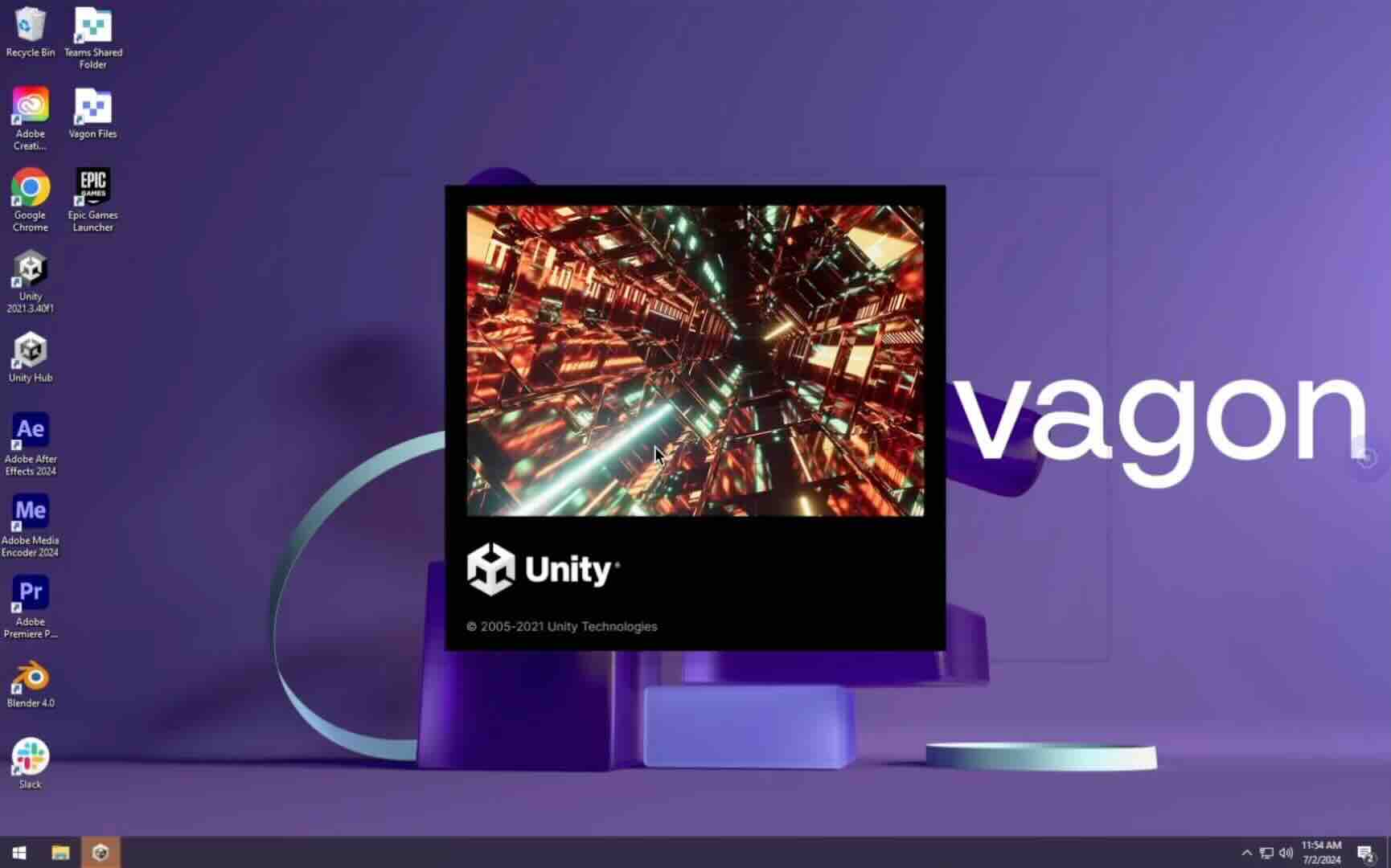
Trial includes 1 hour usage + 7 days of storage.
Summarize with AI

Ready to focus on your creativity?
Vagon gives you the ability to create & render projects, collaborate, and stream applications with the power of the best hardware.

Vagon Blog

Run heavy applications on any device with
your personal computer on the cloud.
San Francisco, California
Solutions
Vagon Teams
Vagon Streams
Use Cases
Resources
Vagon Blog
Lumion Crashes & Fixes: Why It Keeps Crashing and How to Fix It
Lumion Shortcuts: The Practical Guide to Faster Scene Building
V-Ray Shortcuts That Actually Save Time
Best V-Ray Alternatives Worth Switching to in 2026
Best Lumion Alternatives Worth Switching to in 2026
Best Revit AI Tools and Plugins in 2026: Top Picks for Architects and BIM Teams
Best AI Tools for SolidWorks in 2026: What Actually Helps Engineers
Best AI Assistant for Unreal Engine in 2026
Top AI Plugins for Unity in 2026: Best Tools for NPCs, ML, and Runtime AI
Vagon Blog
Run heavy applications on any device with
your personal computer on the cloud.
San Francisco, California
Solutions
Vagon Teams
Vagon Streams
Use Cases
Resources
Vagon Blog
Lumion Crashes & Fixes: Why It Keeps Crashing and How to Fix It
Lumion Shortcuts: The Practical Guide to Faster Scene Building
V-Ray Shortcuts That Actually Save Time
Best V-Ray Alternatives Worth Switching to in 2026
Best Lumion Alternatives Worth Switching to in 2026
Best Revit AI Tools and Plugins in 2026: Top Picks for Architects and BIM Teams
Best AI Tools for SolidWorks in 2026: What Actually Helps Engineers
Best AI Assistant for Unreal Engine in 2026
Top AI Plugins for Unity in 2026: Best Tools for NPCs, ML, and Runtime AI
Vagon Blog
Run heavy applications on any device with
your personal computer on the cloud.
San Francisco, California
Solutions
Vagon Teams
Vagon Streams
Use Cases
Resources
Vagon Blog