Instant Connection for Pixel Streaming
— New Feature Automated Setup

Best Cloud Gaming with Full Desktop Access (2026)
Best Cloud Gaming with Full Desktop Access (2026)
Best Cloud Gaming with Full Desktop Access (2026)
Table of Contents
Most cloud gaming services quietly decide what you're allowed to play. GeForce Now streams games you own, but only the ones on its supported list. Xbox Cloud Gaming and Amazon Luna hand you a catalog someone else picked. None of them let you do the thing a real PC does: install whatever you want.
That's the gap this guide is about. If you've ever wanted to run a game that isn't on a streaming catalog, load a mod, fire up an emulator, play something from GOG or itch.io, or touch a game with anti-cheat that streamers block, you don't want cloud gaming. You want a cloud PC with full desktop access, which is a real Windows machine you can install anything on.
There aren't many services that actually give you that, and the best one in 2026 is clear. Let's go through the full-desktop options first, then the streaming services, so you can see exactly what you gain and give up either way.
The Best Full-Desktop Cloud Gaming Services at a Glance
Here are the picks, by what you need:
Vagon Cloud Computer: best overall, a full Windows gaming PC billed by the minute
Shadow: best for an always-on machine you use heavily
AirGPU: best cheap hourly option
Paperspace: best if you want a wide choice of GPUs
And if you're fine being limited to a catalog, the streaming services are cheaper:
GeForce Now: best for streaming games you already own
Xbox Cloud Gaming: best for an all-you-can-play Game Pass library
Amazon Luna and Boosteroid: budget streaming picks
The one thing to get straight before you pick: streaming services are cheaper, but they can't install a single thing. A full-desktop cloud PC costs a bit more and does everything a real gaming PC does.
What "Full Desktop Access" Actually Means
This is the whole distinction, so it's worth thirty seconds. A streaming service gives you a game on a screen. A full-desktop cloud PC gives you an actual Windows computer running in a data center that you control completely. You get the desktop, the file system, a browser, and the ability to install software, exactly like the PC on your desk.
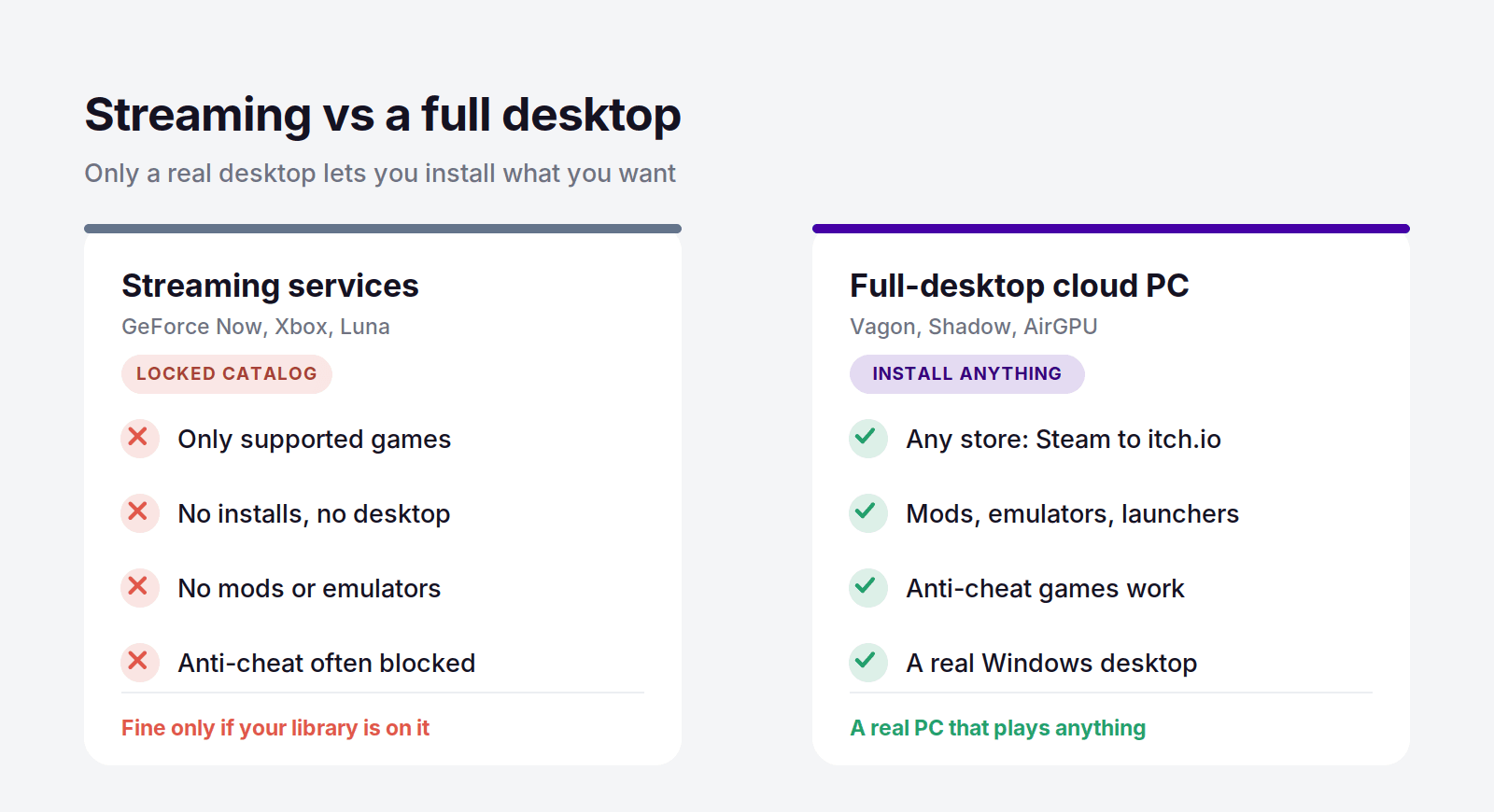
For gaming, that difference is huge. With a full desktop you can:
Install games from any store: Steam, Epic, GOG, Battle.net, Riot, EA, Ubisoft, itch.io, anywhere
Play games that aren't on any streaming catalog, including indie and niche titles
Run games with kernel-level anti-cheat that streaming services often block
Install mods, trainers, and community patches
Run emulators for retro and console games
Use launchers and tools that a locked streaming client would never allow
A streaming service can't do any of that, because you never touch a real machine. That's fine if every game you play happens to be on the catalog. The moment one isn't, you're stuck, and that's the exact frustration that sends people looking for full desktop access in the first place.
Full-Desktop Cloud Gaming Compared
Service | Type | Full desktop? | GPU | Price |
|---|---|---|---|---|
Vagon Cloud Computer | Cloud PC | Yes | Tesla T4 / RTX A10G | From $0.99/hour |
Shadow | Cloud PC | Yes | RTX-class, 20 GB VRAM | From $37.99/month |
AirGPU | Cloud PC | Yes | RTX 4000 to A10G | From $0.65/hour |
Paperspace | Cloud PC | Yes | Wide GPU range | From $0.80/hour |
GeForce Now | Streaming | No | RTX-class | Free / $9.99 |
Xbox Cloud Gaming | Streaming | No | Xbox-class | Game Pass subscription |
Amazon Luna | Streaming | No | Cloud GPU | $9.99/month |
Boosteroid | Streaming | No | Cloud GPU | From about $8/month |
Vagon Cloud Computer: The Best Full-Desktop Pick
If you want a real gaming PC in the cloud, one you can install anything on, Vagon Cloud Computer is the best option in 2026. It's a full Windows machine with a proper GPU, running in a browser, and it treats you like the owner of the computer instead of a guest in someone's catalog. You install your games, your launchers, your mods, and your emulators, and it all just works because it's a genuine desktop.
What makes it the top pick over the other full-desktop services is the billing. Gaming is bursty by nature. You play hard for a weekend, then barely touch it for two weeks. Vagon bills by the minute, so you only pay while you're actually playing. The Planet tier is $0.99 an hour on a Tesla T4, and Spark steps up to $1.67 an hour on an RTX A10G for heavier titles. Storage is separate, from $7.99 a month, so your installed games and save files stay exactly where you left them between sessions.
Here's what that means next to a flat-rate service. Say you game around twenty hours a month. On a $37.99 flat plan you pay that no matter what. On Vagon's Planet tier, twenty hours is under $28 all in, and if you have a lighter month you pay even less. You'd have to play more than thirty hours a month before a flat plan starts winning, and plenty of people don't. If you're a daily, hours-every-night player, a flat plan can make sense, and I'll point you there later. But for the way most people actually game, pay-per-use keeps more money in your pocket.
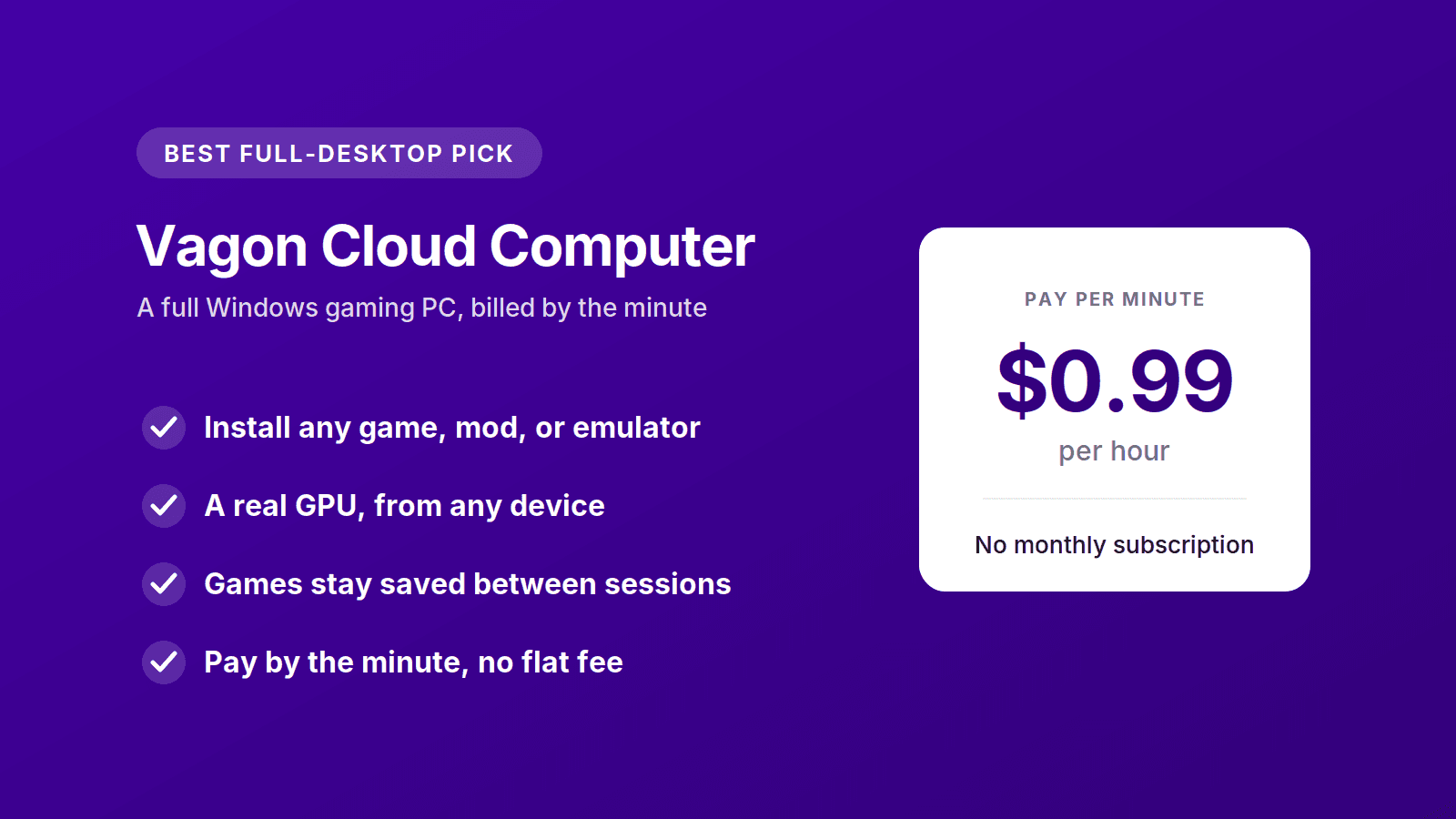
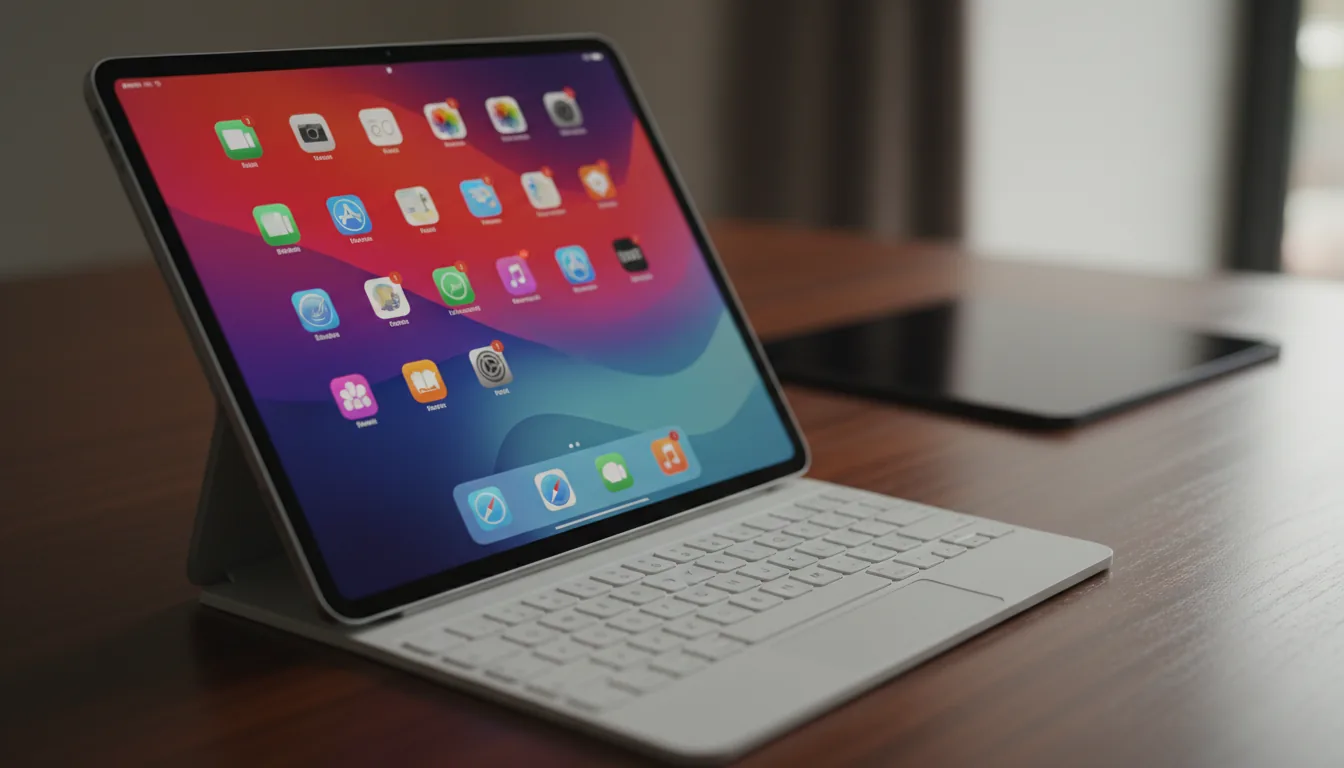
The other quiet advantage is device freedom. Because everything runs in the browser, you can play on a cheap laptop, a MacBook, or even a tablet, with a real GPU doing the work in the cloud. You don't need a gaming rig to play like you have one.
You can spin up a machine and try it for about a dollar, no contract, install a game, and see how it feels. That's the fastest way to know if it fits how you play. Try Vagon Cloud Computer.
Other Full-Desktop Cloud Gaming Services
Vagon isn't the only real cloud PC you can game on. These three also give you a full desktop, each with a different strength.
Shadow: Best for an Always-On Machine
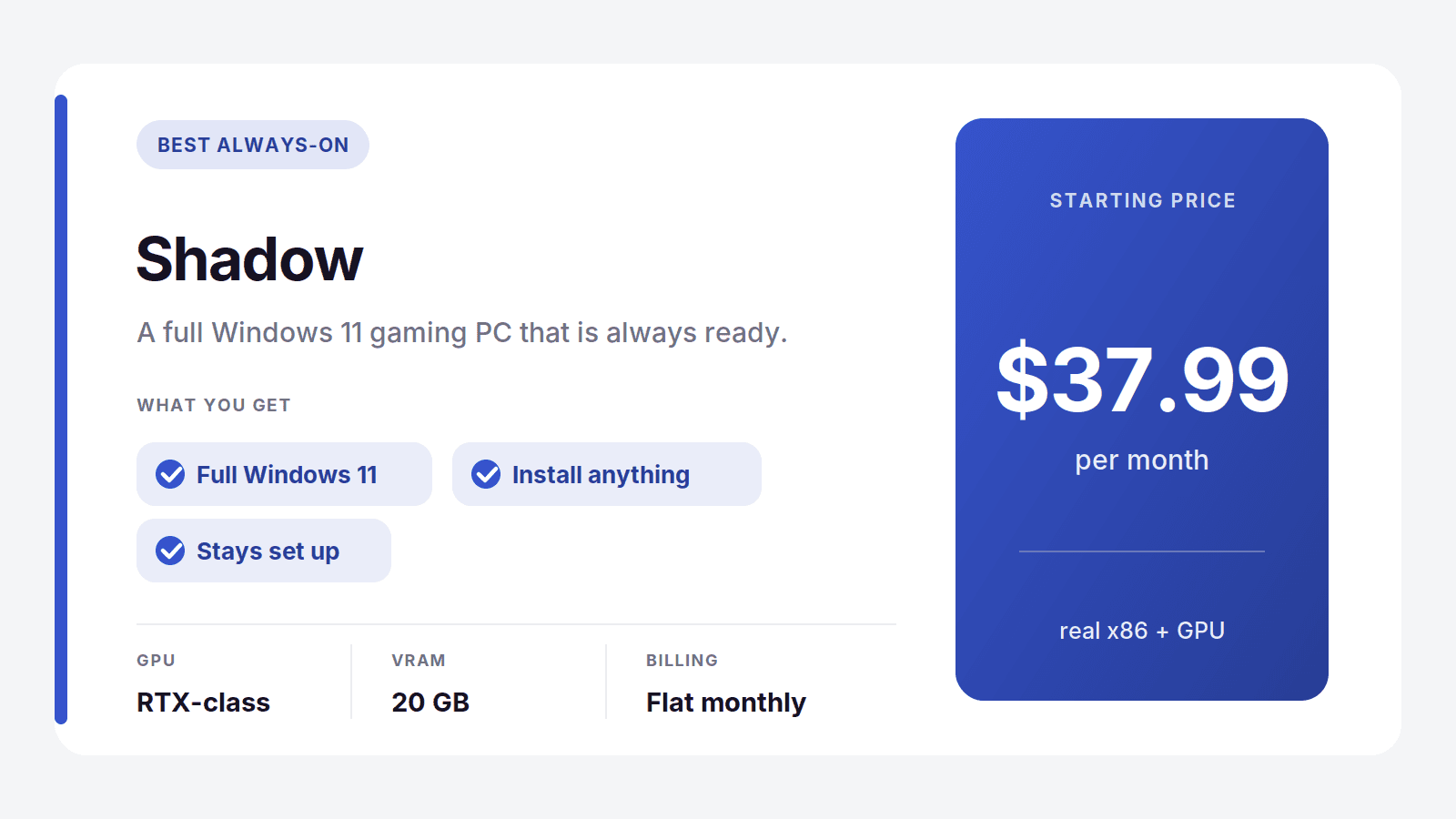
Shadow is a full Windows 11 PC in the cloud, and it's the closest thing to owning a permanent gaming rig you never have to upgrade. You install anything you want, it stays set up between sessions, and it's always there waiting. The Neo tier is $37.99 a month and Power steps up to $54.99 with an RTX-class GPU carrying 20 GB of VRAM.
The model is the tradeoff. You pay that flat fee every month whether you play daily or not at all. For a heavy, everyday player that's fine and often the better deal. For anyone whose gaming comes in bursts, you end up paying for a lot of idle time.
Best for: daily players who want a permanent, always-on machine. Where it's not the pick: light or bursty players, who'll pay less with a pay-per-use service.
AirGPU: Best Cheap Hourly Option
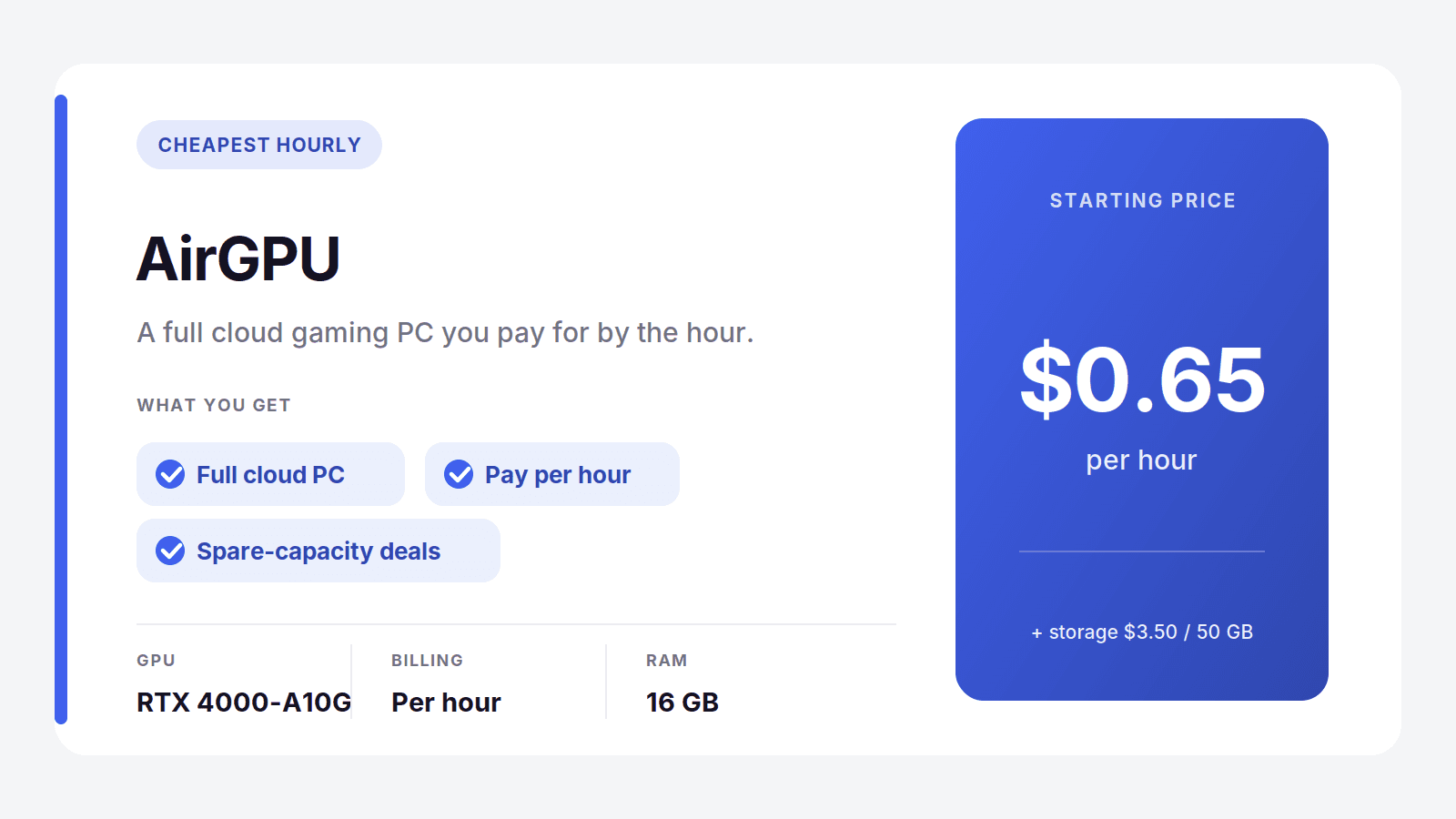
AirGPU is a full cloud PC on a pure pay-per-hour model, and it's the budget favorite. Rates start at $0.65 an hour for a Quadro RTX 4000 and reach about $1.15 for an A10G near RTX 3080 performance, plus a small storage charge of $3.50 per 50 GB. There's a spare-capacity option at roughly half price if you can handle the odd interruption.
It's a close cousin to Vagon in spirit, both give you a real desktop billed by usage. AirGPU wins on raw hourly price for gaming, while trading away some of the polish and consistency.
Best for: budget players who want the lowest hourly rate. Where it's not the pick: anyone who wants the smoothest, most reliable experience.
Paperspace: Best for GPU Choice
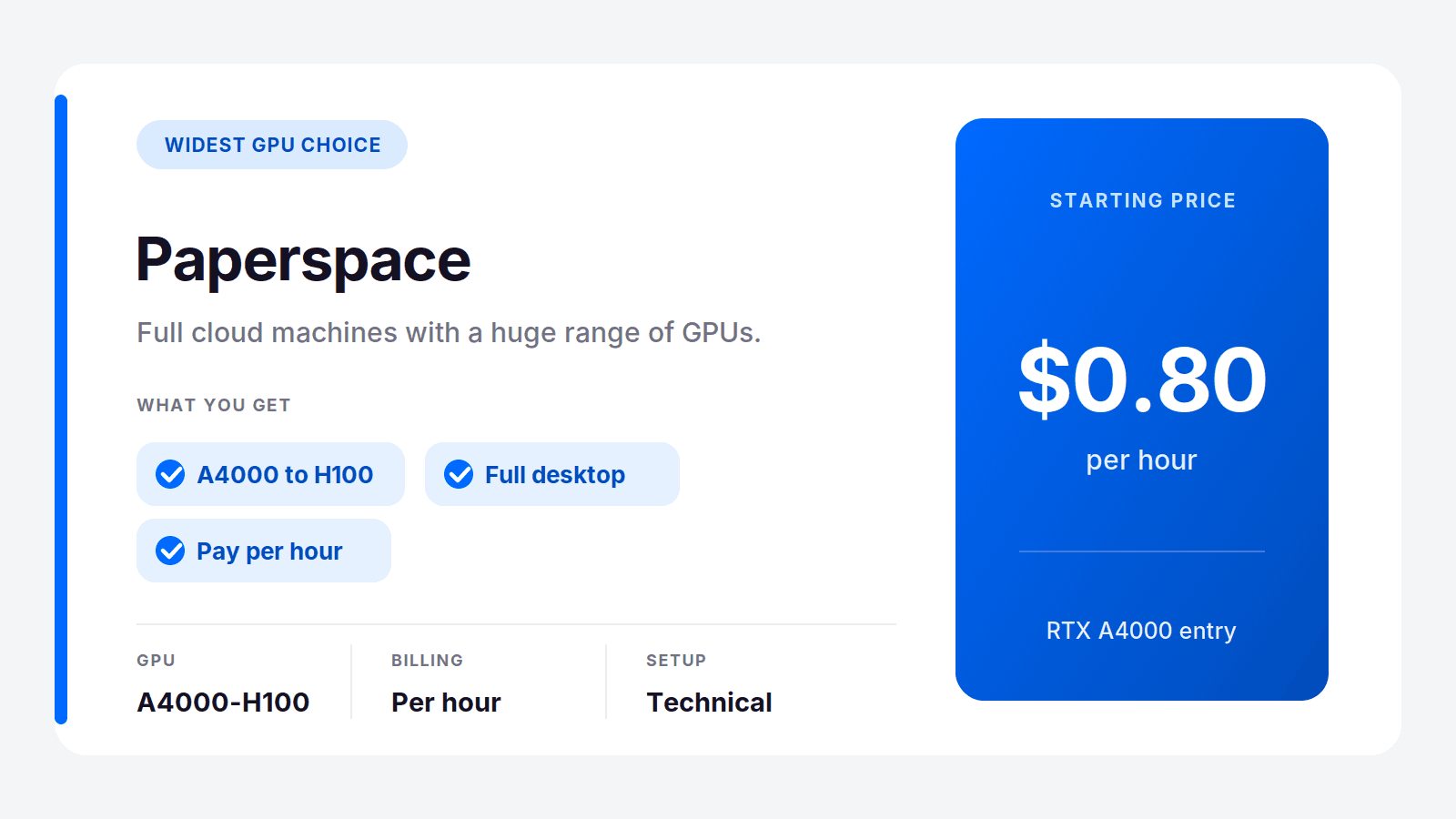
Paperspace, now part of DigitalOcean, gives you full cloud machines with the widest range of GPUs of anyone here, billed by the hour. It leans technical, aimed at developers and creators as much as gamers, but you can absolutely install and play games on it. Entry starts around $0.80 an hour for an RTX A4000 and climbs to serious data-center cards.
It's more setup than a consumer gaming service, so it rewards people who are comfortable configuring a machine. If you want to pick an exact GPU and don't mind the extra steps, nothing else offers this much range.
Best for: technical players who want a specific GPU. Where it's not the pick: casual gamers who just want to click and play.
Streaming Services Without a Full Desktop
These are the services most people mean when they say "cloud gaming." They're cheaper and simpler than a cloud PC, and they're genuinely good at one job: streaming a game to your screen. What they can't do is give you a desktop, so you can't install anything. If your whole library is on the catalog, take the savings. If it isn't, you already know why you're reading this guide.
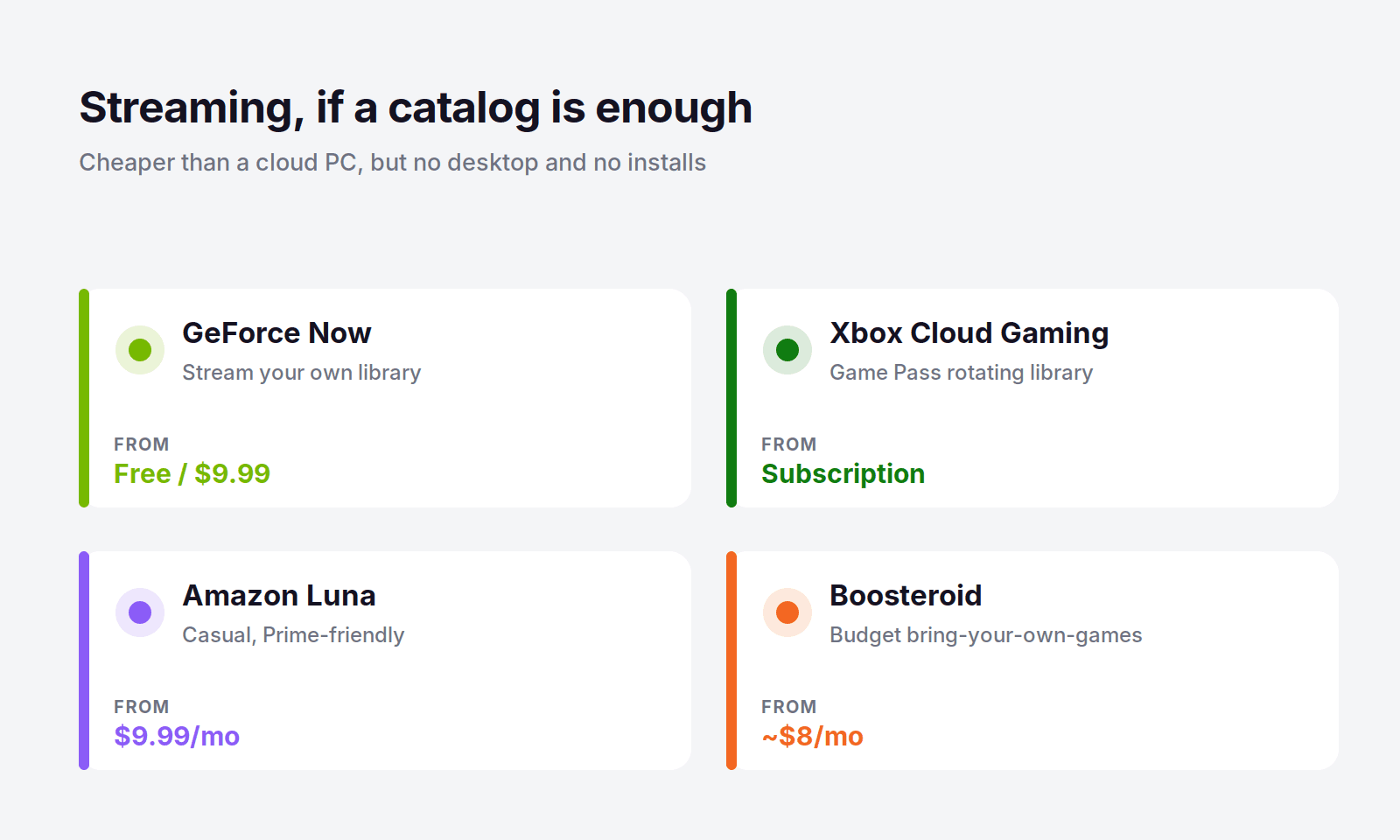
GeForce Now is the best streamer for most people. It streams games you already own on Steam, Epic, and other stores, has a free tier, and its paid plans run $9.99 to $19.99 a month with RTX-class hardware. It only works with games on its supported list, but that list is large, and for playing your own library it feels close to a real gaming PC.
Xbox Cloud Gaming comes with a Game Pass subscription and streams from a big rotating library that's included in the price. It's a buffet rather than a library you own, and a great deal if you like having a rotating stack of games to try. You still can't install anything outside it.
Amazon Luna runs $9.99 a month with a mix of included titles and channel add-ons. It's casual-friendly and a natural pick if you're already an Amazon or Prime user, with the same catalog limits as the rest.
Boosteroid is the budget bring-your-own-games streamer, starting around $8 a month. It supports a solid catalog and undercuts most rivals on price, but like the others, it's streaming only.
The common thread: every one of these is cheaper than a full-desktop cloud PC, and every one of them locks you to a catalog. They're the right call only if you never need to install a thing.
Is Full Desktop Access Worth It for You?
Full desktop access costs a bit more than a streaming subscription, so it's fair to ask whether you need it. The honest answer depends on one thing: your library.
If every game you play lives on a streaming catalog or your Steam account, and you never want to touch a mod, an emulator, or an off-catalog title, streaming is genuinely the better value. A $9.99 GeForce Now plan will serve you well, and paying for a full cloud PC would be overkill. There's no shame in taking the cheaper path when it covers everything you do.
The moment your gaming steps outside that box, the math flips. One game with anti-cheat that streamers block, one indie title that never came to a catalog, one mod you want to run, and a streaming service simply can't help you. A full desktop can, every time, because it's a real computer. For a lot of PC gamers, that flexibility is worth the small premium, especially with pay-per-use billing that keeps the cost tied to how much you actually play.
There's one practical requirement worth naming: a stable internet connection. Cloud gaming, streaming or full desktop, sends your inputs to a remote machine and streams the video back, so latency matters. A steady wired connection or strong Wi-Fi around 25 Mbps or better gives a smooth experience. A flaky connection will frustrate you no matter which service you pick, so if your internet drops often, test before you commit.
How to Choose
Match your situation to the pick and it gets simple:
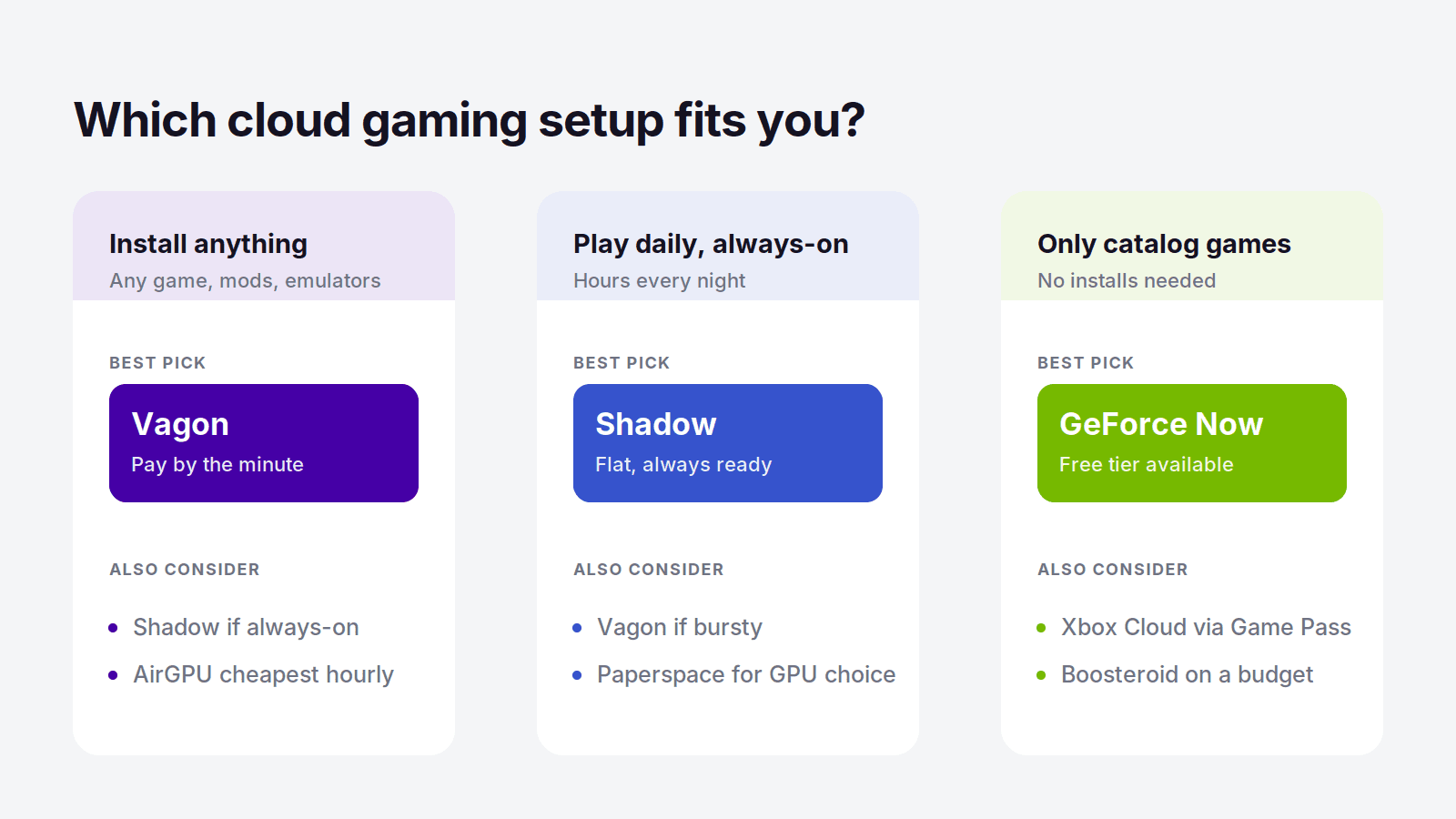
You want to install any game, mods, or emulators: Vagon Cloud Computer
You play daily for hours and want an always-on machine: Shadow
You want the cheapest hourly full PC: AirGPU
You want to pick a specific GPU and don't mind setup: Paperspace
You only play games already on a streaming catalog or your Steam library: GeForce Now
You want a big rotating library included: Xbox Cloud Gaming
You want the cheapest possible streaming: Boosteroid or Amazon Luna
For most people who want real cloud gaming, the kind where you can install whatever you want and pay only for the hours you play, Vagon is the place to start. Try it for about a dollar, install a game, and you'll know within an evening.
Frequently Asked Questions
What Cloud Gaming Service Lets You Install Any Game?
A full-desktop cloud PC, not a streaming service. Vagon Cloud Computer gives you a real Windows machine where you can install games from any store, plus mods and emulators, and pay by the minute. AirGPU, Shadow, and Paperspace also give full desktops. Streaming services like GeForce Now only run games on their supported list.
Is There Cloud Gaming With a Full Windows Desktop?
Yes. Vagon, Shadow, AirGPU, and Paperspace are cloud PCs that give you a complete Windows desktop with a GPU, so you can install and play anything. This is different from GeForce Now, Xbox Cloud Gaming, and Luna, which stream from a catalog and never give you a desktop.
Can I Play Non-Steam Games in the Cloud?
Yes, if you use a full-desktop cloud PC. Because you get a real Windows machine, you can install games from Epic, GOG, Battle.net, itch.io, or any other store, not just Steam. Streaming services are limited to whatever is on their catalog, so non-Steam and niche titles often aren't available.
Can I Run Mods or Emulators on a Cloud Gaming Service?
Only on a full-desktop cloud PC like Vagon. Since it's a real Windows computer, you can install mods, community patches, trainers, and emulators exactly as you would on a local PC. Streaming services don't allow this because you never get access to the underlying machine.
What's the Cheapest Full-Desktop Cloud Gaming Option?
For light or bursty play, pay-per-use services are cheapest because you only pay while you're playing. AirGPU starts at $0.65 an hour and Vagon at $0.99, both far below a flat monthly plan if you don't game daily. For heavy daily players, a flat plan like Shadow can work out cheaper over a full month.
Does GeForce Now Give You a Full Desktop?
No. GeForce Now is a streaming service, so it plays supported games from your library but gives you no desktop and no way to install software. If you need to install your own games, mods, or apps, you need a full-desktop cloud PC like Vagon instead.
Most cloud gaming services quietly decide what you're allowed to play. GeForce Now streams games you own, but only the ones on its supported list. Xbox Cloud Gaming and Amazon Luna hand you a catalog someone else picked. None of them let you do the thing a real PC does: install whatever you want.
That's the gap this guide is about. If you've ever wanted to run a game that isn't on a streaming catalog, load a mod, fire up an emulator, play something from GOG or itch.io, or touch a game with anti-cheat that streamers block, you don't want cloud gaming. You want a cloud PC with full desktop access, which is a real Windows machine you can install anything on.
There aren't many services that actually give you that, and the best one in 2026 is clear. Let's go through the full-desktop options first, then the streaming services, so you can see exactly what you gain and give up either way.
The Best Full-Desktop Cloud Gaming Services at a Glance
Here are the picks, by what you need:
Vagon Cloud Computer: best overall, a full Windows gaming PC billed by the minute
Shadow: best for an always-on machine you use heavily
AirGPU: best cheap hourly option
Paperspace: best if you want a wide choice of GPUs
And if you're fine being limited to a catalog, the streaming services are cheaper:
GeForce Now: best for streaming games you already own
Xbox Cloud Gaming: best for an all-you-can-play Game Pass library
Amazon Luna and Boosteroid: budget streaming picks
The one thing to get straight before you pick: streaming services are cheaper, but they can't install a single thing. A full-desktop cloud PC costs a bit more and does everything a real gaming PC does.
What "Full Desktop Access" Actually Means
This is the whole distinction, so it's worth thirty seconds. A streaming service gives you a game on a screen. A full-desktop cloud PC gives you an actual Windows computer running in a data center that you control completely. You get the desktop, the file system, a browser, and the ability to install software, exactly like the PC on your desk.
For gaming, that difference is huge. With a full desktop you can:
Install games from any store: Steam, Epic, GOG, Battle.net, Riot, EA, Ubisoft, itch.io, anywhere
Play games that aren't on any streaming catalog, including indie and niche titles
Run games with kernel-level anti-cheat that streaming services often block
Install mods, trainers, and community patches
Run emulators for retro and console games
Use launchers and tools that a locked streaming client would never allow
A streaming service can't do any of that, because you never touch a real machine. That's fine if every game you play happens to be on the catalog. The moment one isn't, you're stuck, and that's the exact frustration that sends people looking for full desktop access in the first place.
Full-Desktop Cloud Gaming Compared
Service | Type | Full desktop? | GPU | Price |
|---|---|---|---|---|
Vagon Cloud Computer | Cloud PC | Yes | Tesla T4 / RTX A10G | From $0.99/hour |
Shadow | Cloud PC | Yes | RTX-class, 20 GB VRAM | From $37.99/month |
AirGPU | Cloud PC | Yes | RTX 4000 to A10G | From $0.65/hour |
Paperspace | Cloud PC | Yes | Wide GPU range | From $0.80/hour |
GeForce Now | Streaming | No | RTX-class | Free / $9.99 |
Xbox Cloud Gaming | Streaming | No | Xbox-class | Game Pass subscription |
Amazon Luna | Streaming | No | Cloud GPU | $9.99/month |
Boosteroid | Streaming | No | Cloud GPU | From about $8/month |
Vagon Cloud Computer: The Best Full-Desktop Pick
If you want a real gaming PC in the cloud, one you can install anything on, Vagon Cloud Computer is the best option in 2026. It's a full Windows machine with a proper GPU, running in a browser, and it treats you like the owner of the computer instead of a guest in someone's catalog. You install your games, your launchers, your mods, and your emulators, and it all just works because it's a genuine desktop.
What makes it the top pick over the other full-desktop services is the billing. Gaming is bursty by nature. You play hard for a weekend, then barely touch it for two weeks. Vagon bills by the minute, so you only pay while you're actually playing. The Planet tier is $0.99 an hour on a Tesla T4, and Spark steps up to $1.67 an hour on an RTX A10G for heavier titles. Storage is separate, from $7.99 a month, so your installed games and save files stay exactly where you left them between sessions.
Here's what that means next to a flat-rate service. Say you game around twenty hours a month. On a $37.99 flat plan you pay that no matter what. On Vagon's Planet tier, twenty hours is under $28 all in, and if you have a lighter month you pay even less. You'd have to play more than thirty hours a month before a flat plan starts winning, and plenty of people don't. If you're a daily, hours-every-night player, a flat plan can make sense, and I'll point you there later. But for the way most people actually game, pay-per-use keeps more money in your pocket.
The other quiet advantage is device freedom. Because everything runs in the browser, you can play on a cheap laptop, a MacBook, or even a tablet, with a real GPU doing the work in the cloud. You don't need a gaming rig to play like you have one.
You can spin up a machine and try it for about a dollar, no contract, install a game, and see how it feels. That's the fastest way to know if it fits how you play. Try Vagon Cloud Computer.
Other Full-Desktop Cloud Gaming Services
Vagon isn't the only real cloud PC you can game on. These three also give you a full desktop, each with a different strength.
Shadow: Best for an Always-On Machine
Shadow is a full Windows 11 PC in the cloud, and it's the closest thing to owning a permanent gaming rig you never have to upgrade. You install anything you want, it stays set up between sessions, and it's always there waiting. The Neo tier is $37.99 a month and Power steps up to $54.99 with an RTX-class GPU carrying 20 GB of VRAM.
The model is the tradeoff. You pay that flat fee every month whether you play daily or not at all. For a heavy, everyday player that's fine and often the better deal. For anyone whose gaming comes in bursts, you end up paying for a lot of idle time.
Best for: daily players who want a permanent, always-on machine. Where it's not the pick: light or bursty players, who'll pay less with a pay-per-use service.
AirGPU: Best Cheap Hourly Option
AirGPU is a full cloud PC on a pure pay-per-hour model, and it's the budget favorite. Rates start at $0.65 an hour for a Quadro RTX 4000 and reach about $1.15 for an A10G near RTX 3080 performance, plus a small storage charge of $3.50 per 50 GB. There's a spare-capacity option at roughly half price if you can handle the odd interruption.
It's a close cousin to Vagon in spirit, both give you a real desktop billed by usage. AirGPU wins on raw hourly price for gaming, while trading away some of the polish and consistency.
Best for: budget players who want the lowest hourly rate. Where it's not the pick: anyone who wants the smoothest, most reliable experience.
Paperspace: Best for GPU Choice
Paperspace, now part of DigitalOcean, gives you full cloud machines with the widest range of GPUs of anyone here, billed by the hour. It leans technical, aimed at developers and creators as much as gamers, but you can absolutely install and play games on it. Entry starts around $0.80 an hour for an RTX A4000 and climbs to serious data-center cards.
It's more setup than a consumer gaming service, so it rewards people who are comfortable configuring a machine. If you want to pick an exact GPU and don't mind the extra steps, nothing else offers this much range.
Best for: technical players who want a specific GPU. Where it's not the pick: casual gamers who just want to click and play.
Streaming Services Without a Full Desktop
These are the services most people mean when they say "cloud gaming." They're cheaper and simpler than a cloud PC, and they're genuinely good at one job: streaming a game to your screen. What they can't do is give you a desktop, so you can't install anything. If your whole library is on the catalog, take the savings. If it isn't, you already know why you're reading this guide.
GeForce Now is the best streamer for most people. It streams games you already own on Steam, Epic, and other stores, has a free tier, and its paid plans run $9.99 to $19.99 a month with RTX-class hardware. It only works with games on its supported list, but that list is large, and for playing your own library it feels close to a real gaming PC.
Xbox Cloud Gaming comes with a Game Pass subscription and streams from a big rotating library that's included in the price. It's a buffet rather than a library you own, and a great deal if you like having a rotating stack of games to try. You still can't install anything outside it.
Amazon Luna runs $9.99 a month with a mix of included titles and channel add-ons. It's casual-friendly and a natural pick if you're already an Amazon or Prime user, with the same catalog limits as the rest.
Boosteroid is the budget bring-your-own-games streamer, starting around $8 a month. It supports a solid catalog and undercuts most rivals on price, but like the others, it's streaming only.
The common thread: every one of these is cheaper than a full-desktop cloud PC, and every one of them locks you to a catalog. They're the right call only if you never need to install a thing.
Is Full Desktop Access Worth It for You?
Full desktop access costs a bit more than a streaming subscription, so it's fair to ask whether you need it. The honest answer depends on one thing: your library.
If every game you play lives on a streaming catalog or your Steam account, and you never want to touch a mod, an emulator, or an off-catalog title, streaming is genuinely the better value. A $9.99 GeForce Now plan will serve you well, and paying for a full cloud PC would be overkill. There's no shame in taking the cheaper path when it covers everything you do.
The moment your gaming steps outside that box, the math flips. One game with anti-cheat that streamers block, one indie title that never came to a catalog, one mod you want to run, and a streaming service simply can't help you. A full desktop can, every time, because it's a real computer. For a lot of PC gamers, that flexibility is worth the small premium, especially with pay-per-use billing that keeps the cost tied to how much you actually play.
There's one practical requirement worth naming: a stable internet connection. Cloud gaming, streaming or full desktop, sends your inputs to a remote machine and streams the video back, so latency matters. A steady wired connection or strong Wi-Fi around 25 Mbps or better gives a smooth experience. A flaky connection will frustrate you no matter which service you pick, so if your internet drops often, test before you commit.
How to Choose
Match your situation to the pick and it gets simple:
You want to install any game, mods, or emulators: Vagon Cloud Computer
You play daily for hours and want an always-on machine: Shadow
You want the cheapest hourly full PC: AirGPU
You want to pick a specific GPU and don't mind setup: Paperspace
You only play games already on a streaming catalog or your Steam library: GeForce Now
You want a big rotating library included: Xbox Cloud Gaming
You want the cheapest possible streaming: Boosteroid or Amazon Luna
For most people who want real cloud gaming, the kind where you can install whatever you want and pay only for the hours you play, Vagon is the place to start. Try it for about a dollar, install a game, and you'll know within an evening.
Frequently Asked Questions
What Cloud Gaming Service Lets You Install Any Game?
A full-desktop cloud PC, not a streaming service. Vagon Cloud Computer gives you a real Windows machine where you can install games from any store, plus mods and emulators, and pay by the minute. AirGPU, Shadow, and Paperspace also give full desktops. Streaming services like GeForce Now only run games on their supported list.
Is There Cloud Gaming With a Full Windows Desktop?
Yes. Vagon, Shadow, AirGPU, and Paperspace are cloud PCs that give you a complete Windows desktop with a GPU, so you can install and play anything. This is different from GeForce Now, Xbox Cloud Gaming, and Luna, which stream from a catalog and never give you a desktop.
Can I Play Non-Steam Games in the Cloud?
Yes, if you use a full-desktop cloud PC. Because you get a real Windows machine, you can install games from Epic, GOG, Battle.net, itch.io, or any other store, not just Steam. Streaming services are limited to whatever is on their catalog, so non-Steam and niche titles often aren't available.
Can I Run Mods or Emulators on a Cloud Gaming Service?
Only on a full-desktop cloud PC like Vagon. Since it's a real Windows computer, you can install mods, community patches, trainers, and emulators exactly as you would on a local PC. Streaming services don't allow this because you never get access to the underlying machine.
What's the Cheapest Full-Desktop Cloud Gaming Option?
For light or bursty play, pay-per-use services are cheapest because you only pay while you're playing. AirGPU starts at $0.65 an hour and Vagon at $0.99, both far below a flat monthly plan if you don't game daily. For heavy daily players, a flat plan like Shadow can work out cheaper over a full month.
Does GeForce Now Give You a Full Desktop?
No. GeForce Now is a streaming service, so it plays supported games from your library but gives you no desktop and no way to install software. If you need to install your own games, mods, or apps, you need a full-desktop cloud PC like Vagon instead.
Get Beyond Your Computer Performance
Run applications on your cloud computer with the latest generation hardware. No more crashes or lags.
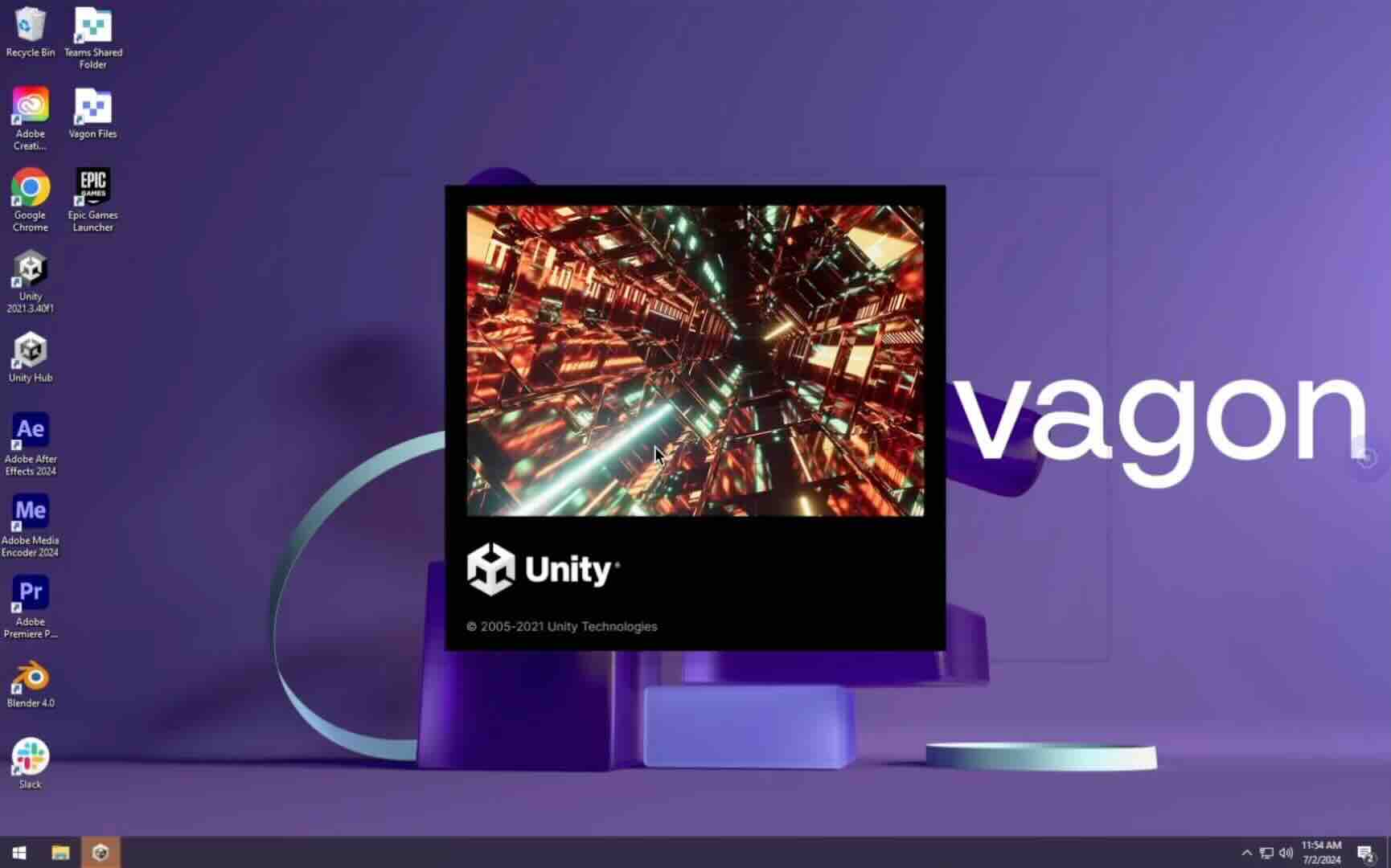
Trial includes 1 hour usage + 7 days of storage.
Summarize with AI

Ready to focus on your creativity?
Vagon gives you the ability to create & render projects, collaborate, and stream applications with the power of the best hardware.

Vagon Blog


Run heavy applications on any device with
your personal computer on the cloud.
San Francisco, California
Solutions
Vagon Teams
Vagon Streams
Use Cases
Resources
Vagon Blog
Best Cloud Workstations for Revit, 3ds Max & V-Ray 2026
Best Pixel Streaming Platforms in 2026 (Compared)
Best Cloud Gaming with Full Desktop Access (2026)
Best Parallels Alternatives in 2026 (Tested & Compared)
Best Shadow PC Alternatives in 2026 (Tested & Ranked)
Best Cloud PC Services in 2026 (Tested & Compared)
How to Run Audacity on a Cloud Ubuntu Desktop (2026 Guide)
How to Run Darktable on a Cloud Ubuntu Desktop for RAW Photo Editing (2026 Guide)
How to Run Kdenlive on a Cloud Ubuntu Desktop (2026 Guide)
Vagon Blog
Run heavy applications on any device with
your personal computer on the cloud.
San Francisco, California
Solutions
Vagon Teams
Vagon Streams
Use Cases
Resources
Vagon Blog
Best Cloud Workstations for Revit, 3ds Max & V-Ray 2026
Best Pixel Streaming Platforms in 2026 (Compared)
Best Cloud Gaming with Full Desktop Access (2026)
Best Parallels Alternatives in 2026 (Tested & Compared)
Best Shadow PC Alternatives in 2026 (Tested & Ranked)
Best Cloud PC Services in 2026 (Tested & Compared)
How to Run Audacity on a Cloud Ubuntu Desktop (2026 Guide)
How to Run Darktable on a Cloud Ubuntu Desktop for RAW Photo Editing (2026 Guide)
How to Run Kdenlive on a Cloud Ubuntu Desktop (2026 Guide)
Vagon Blog
Run heavy applications on any device with
your personal computer on the cloud.
San Francisco, California
Solutions
Vagon Teams
Vagon Streams
Use Cases
Resources
Vagon Blog