Instant Connection for Pixel Streaming
— New Feature Automated Setup

Best Cloud Workstations for Revit, 3ds Max & V-Ray 2026
Best Cloud Workstations for Revit, 3ds Max & V-Ray 2026
Best Cloud Workstations for Revit, 3ds Max & V-Ray 2026
Table of Contents
Ask any architect or visualization artist what their laptop does when they open a big Revit model, drop it into 3ds Max, and hit render in V-Ray. It slows to a crawl, the fans scream, and a final frame that should take minutes takes an hour, if the machine doesn't run out of memory first. These are three of the most demanding applications in the AEC world, and most people are trying to run them on hardware that was never built for the job.
The usual fix is to spend three or four thousand dollars on a workstation that's obsolete in a few years. There's a better one in 2026: rent the machine. A cloud workstation gives you a powerful Windows computer with a real GPU running in a data center, you install Revit, 3ds Max, and V-Ray on it exactly as you would locally, and you work through your browser from whatever device you already own.
This guide covers the best cloud workstations for that exact workflow, what the software actually needs from the hardware, and where cloud workstations end and render farms begin, because confusing the two is the most common mistake in this space.
The Best Cloud Workstations at a Glance
Here are the picks, by what you need:
Vagon Cloud Computer: best overall, a full GPU workstation billed by the minute
Paperspace: best for a wide choice of specific GPUs
Amazon WorkSpaces: best if your firm is already on AWS
Azure Virtual Desktop: best for large Microsoft-based practices
Shadow: best as a simple always-on machine
And for final V-Ray output specifically, a render farm like Chaos Cloud or iRender is a useful complement, not a replacement, which we'll get to below.
The first thing to sort out is what a cloud workstation actually is, because it is not the same as a render farm, and picking the wrong one wastes time and money.
Cloud Workstation vs Render Farm vs Buying a PC
There are three ways to get the horsepower Revit, 3ds Max, and V-Ray demand, and they solve different problems.
A cloud workstation is a full remote PC you control. You install your software, open your Revit model, model in 3ds Max, set up materials, and run V-Ray interactively, exactly like a local machine but far more powerful. You pay for the time you use it.
A render farm does one thing: it takes a finished scene and renders the final frames or animation across many machines, fast. You can't model on it or work interactively. It's for output, not for the work that comes before output.
Buying a workstation gives you a machine you own, which is great if you push it hard every single day, and expensive and quickly dated if you don't.
Most people who think they need a render farm actually need a workstation, because the slow part of their day is the modeling, the viewport, and the test renders, not just the final export. A cloud workstation fixes all of that. A render farm only helps with the last step. The two work together well, but they are not interchangeable.
What Revit, 3ds Max, and V-Ray Actually Need
Before comparing services, it helps to know what these three apps ask for, because they don't all want the same thing.
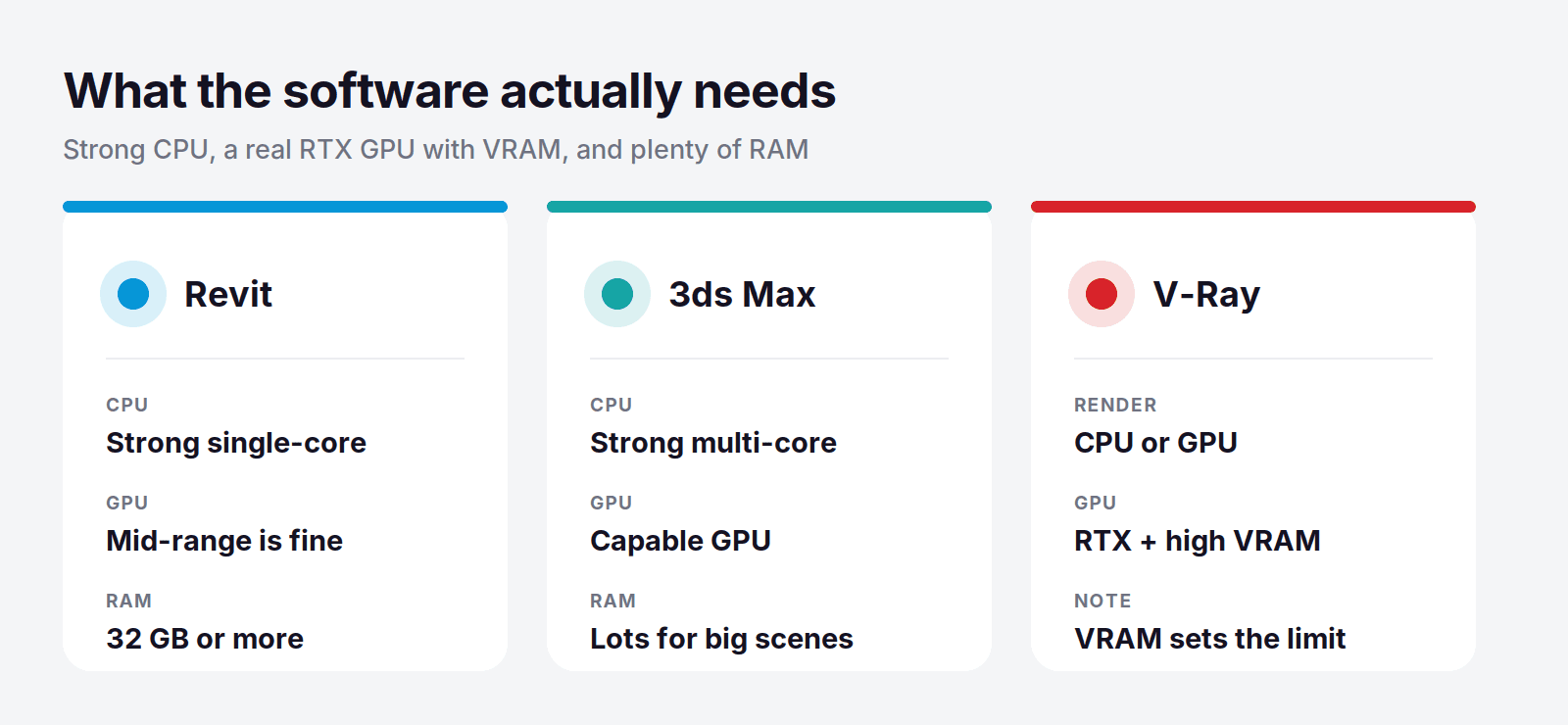
Revit leans on single-core CPU performance for modeling and a lot of RAM for big BIM models, with a mid-range GPU being enough for the viewport. Large projects want 32 GB of RAM or more.
3ds Max wants a strong multi-core CPU and a capable GPU for the viewport, plus plenty of RAM for heavy scenes with lots of geometry and textures.
V-Ray is the hungry one. It renders on either the CPU or the GPU, and V-Ray GPU with RTX acceleration is dramatically faster if you have a strong NVIDIA card with enough VRAM. For GPU rendering, VRAM is the ceiling: run out and the scene won't fit.
The short version: this workflow wants a strong CPU, a real NVIDIA RTX-class GPU with generous VRAM, and 32 GB of RAM or more. That is exactly the spec most laptops and even many desktops don't have, and exactly what a good cloud workstation provides on demand.
What to Look For in a Cloud Workstation
Before comparing services, know which dimensions actually matter for this workflow:
GPU and VRAM: a real NVIDIA RTX-class card with enough VRAM for your V-Ray GPU scenes, with the option to move up for heavy jobs.
CPU and RAM: strong multi-core CPU and 32 GB of RAM or more, so Revit and 3ds Max handle big models without stalling.
Billing model: pay-per-use fits project-based work, while a flat plan only wins for constant daily use.
Setup effort: whether you can install your exact software and plugins yourself and be working in minutes.
Access and storage: browser access from any device, and persistent storage so projects and installs survive between sessions.
Keep those five in mind and the comparison below is easy to read.
Cloud Workstations Compared
Service | GPU | Best for | Billing | Starting price |
|---|---|---|---|---|
Vagon Cloud Computer | NVIDIA RTX-class | On-demand ArchViz workstation | Pay per minute | From $0.99/hour |
Paperspace | Wide GPU range | Specific GPU needs | Pay per hour | From $0.80/hour |
Amazon WorkSpaces | Optional GPU bundles | Firms already on AWS | Monthly or hourly | Varies |
Azure Virtual Desktop | NV-series GPU options | Large Microsoft practices | Consumption-based | Varies |
Shadow | RTX-class, 20 GB VRAM | A simple always-on machine | Flat monthly | From $37.99/month |
Vagon Cloud Computer: The Best Cloud Workstation
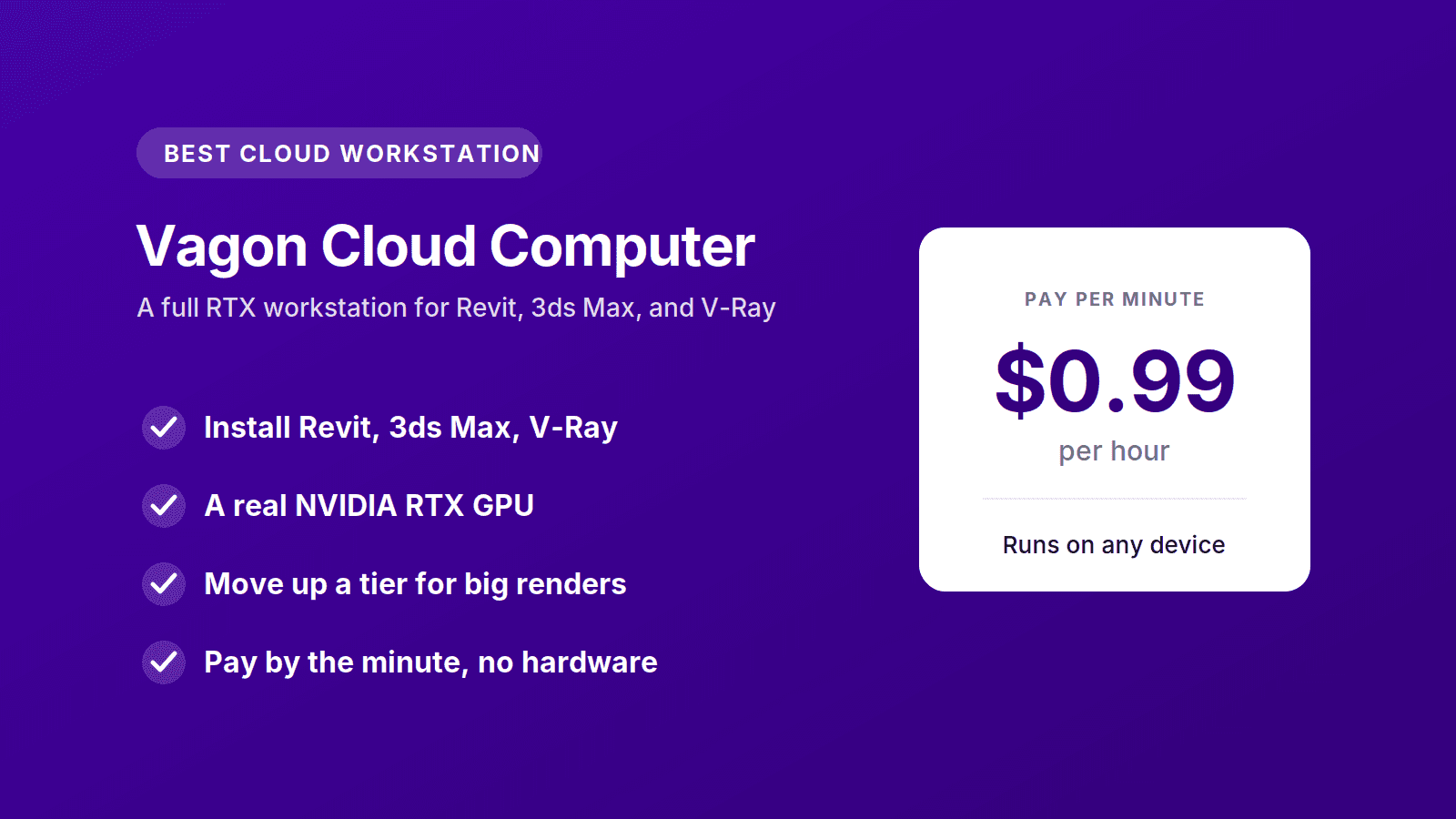
For architects and visualization artists who want a serious machine without buying one, Vagon Cloud Computer is the best cloud workstation in 2026. It gives you a full Windows PC with a real NVIDIA GPU, you install Revit, 3ds Max, V-Ray, and any plugins exactly as you would on a local workstation, and you reach it from a browser on whatever laptop you already have.
The reason it fits ArchViz so well is the billing. This work comes in waves. You model for a few days, then you render, then a project goes quiet before the next one starts. A machine you bought sits there depreciating through all of it. Vagon bills by the minute, so you pay for a powerful workstation only while you're actually using one. The entry tier is $0.99 an hour, higher GPU tiers are available for heavy V-Ray rendering, and storage is separate from $7.99 a month so your projects and installed software stay put between sessions.
Run the numbers against buying. A workstation that can handle these three apps comfortably runs three to four thousand dollars, plus the upgrade you'll need in a few years. At around a dollar an hour for the entry tier, that same budget buys thousands of hours of a current, powerful machine, spread across exactly the projects that need it, with no hardware to maintain or resell.
There's a practical bonus for firms and freelancers alike. Because the machine lives in the cloud, a junior on a thin laptop and a lead on a MacBook can both open the same class of workstation, and nobody is blocked by the computer in front of them. When a deadline hits and you need more power for a final render, you move up a tier instead of buying a new PC.
You can spin up a machine, install Revit or 3ds Max, and test it on a real model for about a dollar, which is the fastest way to see the difference against your current setup. Try Vagon Cloud Computer.
Other Cloud Workstations
Vagon isn't the only way to get a GPU workstation in the cloud. These are the other options worth knowing, each with a different strength.
Paperspace: Best for Specific GPU Needs
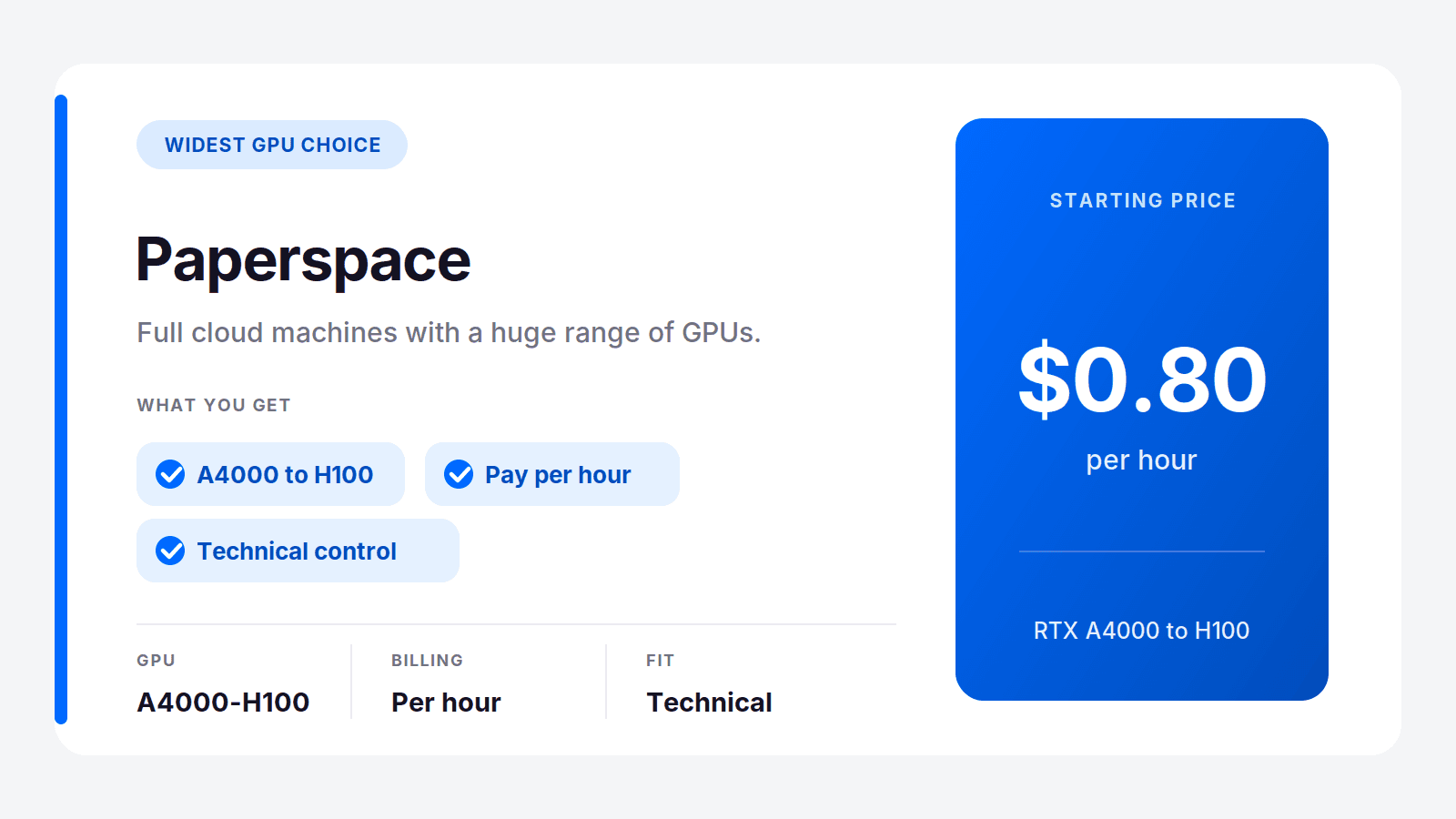
Paperspace, now part of DigitalOcean, offers the widest range of GPUs of the bunch, billed by the hour. If you want to pick an exact card for V-Ray GPU rendering, from mid-range RTX up to data-center hardware, it gives you that control. It leans technical, so it rewards users comfortable configuring a machine.
Best for: technical users who want a specific GPU. Where it's not the pick: people who want a simple, ready-to-use workstation.
Amazon WorkSpaces: Best for AWS Firms
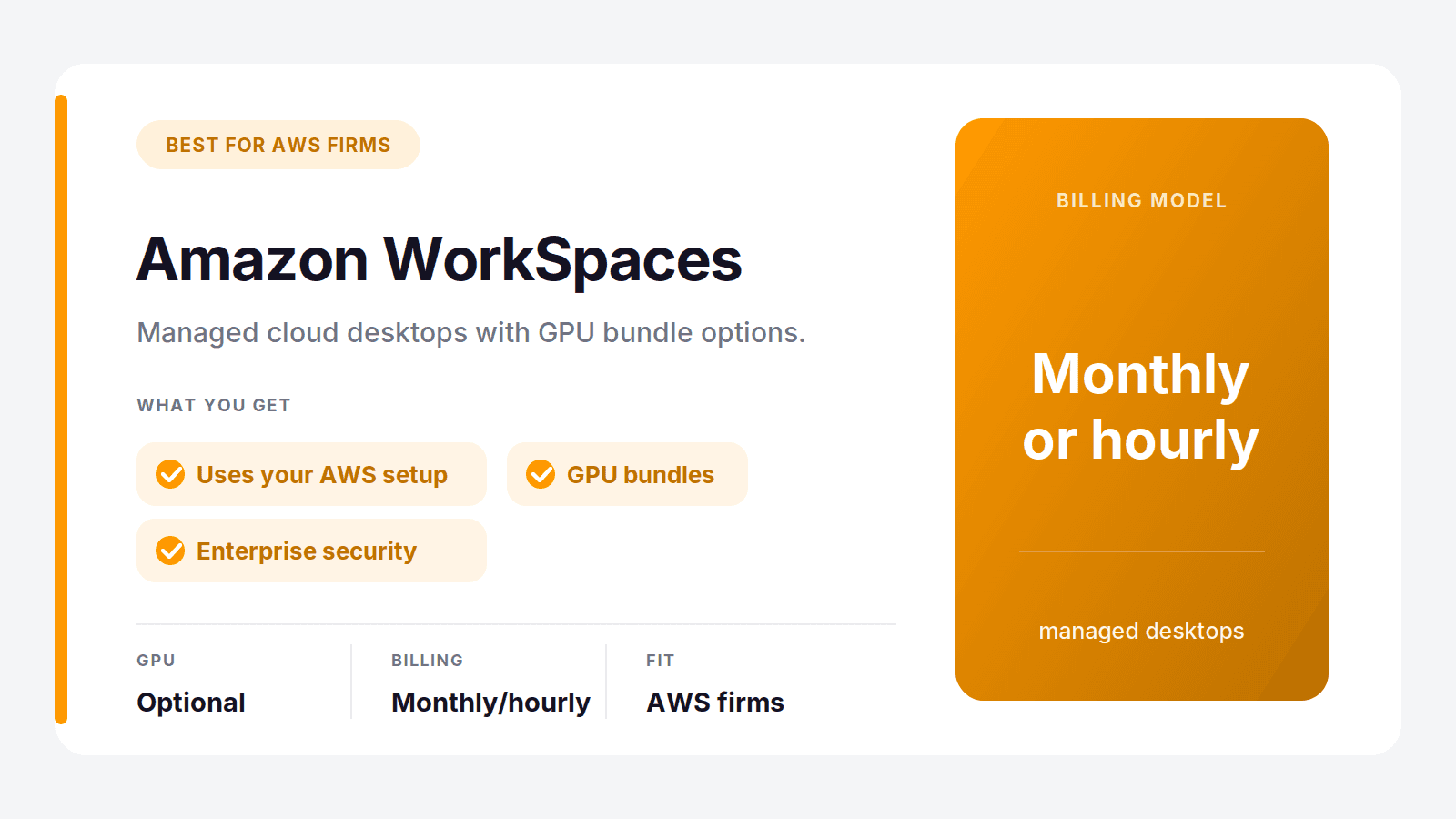
If your practice already runs on AWS, Amazon WorkSpaces gives you managed cloud desktops with GPU bundle options that can handle graphics work. It fits into existing AWS identity and security, which larger firms value, and it bills monthly or hourly.
Best for: firms with an AWS footprint and IT support. Where it's not the pick: individuals who want something simple to set up alone.
Azure Virtual Desktop: Best for Microsoft Practices
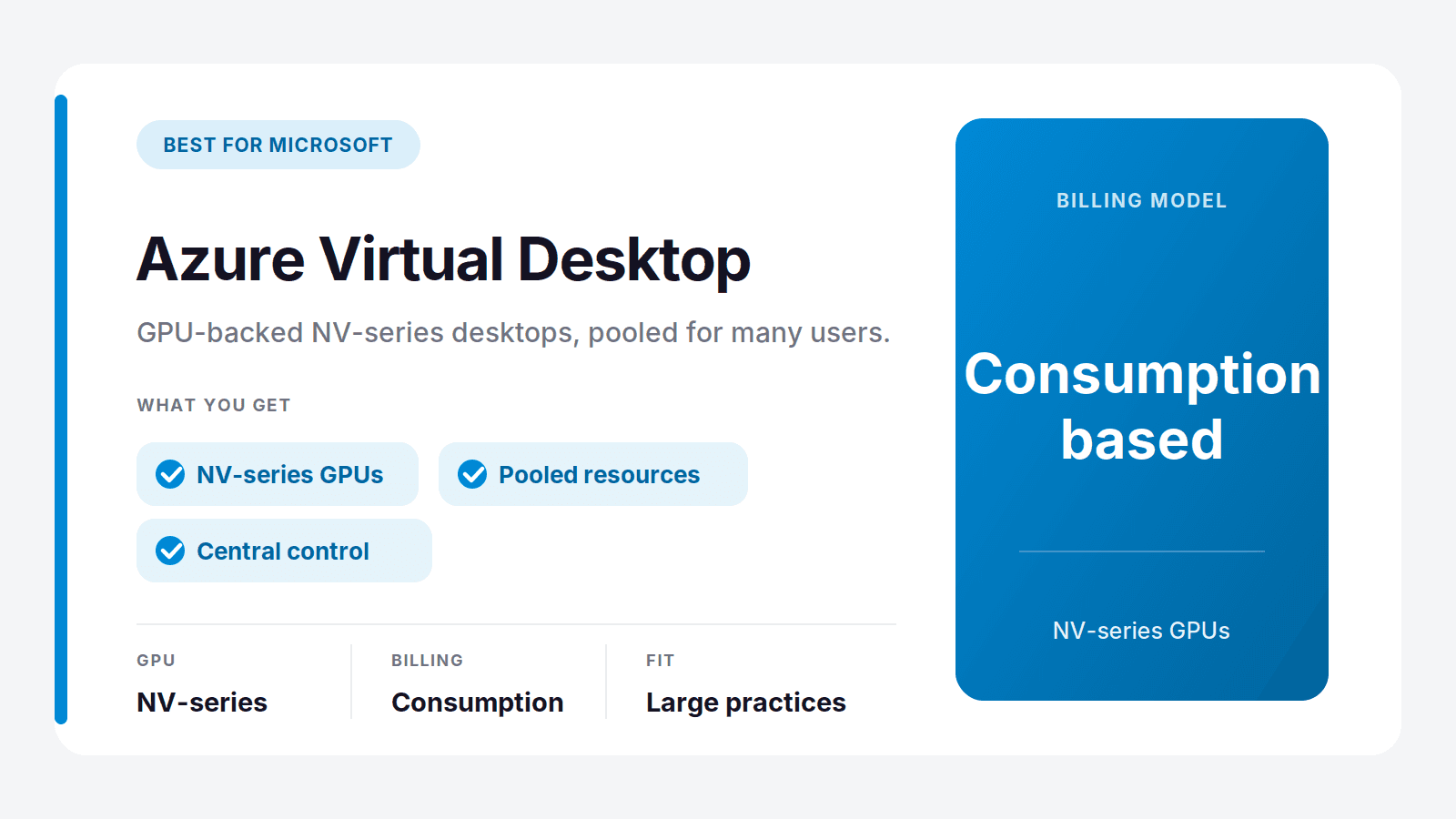
Azure Virtual Desktop offers GPU-backed NV-series virtual machines and pools resources across many users, which suits larger Microsoft-based practices that want central control. Billing is consumption-based, so it rewards teams that manage usage carefully.
Best for: large practices already on Azure. Where it's not the pick: small studios that want minimal setup.
Shadow: Best Simple Always-On Machine
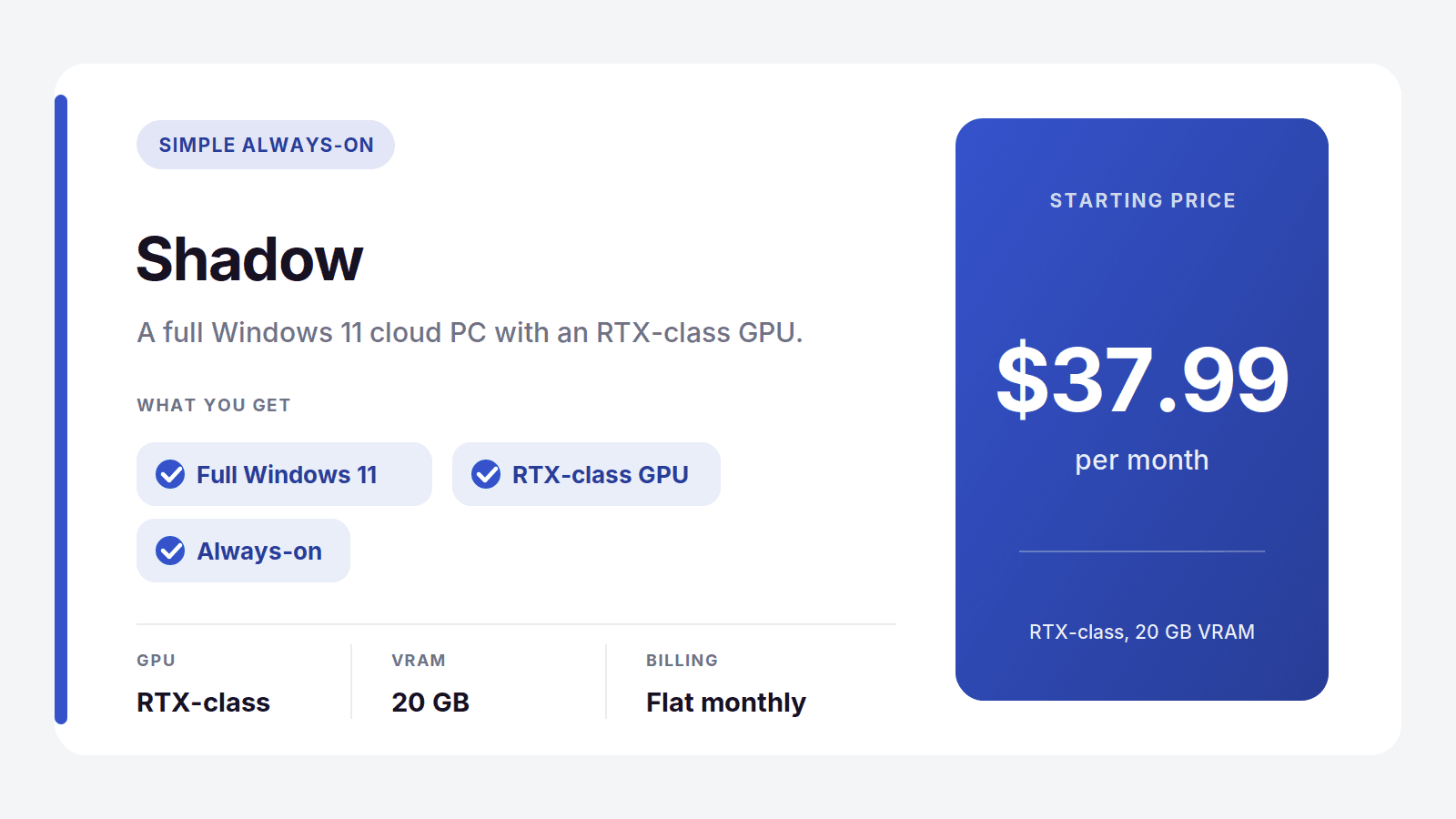
Shadow is a full Windows 11 cloud PC with an RTX-class GPU and 20 GB of VRAM, at a flat $37.99 a month. It can run these apps and is dead simple, so it works as an always-on machine for steady, everyday use. The flat fee is the tradeoff: you pay it whether you're mid-project or between jobs.
Best for: steady daily users who want one simple machine. Where it's not the pick: bursty project work, where pay-per-use costs less.
A Note on Render Farms for Final V-Ray Output
A cloud workstation handles everything up to and including your final render, but when you have a big animation or a batch of high-resolution stills on a tight deadline, a render farm can finish the job faster by spreading it across hundreds of machines. This is a complement to a workstation, not a replacement for one.
The ones worth knowing for V-Ray are:
Chaos Cloud, V-Ray's own service, which submits straight from your scene with minimal setup
iRender, which rents you GPU machines by the hour for rendering and other tasks
RebusFarm and GarageFarm, long-running render farms with broad software support
Use a farm when the final output is the bottleneck. Use a workstation for everything else, which is most of the work. Many studios run both: a Vagon workstation for modeling, look development, and test renders, and a farm for the final heavy output.
Who Should Use a Cloud Workstation
Cloud workstations aren't only for big studios. They tend to fit a few groups especially well:
Freelancers and small studios who can't justify a four-thousand-dollar machine for every seat, and would rather turn power on and off with the project pipeline.
Growing teams that need to add a capable seat for a new hire in minutes instead of ordering and configuring hardware for weeks.
Students and people learning ArchViz who want to run the real professional tools without owning a workstation to do it.
Distributed and hybrid teams where people work from laptops, from home, or across offices, and everyone needs the same class of machine regardless of location.
Anyone on a Mac, since Revit, 3ds Max, and V-Ray for Windows won't run natively on macOS, and a cloud workstation gives Mac users a full Windows machine to run them on.
If your work is steady, heavy, and daily, a bought workstation can still make sense. For nearly everyone else, renting the power when you need it is the more practical path.
How to Choose
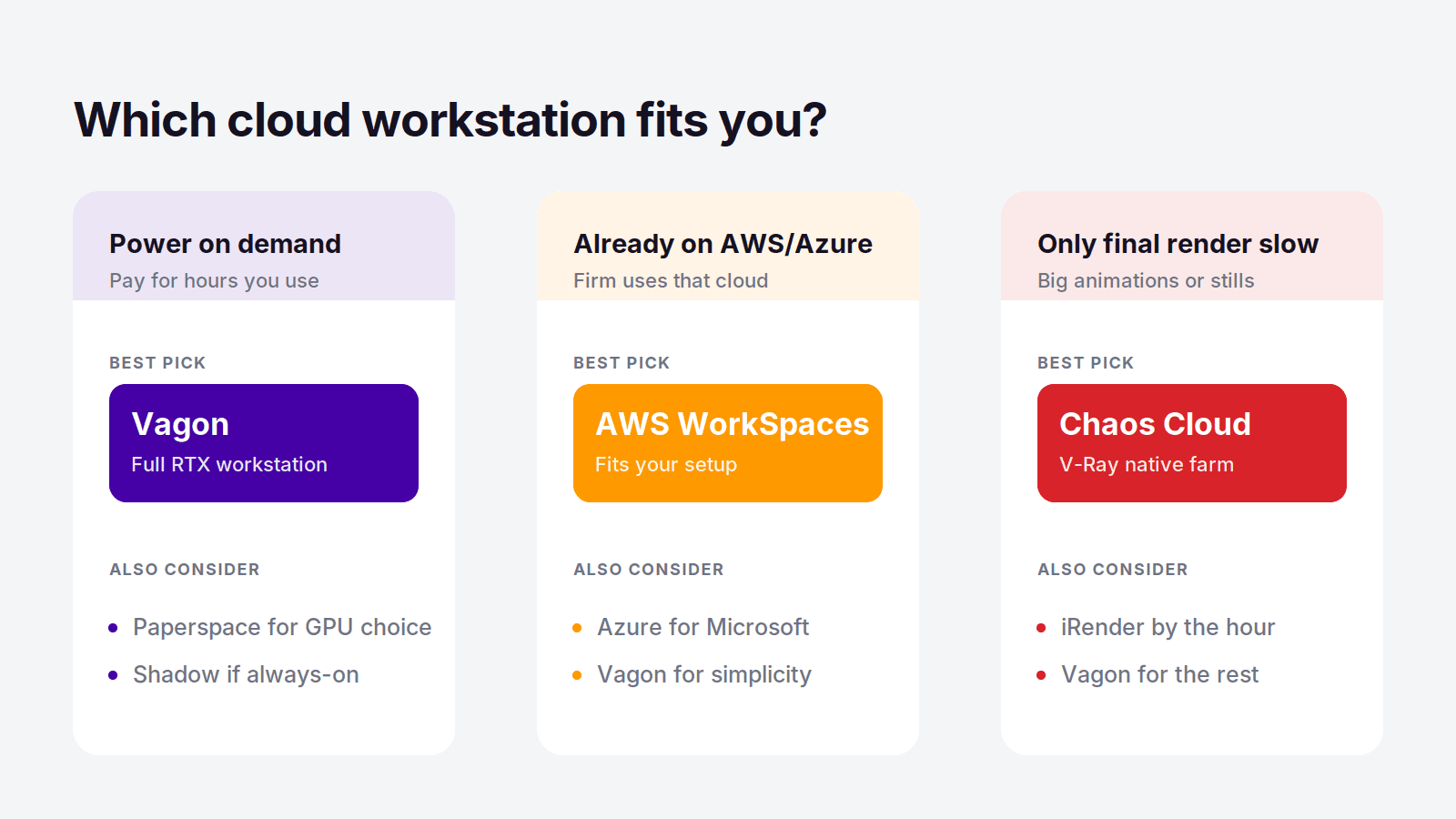
Match your situation to the pick and it gets simple:
You want a powerful workstation on demand, paid by use: Vagon Cloud Computer
You need to choose an exact GPU: Paperspace
Your firm is already on AWS or Azure: Amazon WorkSpaces or Azure Virtual Desktop
You want one simple always-on machine: Shadow
Your bottleneck is only the final render: add a render farm like Chaos Cloud
For most architects and ArchViz artists, the honest starting point is Vagon. It runs the full Revit, 3ds Max, and V-Ray workflow, scales up for heavy renders, and lets you test on a real model for about a dollar before committing to anything.
Frequently Asked Questions
Can I Run Revit, 3ds Max, and V-Ray in the Cloud?
Yes. A cloud workstation like Vagon Cloud Computer is a full Windows machine with a real GPU, so you install Revit, 3ds Max, V-Ray, and your plugins exactly as you would on a local PC and work through your browser. It runs the complete workflow, from modeling to interactive V-Ray rendering, on hardware most laptops can't match.
What's the Difference Between a Cloud Workstation and a Render Farm?
A cloud workstation is a full remote PC you control and work on interactively, so you can model, set up scenes, and render. A render farm only takes a finished scene and renders the final frames across many machines, with no ability to work interactively. You use a workstation for the whole project and a render farm to speed up final output.
Do I Need a Powerful Computer to Use a Cloud Workstation?
No. The heavy work runs on the remote machine, so even a basic laptop or a MacBook can drive a powerful GPU workstation through a browser. This is one of the main reasons ArchViz teams use cloud workstations: everyone gets the same class of machine regardless of the device on their desk.
Is a Cloud Workstation Cheaper Than Buying a PC for ArchViz?
For most people whose work comes in project waves, yes. A capable workstation for Revit, 3ds Max, and V-Ray costs three to four thousand dollars up front and dates quickly. A pay-per-use cloud workstation like Vagon charges only for the hours you use, so unless you run a machine hard every single day, it usually costs less over its life and never needs replacing.
What Hardware Do I Need for V-Ray GPU Rendering?
V-Ray GPU rendering wants a strong NVIDIA RTX-class card with as much VRAM as possible, since VRAM sets the limit on scene size. A cloud workstation lets you pick a GPU tier that matches your scenes and move up when a project needs more, without buying a new card.
Can I Run Revit and 3ds Max on a Mac This Way?
Yes. Revit, 3ds Max, and V-Ray are Windows software and don't run natively on macOS, but a cloud workstation gives you a full Windows machine you reach from your Mac's browser. You get the real applications running on proper hardware, with none of the compatibility issues of trying to force Windows software onto a Mac locally.
Ask any architect or visualization artist what their laptop does when they open a big Revit model, drop it into 3ds Max, and hit render in V-Ray. It slows to a crawl, the fans scream, and a final frame that should take minutes takes an hour, if the machine doesn't run out of memory first. These are three of the most demanding applications in the AEC world, and most people are trying to run them on hardware that was never built for the job.
The usual fix is to spend three or four thousand dollars on a workstation that's obsolete in a few years. There's a better one in 2026: rent the machine. A cloud workstation gives you a powerful Windows computer with a real GPU running in a data center, you install Revit, 3ds Max, and V-Ray on it exactly as you would locally, and you work through your browser from whatever device you already own.
This guide covers the best cloud workstations for that exact workflow, what the software actually needs from the hardware, and where cloud workstations end and render farms begin, because confusing the two is the most common mistake in this space.
The Best Cloud Workstations at a Glance
Here are the picks, by what you need:
Vagon Cloud Computer: best overall, a full GPU workstation billed by the minute
Paperspace: best for a wide choice of specific GPUs
Amazon WorkSpaces: best if your firm is already on AWS
Azure Virtual Desktop: best for large Microsoft-based practices
Shadow: best as a simple always-on machine
And for final V-Ray output specifically, a render farm like Chaos Cloud or iRender is a useful complement, not a replacement, which we'll get to below.
The first thing to sort out is what a cloud workstation actually is, because it is not the same as a render farm, and picking the wrong one wastes time and money.
Cloud Workstation vs Render Farm vs Buying a PC
There are three ways to get the horsepower Revit, 3ds Max, and V-Ray demand, and they solve different problems.
A cloud workstation is a full remote PC you control. You install your software, open your Revit model, model in 3ds Max, set up materials, and run V-Ray interactively, exactly like a local machine but far more powerful. You pay for the time you use it.
A render farm does one thing: it takes a finished scene and renders the final frames or animation across many machines, fast. You can't model on it or work interactively. It's for output, not for the work that comes before output.
Buying a workstation gives you a machine you own, which is great if you push it hard every single day, and expensive and quickly dated if you don't.
Most people who think they need a render farm actually need a workstation, because the slow part of their day is the modeling, the viewport, and the test renders, not just the final export. A cloud workstation fixes all of that. A render farm only helps with the last step. The two work together well, but they are not interchangeable.
What Revit, 3ds Max, and V-Ray Actually Need
Before comparing services, it helps to know what these three apps ask for, because they don't all want the same thing.
Revit leans on single-core CPU performance for modeling and a lot of RAM for big BIM models, with a mid-range GPU being enough for the viewport. Large projects want 32 GB of RAM or more.
3ds Max wants a strong multi-core CPU and a capable GPU for the viewport, plus plenty of RAM for heavy scenes with lots of geometry and textures.
V-Ray is the hungry one. It renders on either the CPU or the GPU, and V-Ray GPU with RTX acceleration is dramatically faster if you have a strong NVIDIA card with enough VRAM. For GPU rendering, VRAM is the ceiling: run out and the scene won't fit.
The short version: this workflow wants a strong CPU, a real NVIDIA RTX-class GPU with generous VRAM, and 32 GB of RAM or more. That is exactly the spec most laptops and even many desktops don't have, and exactly what a good cloud workstation provides on demand.
What to Look For in a Cloud Workstation
Before comparing services, know which dimensions actually matter for this workflow:
GPU and VRAM: a real NVIDIA RTX-class card with enough VRAM for your V-Ray GPU scenes, with the option to move up for heavy jobs.
CPU and RAM: strong multi-core CPU and 32 GB of RAM or more, so Revit and 3ds Max handle big models without stalling.
Billing model: pay-per-use fits project-based work, while a flat plan only wins for constant daily use.
Setup effort: whether you can install your exact software and plugins yourself and be working in minutes.
Access and storage: browser access from any device, and persistent storage so projects and installs survive between sessions.
Keep those five in mind and the comparison below is easy to read.
Cloud Workstations Compared
Service | GPU | Best for | Billing | Starting price |
|---|---|---|---|---|
Vagon Cloud Computer | NVIDIA RTX-class | On-demand ArchViz workstation | Pay per minute | From $0.99/hour |
Paperspace | Wide GPU range | Specific GPU needs | Pay per hour | From $0.80/hour |
Amazon WorkSpaces | Optional GPU bundles | Firms already on AWS | Monthly or hourly | Varies |
Azure Virtual Desktop | NV-series GPU options | Large Microsoft practices | Consumption-based | Varies |
Shadow | RTX-class, 20 GB VRAM | A simple always-on machine | Flat monthly | From $37.99/month |
Vagon Cloud Computer: The Best Cloud Workstation
For architects and visualization artists who want a serious machine without buying one, Vagon Cloud Computer is the best cloud workstation in 2026. It gives you a full Windows PC with a real NVIDIA GPU, you install Revit, 3ds Max, V-Ray, and any plugins exactly as you would on a local workstation, and you reach it from a browser on whatever laptop you already have.
The reason it fits ArchViz so well is the billing. This work comes in waves. You model for a few days, then you render, then a project goes quiet before the next one starts. A machine you bought sits there depreciating through all of it. Vagon bills by the minute, so you pay for a powerful workstation only while you're actually using one. The entry tier is $0.99 an hour, higher GPU tiers are available for heavy V-Ray rendering, and storage is separate from $7.99 a month so your projects and installed software stay put between sessions.
Run the numbers against buying. A workstation that can handle these three apps comfortably runs three to four thousand dollars, plus the upgrade you'll need in a few years. At around a dollar an hour for the entry tier, that same budget buys thousands of hours of a current, powerful machine, spread across exactly the projects that need it, with no hardware to maintain or resell.
There's a practical bonus for firms and freelancers alike. Because the machine lives in the cloud, a junior on a thin laptop and a lead on a MacBook can both open the same class of workstation, and nobody is blocked by the computer in front of them. When a deadline hits and you need more power for a final render, you move up a tier instead of buying a new PC.
You can spin up a machine, install Revit or 3ds Max, and test it on a real model for about a dollar, which is the fastest way to see the difference against your current setup. Try Vagon Cloud Computer.
Other Cloud Workstations
Vagon isn't the only way to get a GPU workstation in the cloud. These are the other options worth knowing, each with a different strength.
Paperspace: Best for Specific GPU Needs
Paperspace, now part of DigitalOcean, offers the widest range of GPUs of the bunch, billed by the hour. If you want to pick an exact card for V-Ray GPU rendering, from mid-range RTX up to data-center hardware, it gives you that control. It leans technical, so it rewards users comfortable configuring a machine.
Best for: technical users who want a specific GPU. Where it's not the pick: people who want a simple, ready-to-use workstation.
Amazon WorkSpaces: Best for AWS Firms
If your practice already runs on AWS, Amazon WorkSpaces gives you managed cloud desktops with GPU bundle options that can handle graphics work. It fits into existing AWS identity and security, which larger firms value, and it bills monthly or hourly.
Best for: firms with an AWS footprint and IT support. Where it's not the pick: individuals who want something simple to set up alone.
Azure Virtual Desktop: Best for Microsoft Practices
Azure Virtual Desktop offers GPU-backed NV-series virtual machines and pools resources across many users, which suits larger Microsoft-based practices that want central control. Billing is consumption-based, so it rewards teams that manage usage carefully.
Best for: large practices already on Azure. Where it's not the pick: small studios that want minimal setup.
Shadow: Best Simple Always-On Machine
Shadow is a full Windows 11 cloud PC with an RTX-class GPU and 20 GB of VRAM, at a flat $37.99 a month. It can run these apps and is dead simple, so it works as an always-on machine for steady, everyday use. The flat fee is the tradeoff: you pay it whether you're mid-project or between jobs.
Best for: steady daily users who want one simple machine. Where it's not the pick: bursty project work, where pay-per-use costs less.
A Note on Render Farms for Final V-Ray Output
A cloud workstation handles everything up to and including your final render, but when you have a big animation or a batch of high-resolution stills on a tight deadline, a render farm can finish the job faster by spreading it across hundreds of machines. This is a complement to a workstation, not a replacement for one.
The ones worth knowing for V-Ray are:
Chaos Cloud, V-Ray's own service, which submits straight from your scene with minimal setup
iRender, which rents you GPU machines by the hour for rendering and other tasks
RebusFarm and GarageFarm, long-running render farms with broad software support
Use a farm when the final output is the bottleneck. Use a workstation for everything else, which is most of the work. Many studios run both: a Vagon workstation for modeling, look development, and test renders, and a farm for the final heavy output.
Who Should Use a Cloud Workstation
Cloud workstations aren't only for big studios. They tend to fit a few groups especially well:
Freelancers and small studios who can't justify a four-thousand-dollar machine for every seat, and would rather turn power on and off with the project pipeline.
Growing teams that need to add a capable seat for a new hire in minutes instead of ordering and configuring hardware for weeks.
Students and people learning ArchViz who want to run the real professional tools without owning a workstation to do it.
Distributed and hybrid teams where people work from laptops, from home, or across offices, and everyone needs the same class of machine regardless of location.
Anyone on a Mac, since Revit, 3ds Max, and V-Ray for Windows won't run natively on macOS, and a cloud workstation gives Mac users a full Windows machine to run them on.
If your work is steady, heavy, and daily, a bought workstation can still make sense. For nearly everyone else, renting the power when you need it is the more practical path.
How to Choose
Match your situation to the pick and it gets simple:
You want a powerful workstation on demand, paid by use: Vagon Cloud Computer
You need to choose an exact GPU: Paperspace
Your firm is already on AWS or Azure: Amazon WorkSpaces or Azure Virtual Desktop
You want one simple always-on machine: Shadow
Your bottleneck is only the final render: add a render farm like Chaos Cloud
For most architects and ArchViz artists, the honest starting point is Vagon. It runs the full Revit, 3ds Max, and V-Ray workflow, scales up for heavy renders, and lets you test on a real model for about a dollar before committing to anything.
Frequently Asked Questions
Can I Run Revit, 3ds Max, and V-Ray in the Cloud?
Yes. A cloud workstation like Vagon Cloud Computer is a full Windows machine with a real GPU, so you install Revit, 3ds Max, V-Ray, and your plugins exactly as you would on a local PC and work through your browser. It runs the complete workflow, from modeling to interactive V-Ray rendering, on hardware most laptops can't match.
What's the Difference Between a Cloud Workstation and a Render Farm?
A cloud workstation is a full remote PC you control and work on interactively, so you can model, set up scenes, and render. A render farm only takes a finished scene and renders the final frames across many machines, with no ability to work interactively. You use a workstation for the whole project and a render farm to speed up final output.
Do I Need a Powerful Computer to Use a Cloud Workstation?
No. The heavy work runs on the remote machine, so even a basic laptop or a MacBook can drive a powerful GPU workstation through a browser. This is one of the main reasons ArchViz teams use cloud workstations: everyone gets the same class of machine regardless of the device on their desk.
Is a Cloud Workstation Cheaper Than Buying a PC for ArchViz?
For most people whose work comes in project waves, yes. A capable workstation for Revit, 3ds Max, and V-Ray costs three to four thousand dollars up front and dates quickly. A pay-per-use cloud workstation like Vagon charges only for the hours you use, so unless you run a machine hard every single day, it usually costs less over its life and never needs replacing.
What Hardware Do I Need for V-Ray GPU Rendering?
V-Ray GPU rendering wants a strong NVIDIA RTX-class card with as much VRAM as possible, since VRAM sets the limit on scene size. A cloud workstation lets you pick a GPU tier that matches your scenes and move up when a project needs more, without buying a new card.
Can I Run Revit and 3ds Max on a Mac This Way?
Yes. Revit, 3ds Max, and V-Ray are Windows software and don't run natively on macOS, but a cloud workstation gives you a full Windows machine you reach from your Mac's browser. You get the real applications running on proper hardware, with none of the compatibility issues of trying to force Windows software onto a Mac locally.
Get Beyond Your Computer Performance
Run applications on your cloud computer with the latest generation hardware. No more crashes or lags.
Trial includes 1 hour usage + 7 days of storage.
Summarize with AI

Ready to focus on your creativity?
Vagon gives you the ability to create & render projects, collaborate, and stream applications with the power of the best hardware.

Vagon Blog

Run heavy applications on any device with
your personal computer on the cloud.
San Francisco, California
Solutions
Vagon Teams
Vagon Streams
Use Cases
Resources
Vagon Blog
Best Cloud Workstations for Revit, 3ds Max & V-Ray 2026
Best Pixel Streaming Platforms in 2026 (Compared)
Best Cloud Gaming with Full Desktop Access (2026)
Best Parallels Alternatives in 2026 (Tested & Compared)
Best Shadow PC Alternatives in 2026 (Tested & Ranked)
Best Cloud PC Services in 2026 (Tested & Compared)
How to Run Audacity on a Cloud Ubuntu Desktop (2026 Guide)
How to Run Darktable on a Cloud Ubuntu Desktop for RAW Photo Editing (2026 Guide)
How to Run Kdenlive on a Cloud Ubuntu Desktop (2026 Guide)
Vagon Blog
Run heavy applications on any device with
your personal computer on the cloud.
San Francisco, California
Solutions
Vagon Teams
Vagon Streams
Use Cases
Resources
Vagon Blog
Best Cloud Workstations for Revit, 3ds Max & V-Ray 2026
Best Pixel Streaming Platforms in 2026 (Compared)
Best Cloud Gaming with Full Desktop Access (2026)
Best Parallels Alternatives in 2026 (Tested & Compared)
Best Shadow PC Alternatives in 2026 (Tested & Ranked)
Best Cloud PC Services in 2026 (Tested & Compared)
How to Run Audacity on a Cloud Ubuntu Desktop (2026 Guide)
How to Run Darktable on a Cloud Ubuntu Desktop for RAW Photo Editing (2026 Guide)
How to Run Kdenlive on a Cloud Ubuntu Desktop (2026 Guide)
Vagon Blog
Run heavy applications on any device with
your personal computer on the cloud.
San Francisco, California
Solutions
Vagon Teams
Vagon Streams
Use Cases
Resources
Vagon Blog