Instant Connection for Pixel Streaming
— New Feature Automated Setup

Best Parallels Alternatives in 2026 (Tested & Compared)
Best Parallels Alternatives in 2026 (Tested & Compared)
Best Parallels Alternatives in 2026 (Tested & Compared)
Table of Contents
Parallels is good software. Most people don't go looking for an alternative because it's bad, they go looking for one of two reasons: they're tired of paying a yearly subscription, or they hit the wall nobody warns them about on a modern Mac.
That wall is this: if you have an Apple Silicon Mac (any M1, M2, M3, or M4), Parallels can only run Windows on ARM, not the normal x86 version most software is built for. For a lot of people that's fine. For anyone who needs a specific Windows app, a game, or anything with anti-cheat, it quietly breaks.
So the right alternative depends entirely on what you're actually trying to do. Let's sort that out fast, then go through every option.
The Best Parallels Alternatives in 2026, at a Glance
Here are the picks, by what you need:
Vagon Cloud Computer: best for real x86 Windows with a GPU, on any Mac
VMware Fusion: best free local virtual machine
CrossOver: best for running Windows apps without a full Windows install
UTM: best free, open-source option
VirtualBox: best for older Intel Macs
Windows 365: best for a managed cloud Windows desktop
Shadow: best for an always-on cloud gaming PC
The one big split to understand first: local virtual machines run on your Mac's own hardware, while cloud options run Windows on a remote machine and stream it to you. That difference decides almost everything, including whether you can run real x86 Windows at all.
The Catch With Every Local VM on Apple Silicon
If you're on an M-series Mac, read this before you pick anything. It's the single most important thing about running Windows on a modern Mac, and most comparison articles skip it.
Apple Silicon Can't Run x86 Windows Locally
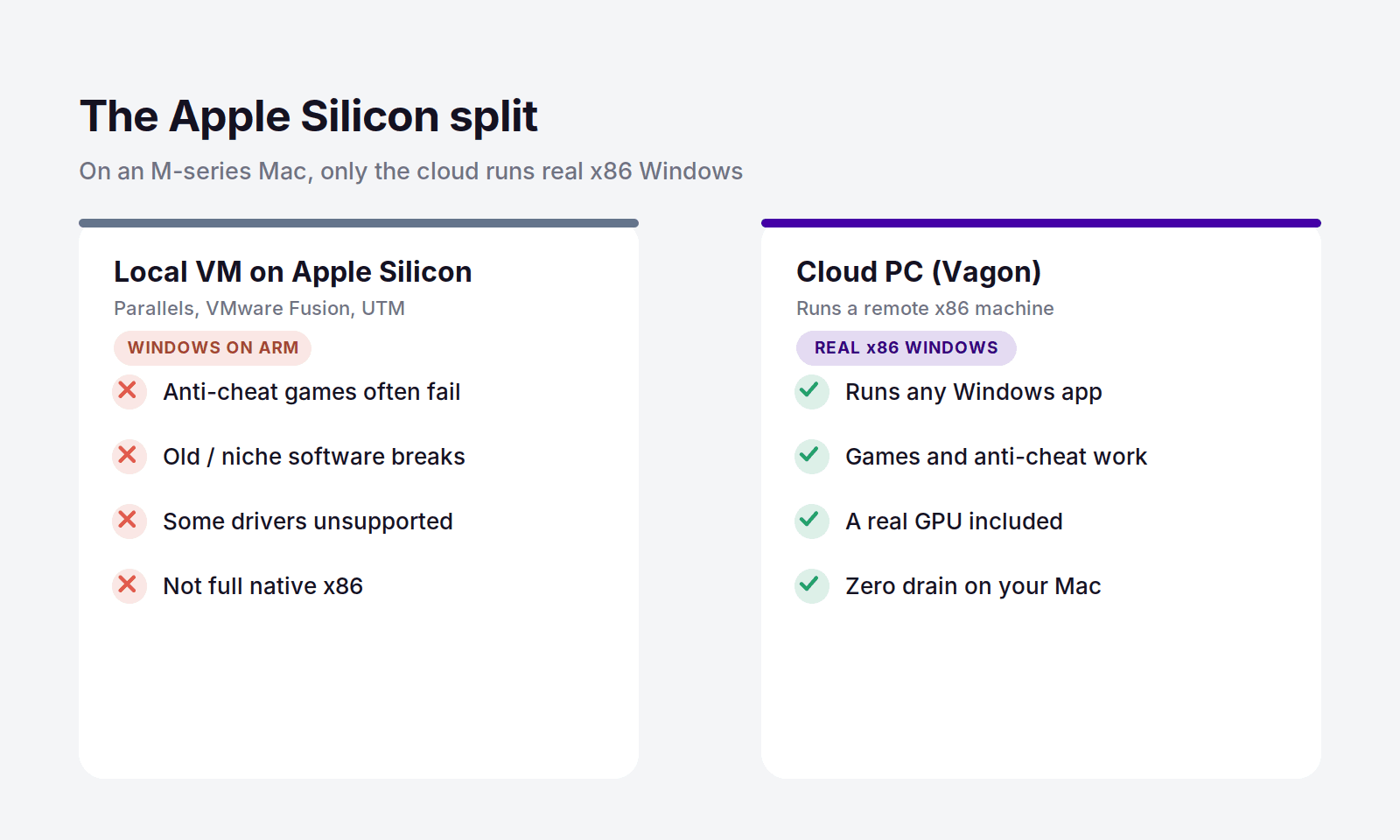
Apple's M-series chips use ARM architecture. Standard Windows and most Windows software are built for x86. So on an Apple Silicon Mac, any local VM, Parallels included, can only run Windows 11 on ARM. Windows on ARM does translate a lot of x86 apps, but the translation isn't perfect. What tends to break:
Games with kernel-level anti-cheat, which often refuse to run at all
Older or niche professional software that was never built for ARM
Some drivers, plugins, and hardware-specific tools
Anything that needs full native x86 performance
Your Two Real Options
Once you know that, every alternative falls into one of two camps:
Local VM (runs Windows on ARM): VMware Fusion, UTM, VirtualBox, Parallels itself. Free or cheap, works offline, but limited to Windows on ARM and capped by your Mac's own RAM and storage.
Cloud PC (runs real x86 Windows): Vagon, Windows 365, Shadow. You get a full x86 Windows machine with a real GPU, no ARM compatibility issues, and none of it uses your Mac's resources. The tradeoff is that you need an internet connection.
If full compatibility matters to you, the cloud path is the one that actually solves the problem a local VM can't. That's the whole reason it leads this list.
Parallels Alternatives Compared
Tool | Type | Runs real x86 Windows? | Price |
|---|---|---|---|
Vagon Cloud Computer | Cloud PC | Yes | From $0.99/hour |
Windows 365 | Cloud PC | Yes | From $28/user/month |
Shadow | Cloud PC | Yes | From $37.99/month |
VMware Fusion | Local VM | ARM only on Apple Silicon | Free |
UTM | Local VM | ARM only on Apple Silicon | Free |
VirtualBox | Local VM | x86 on Intel Macs only | Free |
CrossOver | Compatibility layer | Runs apps, not full Windows | $74/year |
Parallels (for reference) | Local VM | ARM only on Apple Silicon | From about $99/year |
Vagon Cloud Computer: The Best Alternative for Real Windows
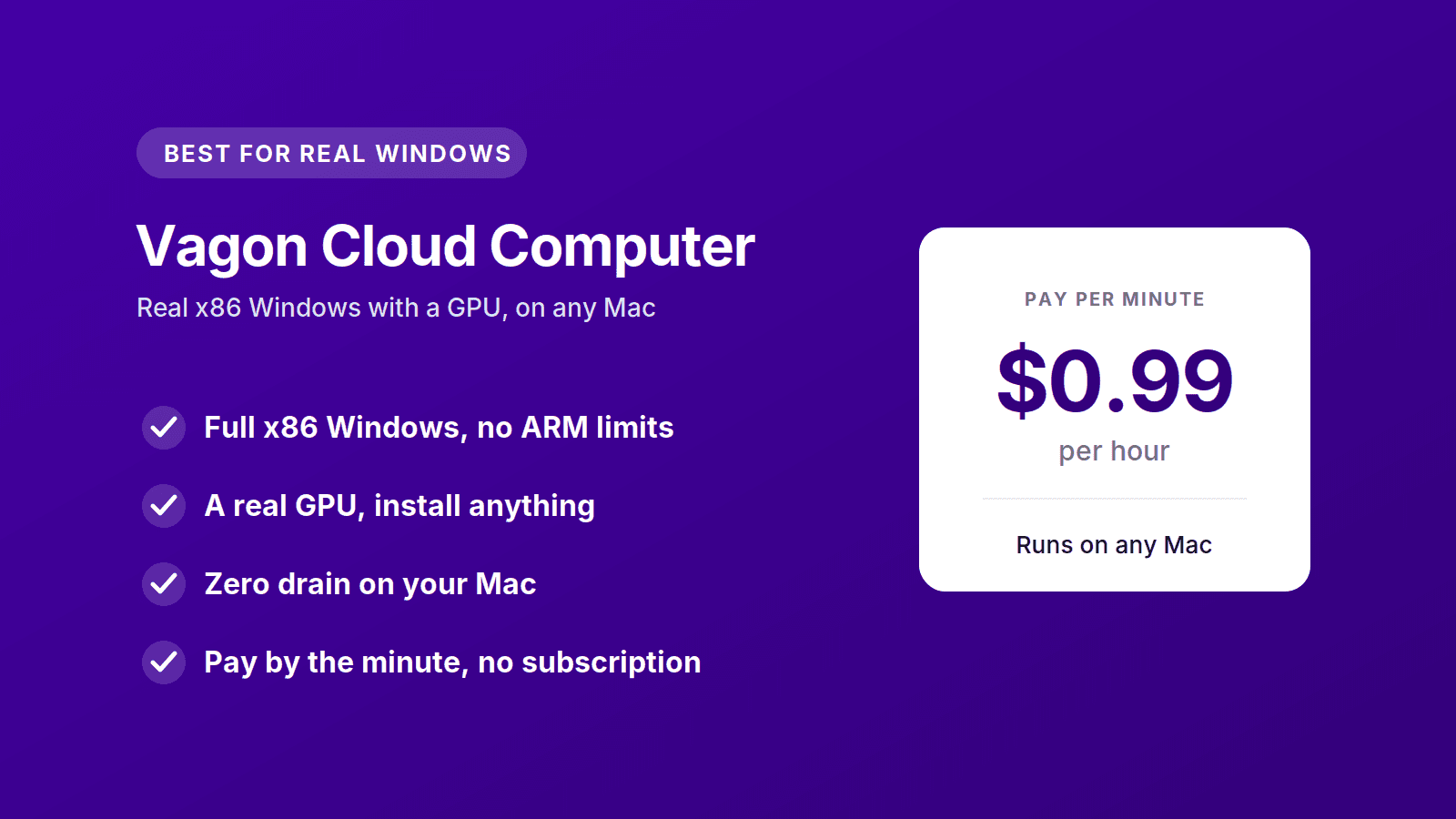
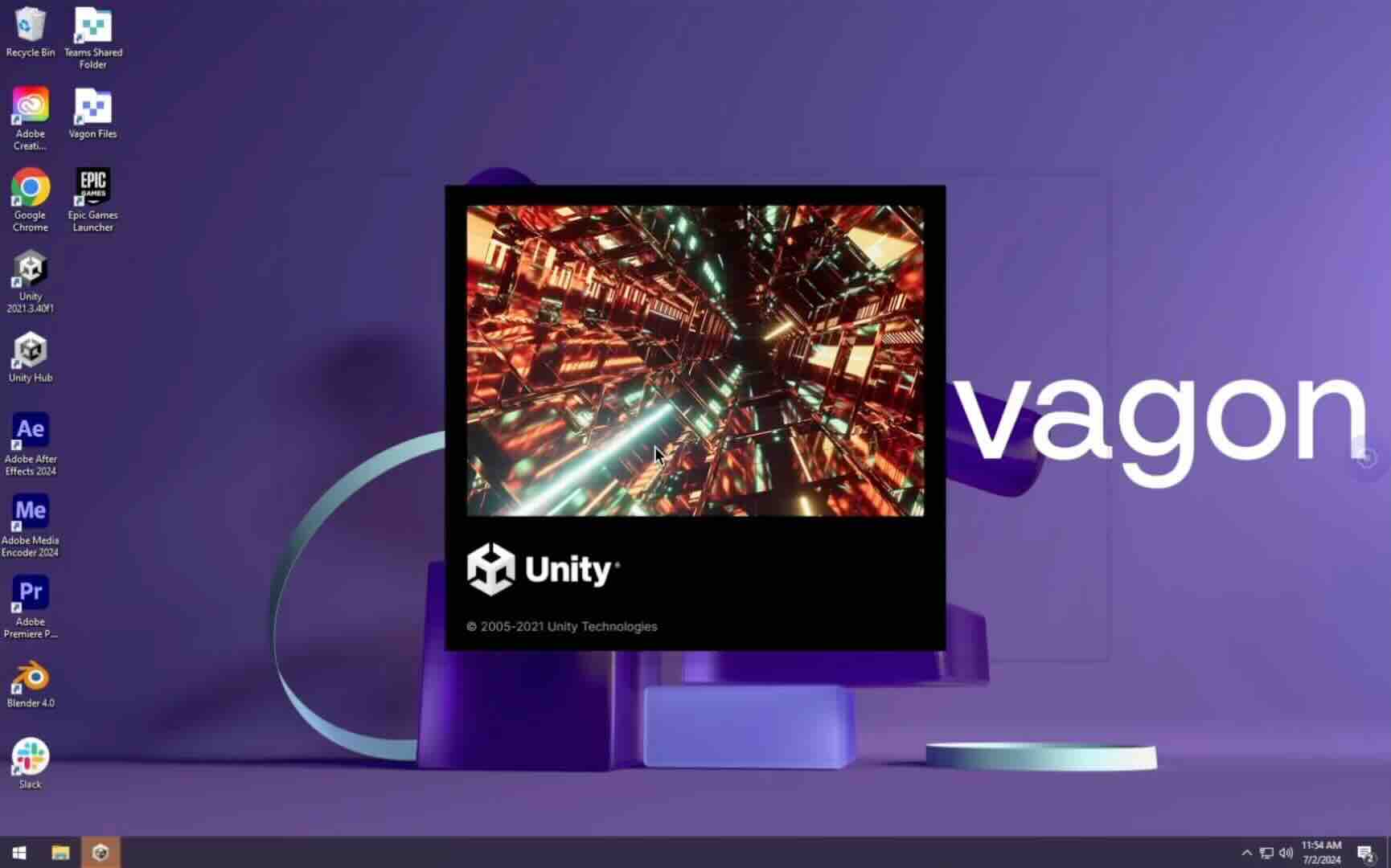
If the reason you want Windows on your Mac is to actually run Windows software, all of it, not a translated ARM approximation, Vagon Cloud Computer is the alternative that solves the problem instead of working around it. It runs a full x86 Windows machine in the cloud, with a real GPU, and streams it to your Mac in a browser. Because the machine isn't your Mac, none of Apple Silicon's limitations apply. You get the same Windows a normal PC runs, on an M1 Air or an M4 Pro, it makes no difference. If you want the step-by-step, we cover it in our guide to running Windows on a Mac.
There's a second thing it fixes, and it's the one people feel every day. A local VM eats your Mac's resources. It carves out RAM, chews through storage, spins up the fans, and shortens your battery life, all while running. Vagon does none of that. The heavy lifting happens on the remote machine, so your Mac stays cool and free, and you can close the tab the moment you're done. Your files stay put between sessions, so it picks up right where you left off.
Then there's the money. Parallels is a yearly subscription, around $99 and up, and to run Windows comfortably in a VM you also need a Mac with enough RAM, which on Apple hardware is an expensive upgrade to spec into. Vagon charges only for the hours you actually use the machine. The Planet tier is $0.99 an hour, storage is separate from $7.99 a month, and there's no annual commitment. If you fire up Windows a few times a month, you'll spend a fraction of a subscription, and you never had to buy a beefier Mac to make it run.
It's worth being honest about the tradeoff: Vagon needs an internet connection, and a local VM works offline. If you regularly need Windows with no connection, keep a local VM in your toolkit. For everyone else, the cloud approach is simply the better answer in 2026.
You should switch to Vagon if you:
Need real x86 Windows apps or games that Windows on ARM won't run
Are on an Apple Silicon Mac and keep hitting compatibility walls
Don't want a VM draining your RAM, storage, and battery
Would rather pay for the hours you use than a yearly subscription
Want to run heavy or GPU-dependent Windows software your Mac can't handle
You can spin up a machine and try it for about a dollar, no contract, which is the fastest way to see whether it fits how you work. Try Vagon Cloud Computer.
Local VM Alternatives You Install on Your Mac
If you want Windows running on your own machine, offline and free, these are the real Parallels replacements. Just remember the Apple Silicon rule: on an M-series Mac, all of them run Windows on ARM, not x86.
VMware Fusion: The Best Free Alternative
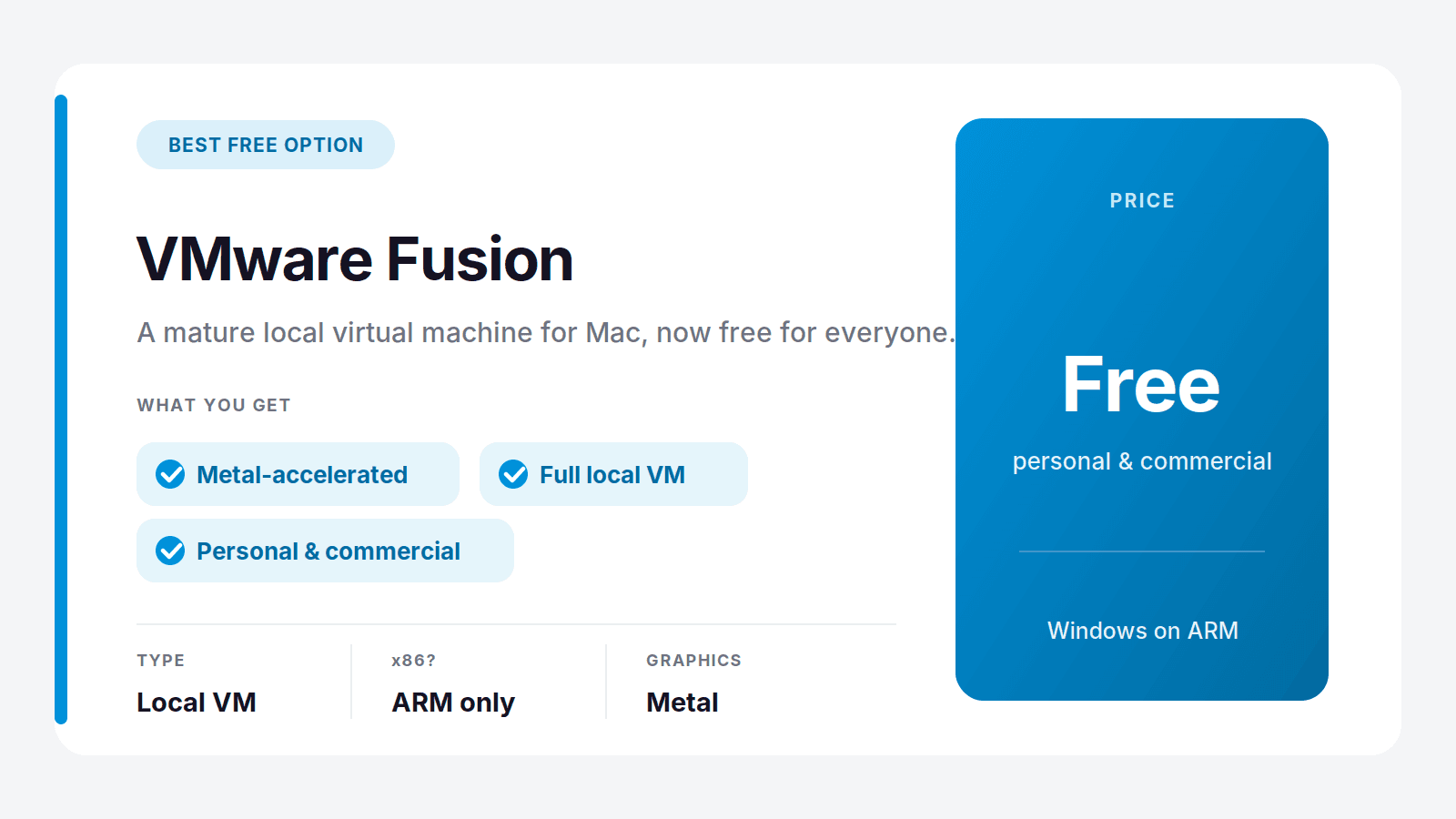
VMware Fusion used to be a paid product, and now it's free for everyone, personal and commercial. That alone makes it the obvious first stop for anyone leaving Parallels to stop paying. It's a mature, capable virtual machine with solid performance and Metal-accelerated graphics, and on Apple Silicon it runs Windows 11 on ARM much like Parallels does.
The catch is polish. Parallels still has the smoother setup and tighter macOS integration, so Fusion asks for a little more patience. But for free, it's hard to argue with.
Best for: anyone who wants a proper local VM without paying. Where it falls short: setup is fussier than Parallels, and it's still ARM-only on Apple Silicon.
UTM: The Best Open-Source Option
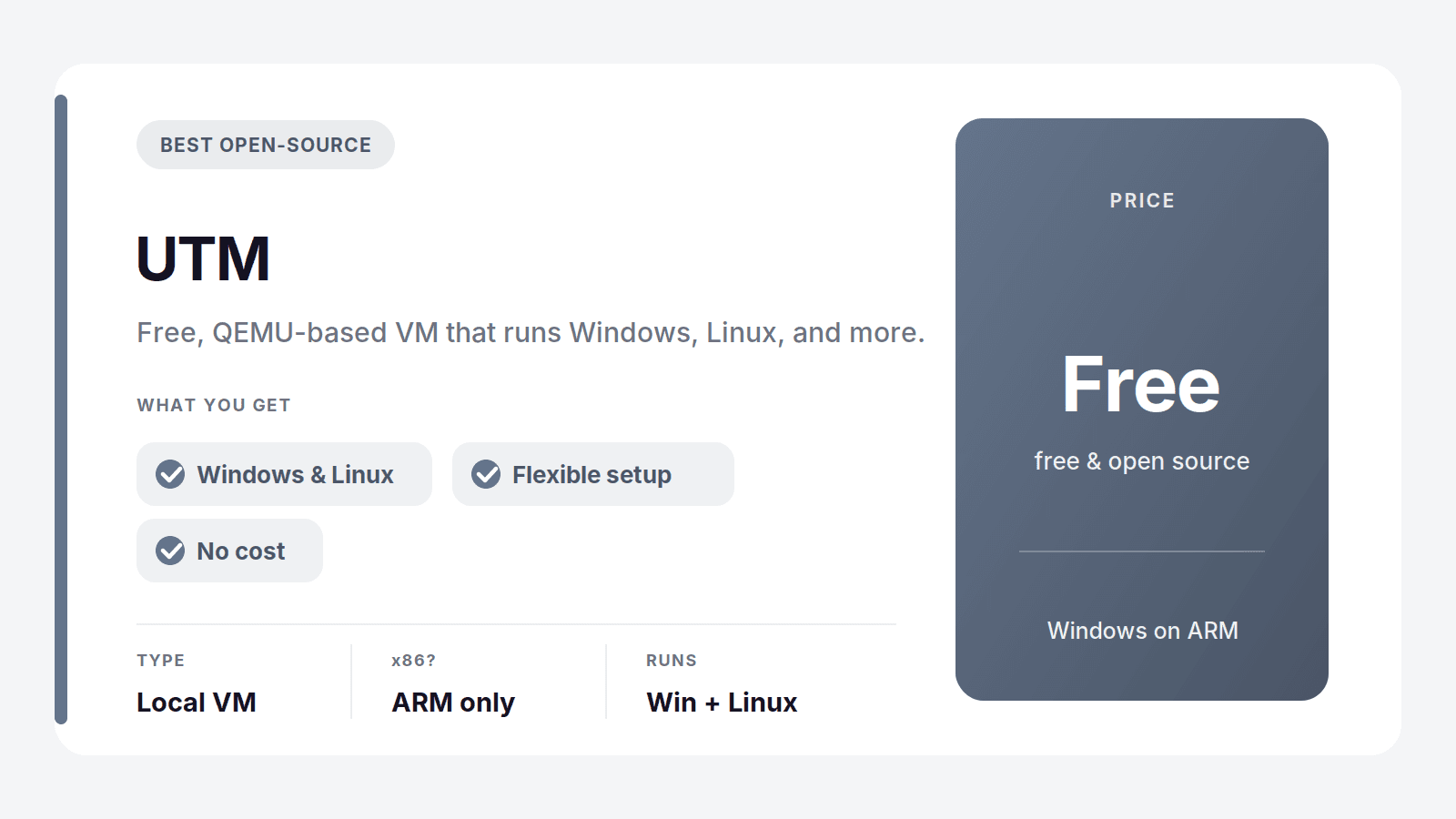
UTM is free, open-source, and built on QEMU. It's flexible in a way the commercial tools aren't, running Windows, Linux, and even older or unusual systems, and it has a friendly enough interface that you don't need to live in a terminal to use it.
It's the tinkerer's pick. Performance and convenience trail Parallels and Fusion, but if you like control, want to run more than just Windows, and don't want to pay, UTM is excellent.
Best for: hobbyists and developers who want a free, flexible VM. Where it falls short: slower and less polished than the paid options, ARM-only on Apple Silicon.
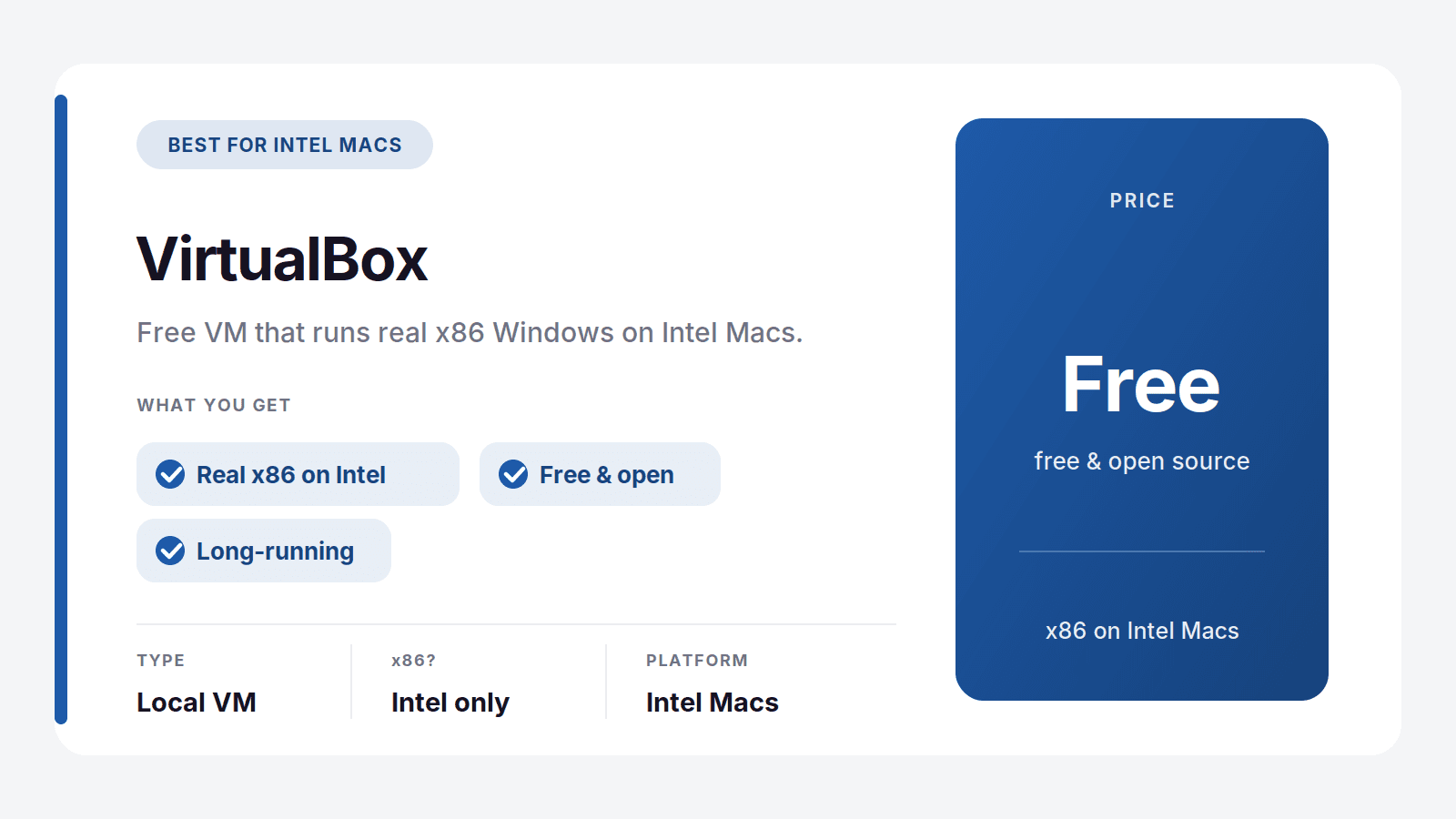
VirtualBox: Best for Older Intel Macs
VirtualBox is the long-running free VM from Oracle, and on an Intel Mac it's a genuine Parallels alternative that can run normal x86 Windows. That's the key point: if you're still on an Intel Mac, VirtualBox is one of the few free ways to get real x86 Windows locally.
On Apple Silicon it's a different story. Support there is experimental at best, so M-series users should look at Fusion or UTM instead.
Best for: Intel Mac owners who want free x86 Windows. Where it falls short: weak, experimental support on Apple Silicon.
CrossOver: Run Windows Apps Without Installing Windows
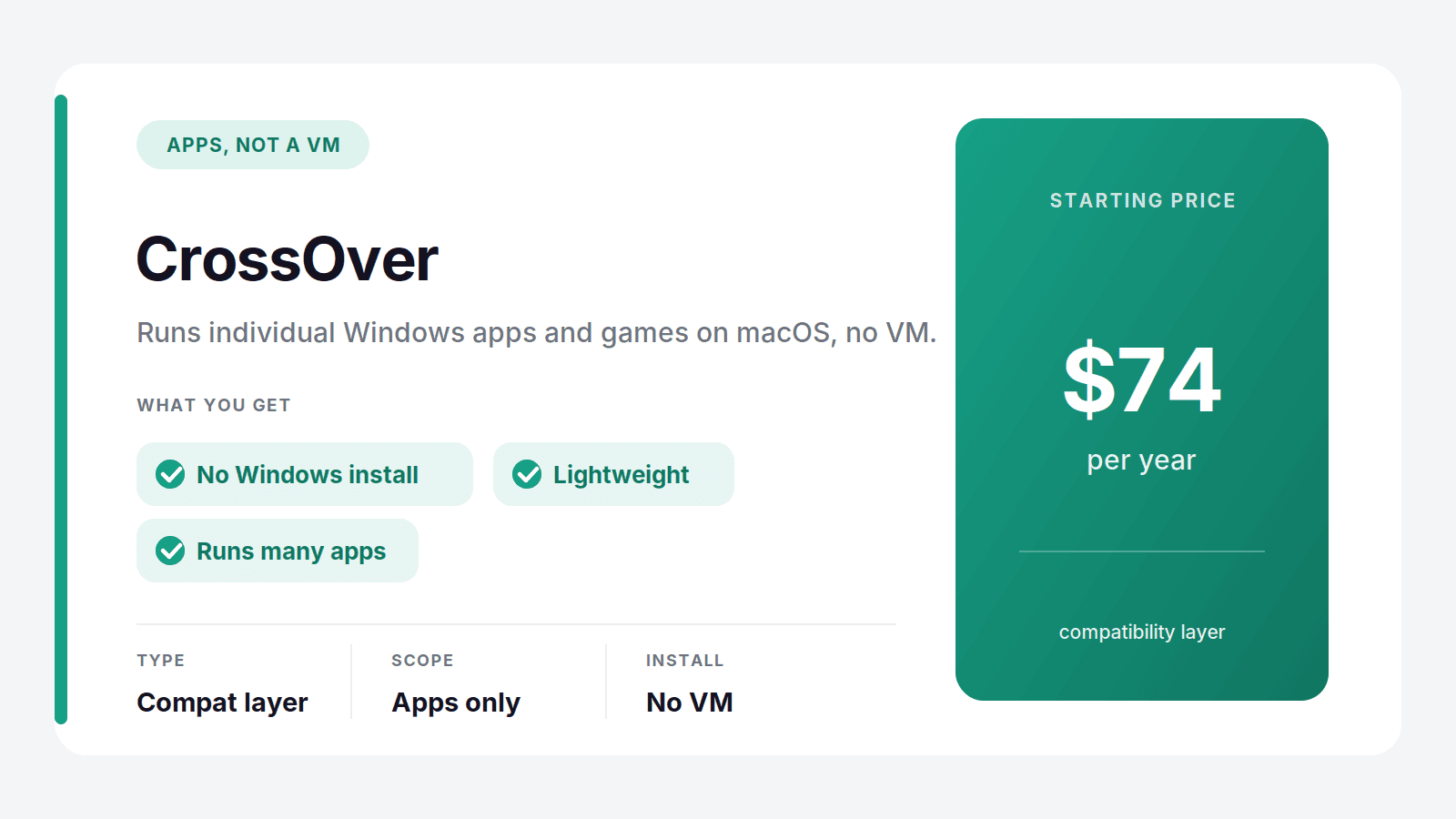
CrossOver is a different animal. Instead of running a full Windows VM, it uses a compatibility layer to run individual Windows apps and games directly on macOS, no Windows license or install required. When it works, it's wonderfully lightweight, since there's no whole operating system running underneath.
The catch is compatibility. It runs a lot of software, but not everything, so it's worth checking their list for the specific apps or games you care about before you buy. At $74 a year it's cheaper than a full Windows setup when it fits your needs.
Best for: people who only need a few specific Windows apps or games. Where it falls short: not everything runs, and it's not a full Windows desktop.
Other Cloud Alternatives
Vagon isn't the only way to get real x86 Windows from the cloud. Two others are worth knowing, though both bill on a flat monthly plan rather than by usage.
Windows 365
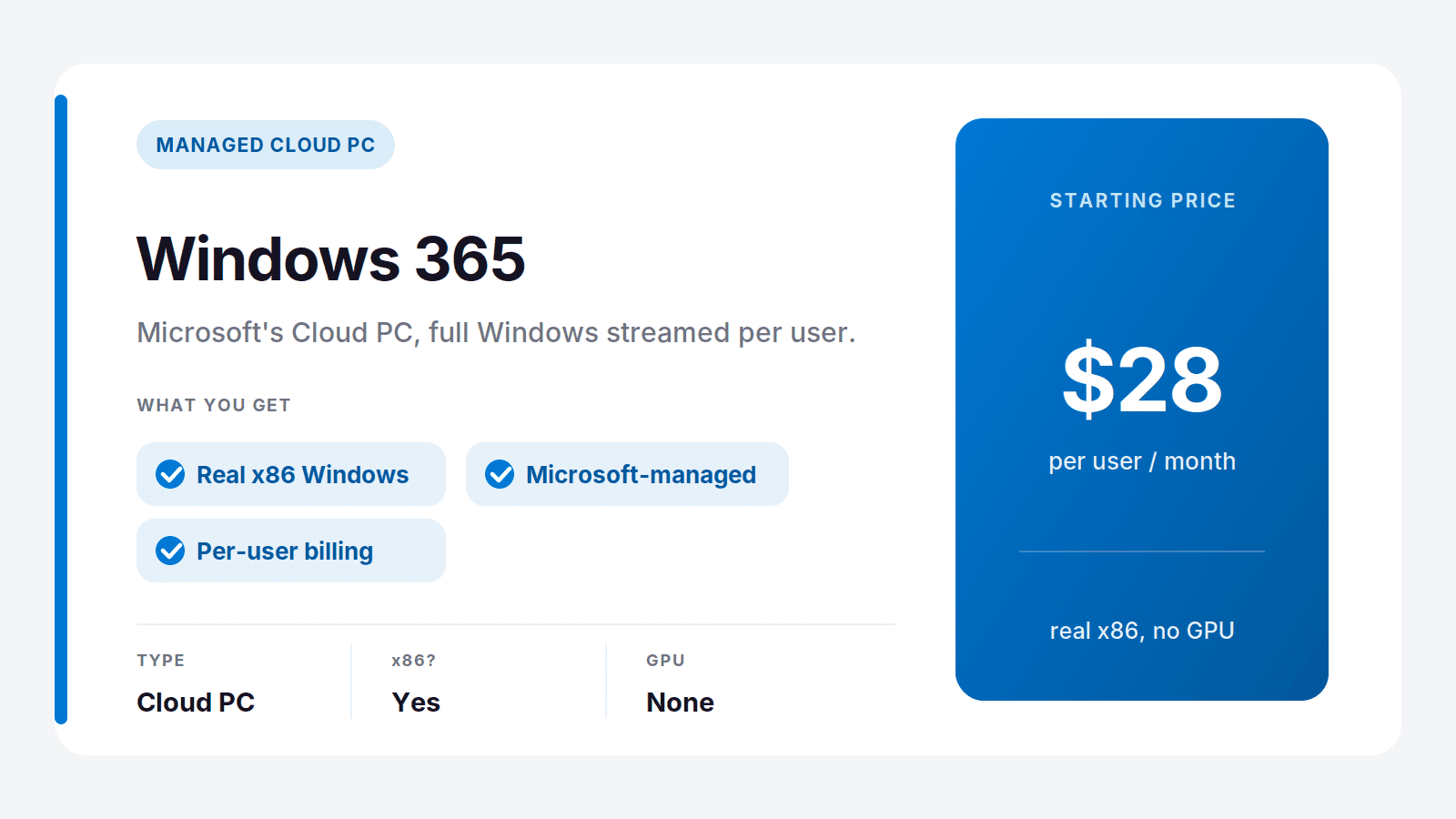
Windows 365 is Microsoft's own Cloud PC, a full Windows machine streamed from Microsoft's cloud, priced per user per month starting around $28. It's a clean fit if you live in the Microsoft 365 world and want everything managed in one place. The downside for a solo Mac user is the model: you pay a flat monthly fee whether you use it or not, and the entry tiers have no real GPU, so it's aimed at office work rather than anything graphics-heavy.
Best for: people already in the Microsoft ecosystem who want a managed desktop.
Shadow
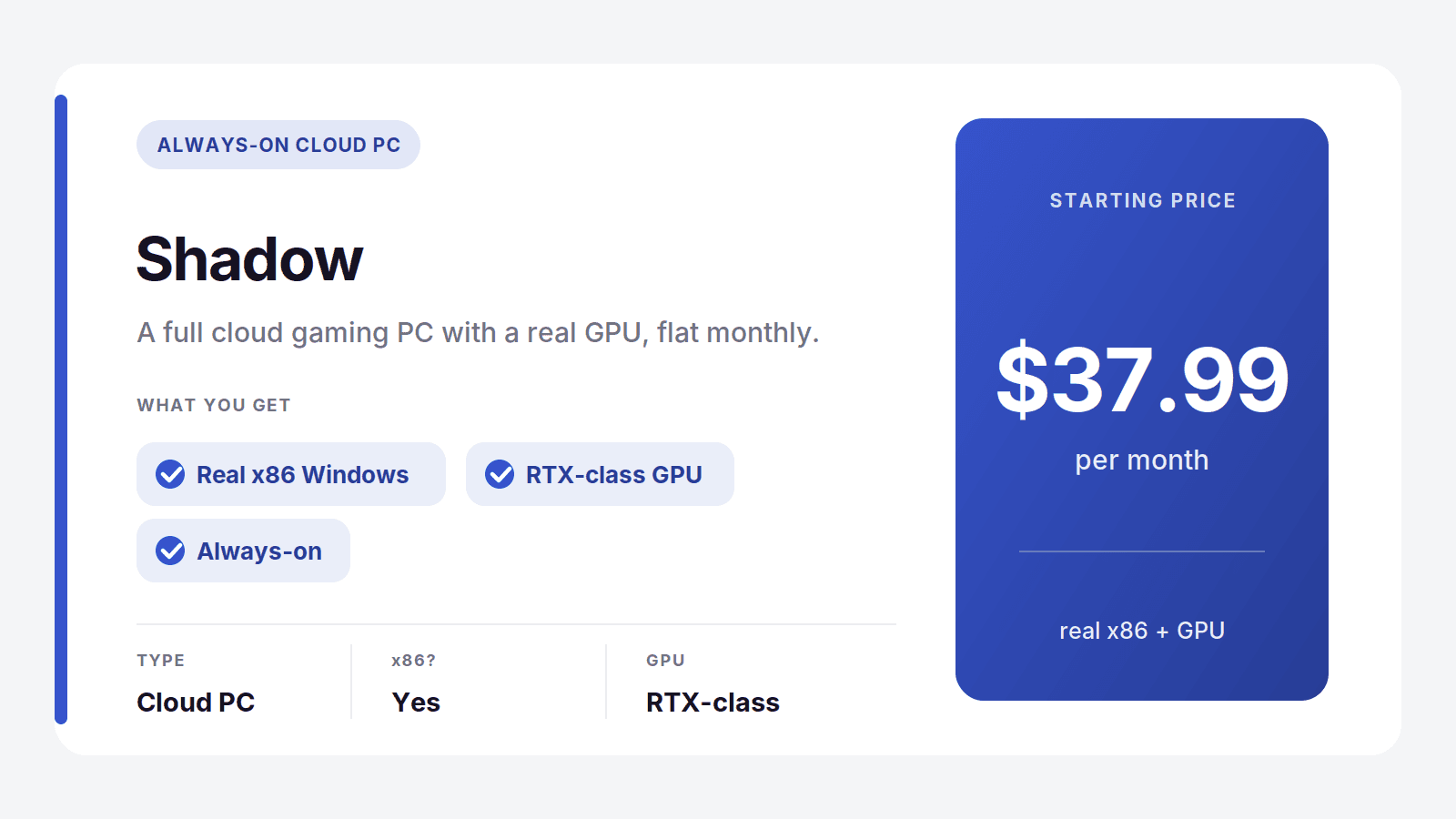
Shadow is a full cloud PC with a real GPU, popular with gamers, at $37.99 a month flat. It runs real x86 Windows and handles demanding software, so it's a legitimate Parallels alternative if you want an always-on cloud machine. The catch is the same flat fee: you pay it every month regardless of how much you actually use it, which is exactly why lighter users tend to prefer pay-per-use.
Best for: people who want an always-on cloud gaming PC and use it heavily.
Why People Leave Parallels, and What It Really Costs
Parallels does its job well, so the reasons people move on are rarely about quality. They come down to three things, and they tend to pile up.
The first is the subscription. Parallels shifted most users to a yearly plan, and paying every year to run software you may only open occasionally wears thin. The second is the Apple Silicon limitation we covered: no matter how good Parallels is, on an M-series Mac it still can't run real x86 Windows, and for some people that's a dealbreaker no amount of polish fixes. The third is the hidden hardware cost. A local VM only runs well if your Mac has the RAM and storage to spare, and Apple charges a steep premium to configure that in. You're effectively paying twice, once for the software and once for a beefier Mac to run it.
Put the money side by side and it's clearer. Parallels is roughly $99 a year, every year, plus whatever you spent speccing up your Mac to handle a VM. A pay-per-use cloud PC like Vagon is $0.99 an hour plus $7.99 a month for storage, and it runs on whatever Mac you already own. If you use Windows a few hours a week, the cloud option can cost less than the Parallels subscription alone, before you even count the hardware you didn't have to buy. If you're a heavy daily user who works offline, the local VM still makes sense. For everyone in between, matching the cost to actual use is the win.
How to Pick Your Parallels Alternative
Match your situation to the pick and it gets simple:
You need real x86 Windows apps or games on any Mac: Vagon Cloud Computer
You want a free local VM and don't mind Windows on ARM: VMware Fusion
You only need a handful of Windows apps, not a whole desktop: CrossOver
You like open-source and want to tinker: UTM
You're still on an Intel Mac: VirtualBox
You're a Microsoft-first team that wants a managed desktop: Windows 365
You want an always-on cloud gaming PC: Shadow
For most people leaving Parallels on an Apple Silicon Mac, the honest answer is one of two: VMware Fusion if you want free and local and can live with Windows on ARM, or Vagon if you need real x86 Windows that just works. Try the free one, and if it can't run what you need, the cloud is waiting.
Frequently Asked Questions
What's the Best Free Parallels Alternative?
VMware Fusion is the best free option. It's now free for personal and commercial use and works as a full local virtual machine. On an Apple Silicon Mac it runs Windows on ARM, same as Parallels. If you need real x86 Windows and don't want a subscription, a pay-per-use cloud PC like Vagon costs only for the hours you use rather than a yearly fee.
Can I Run x86 Windows on an M-Series Mac?
Not directly. Apple Silicon Macs use ARM chips, so any local VM, including Parallels, can only run Windows on ARM. To run real x86 Windows on an M-series Mac, you use a cloud PC like Vagon, which runs the x86 machine remotely and streams it to your Mac, sidestepping the ARM limitation entirely.
Is There a Parallels Alternative Without a Subscription?
Yes. VMware Fusion, UTM, and VirtualBox are all free with no subscription. On the cloud side, Vagon has no annual subscription either, it bills by the minute for the time you actually use, so light users pay far less than a yearly Parallels plan.
What's the Best Parallels Alternative for Gaming on a Mac?
For gaming, the strongest options run real x86 Windows with a GPU, which local VMs on Apple Silicon can't do well, especially with anti-cheat. Vagon gives you a full x86 Windows PC with a real GPU in the cloud, and Shadow is a good always-on option. CrossOver can run some games directly on macOS if they're on its supported list.
Do I Need a Powerful Mac to Run Windows?
For a local VM, yes, you need enough RAM and storage, which is an expensive upgrade on Apple hardware. For a cloud PC like Vagon, no. The Windows machine runs remotely, so even a base MacBook Air can use a powerful x86 Windows workstation without straining its own hardware.
Parallels is good software. Most people don't go looking for an alternative because it's bad, they go looking for one of two reasons: they're tired of paying a yearly subscription, or they hit the wall nobody warns them about on a modern Mac.
That wall is this: if you have an Apple Silicon Mac (any M1, M2, M3, or M4), Parallels can only run Windows on ARM, not the normal x86 version most software is built for. For a lot of people that's fine. For anyone who needs a specific Windows app, a game, or anything with anti-cheat, it quietly breaks.
So the right alternative depends entirely on what you're actually trying to do. Let's sort that out fast, then go through every option.
The Best Parallels Alternatives in 2026, at a Glance
Here are the picks, by what you need:
Vagon Cloud Computer: best for real x86 Windows with a GPU, on any Mac
VMware Fusion: best free local virtual machine
CrossOver: best for running Windows apps without a full Windows install
UTM: best free, open-source option
VirtualBox: best for older Intel Macs
Windows 365: best for a managed cloud Windows desktop
Shadow: best for an always-on cloud gaming PC
The one big split to understand first: local virtual machines run on your Mac's own hardware, while cloud options run Windows on a remote machine and stream it to you. That difference decides almost everything, including whether you can run real x86 Windows at all.
The Catch With Every Local VM on Apple Silicon
If you're on an M-series Mac, read this before you pick anything. It's the single most important thing about running Windows on a modern Mac, and most comparison articles skip it.
Apple Silicon Can't Run x86 Windows Locally
Apple's M-series chips use ARM architecture. Standard Windows and most Windows software are built for x86. So on an Apple Silicon Mac, any local VM, Parallels included, can only run Windows 11 on ARM. Windows on ARM does translate a lot of x86 apps, but the translation isn't perfect. What tends to break:
Games with kernel-level anti-cheat, which often refuse to run at all
Older or niche professional software that was never built for ARM
Some drivers, plugins, and hardware-specific tools
Anything that needs full native x86 performance
Your Two Real Options
Once you know that, every alternative falls into one of two camps:
Local VM (runs Windows on ARM): VMware Fusion, UTM, VirtualBox, Parallels itself. Free or cheap, works offline, but limited to Windows on ARM and capped by your Mac's own RAM and storage.
Cloud PC (runs real x86 Windows): Vagon, Windows 365, Shadow. You get a full x86 Windows machine with a real GPU, no ARM compatibility issues, and none of it uses your Mac's resources. The tradeoff is that you need an internet connection.
If full compatibility matters to you, the cloud path is the one that actually solves the problem a local VM can't. That's the whole reason it leads this list.
Parallels Alternatives Compared
Tool | Type | Runs real x86 Windows? | Price |
|---|---|---|---|
Vagon Cloud Computer | Cloud PC | Yes | From $0.99/hour |
Windows 365 | Cloud PC | Yes | From $28/user/month |
Shadow | Cloud PC | Yes | From $37.99/month |
VMware Fusion | Local VM | ARM only on Apple Silicon | Free |
UTM | Local VM | ARM only on Apple Silicon | Free |
VirtualBox | Local VM | x86 on Intel Macs only | Free |
CrossOver | Compatibility layer | Runs apps, not full Windows | $74/year |
Parallels (for reference) | Local VM | ARM only on Apple Silicon | From about $99/year |
Vagon Cloud Computer: The Best Alternative for Real Windows
If the reason you want Windows on your Mac is to actually run Windows software, all of it, not a translated ARM approximation, Vagon Cloud Computer is the alternative that solves the problem instead of working around it. It runs a full x86 Windows machine in the cloud, with a real GPU, and streams it to your Mac in a browser. Because the machine isn't your Mac, none of Apple Silicon's limitations apply. You get the same Windows a normal PC runs, on an M1 Air or an M4 Pro, it makes no difference. If you want the step-by-step, we cover it in our guide to running Windows on a Mac.
There's a second thing it fixes, and it's the one people feel every day. A local VM eats your Mac's resources. It carves out RAM, chews through storage, spins up the fans, and shortens your battery life, all while running. Vagon does none of that. The heavy lifting happens on the remote machine, so your Mac stays cool and free, and you can close the tab the moment you're done. Your files stay put between sessions, so it picks up right where you left off.
Then there's the money. Parallels is a yearly subscription, around $99 and up, and to run Windows comfortably in a VM you also need a Mac with enough RAM, which on Apple hardware is an expensive upgrade to spec into. Vagon charges only for the hours you actually use the machine. The Planet tier is $0.99 an hour, storage is separate from $7.99 a month, and there's no annual commitment. If you fire up Windows a few times a month, you'll spend a fraction of a subscription, and you never had to buy a beefier Mac to make it run.
It's worth being honest about the tradeoff: Vagon needs an internet connection, and a local VM works offline. If you regularly need Windows with no connection, keep a local VM in your toolkit. For everyone else, the cloud approach is simply the better answer in 2026.
You should switch to Vagon if you:
Need real x86 Windows apps or games that Windows on ARM won't run
Are on an Apple Silicon Mac and keep hitting compatibility walls
Don't want a VM draining your RAM, storage, and battery
Would rather pay for the hours you use than a yearly subscription
Want to run heavy or GPU-dependent Windows software your Mac can't handle
You can spin up a machine and try it for about a dollar, no contract, which is the fastest way to see whether it fits how you work. Try Vagon Cloud Computer.
Local VM Alternatives You Install on Your Mac
If you want Windows running on your own machine, offline and free, these are the real Parallels replacements. Just remember the Apple Silicon rule: on an M-series Mac, all of them run Windows on ARM, not x86.
VMware Fusion: The Best Free Alternative
VMware Fusion used to be a paid product, and now it's free for everyone, personal and commercial. That alone makes it the obvious first stop for anyone leaving Parallels to stop paying. It's a mature, capable virtual machine with solid performance and Metal-accelerated graphics, and on Apple Silicon it runs Windows 11 on ARM much like Parallels does.
The catch is polish. Parallels still has the smoother setup and tighter macOS integration, so Fusion asks for a little more patience. But for free, it's hard to argue with.
Best for: anyone who wants a proper local VM without paying. Where it falls short: setup is fussier than Parallels, and it's still ARM-only on Apple Silicon.
UTM: The Best Open-Source Option
UTM is free, open-source, and built on QEMU. It's flexible in a way the commercial tools aren't, running Windows, Linux, and even older or unusual systems, and it has a friendly enough interface that you don't need to live in a terminal to use it.
It's the tinkerer's pick. Performance and convenience trail Parallels and Fusion, but if you like control, want to run more than just Windows, and don't want to pay, UTM is excellent.
Best for: hobbyists and developers who want a free, flexible VM. Where it falls short: slower and less polished than the paid options, ARM-only on Apple Silicon.
VirtualBox: Best for Older Intel Macs
VirtualBox is the long-running free VM from Oracle, and on an Intel Mac it's a genuine Parallels alternative that can run normal x86 Windows. That's the key point: if you're still on an Intel Mac, VirtualBox is one of the few free ways to get real x86 Windows locally.
On Apple Silicon it's a different story. Support there is experimental at best, so M-series users should look at Fusion or UTM instead.
Best for: Intel Mac owners who want free x86 Windows. Where it falls short: weak, experimental support on Apple Silicon.
CrossOver: Run Windows Apps Without Installing Windows
CrossOver is a different animal. Instead of running a full Windows VM, it uses a compatibility layer to run individual Windows apps and games directly on macOS, no Windows license or install required. When it works, it's wonderfully lightweight, since there's no whole operating system running underneath.
The catch is compatibility. It runs a lot of software, but not everything, so it's worth checking their list for the specific apps or games you care about before you buy. At $74 a year it's cheaper than a full Windows setup when it fits your needs.
Best for: people who only need a few specific Windows apps or games. Where it falls short: not everything runs, and it's not a full Windows desktop.
Other Cloud Alternatives
Vagon isn't the only way to get real x86 Windows from the cloud. Two others are worth knowing, though both bill on a flat monthly plan rather than by usage.
Windows 365
Windows 365 is Microsoft's own Cloud PC, a full Windows machine streamed from Microsoft's cloud, priced per user per month starting around $28. It's a clean fit if you live in the Microsoft 365 world and want everything managed in one place. The downside for a solo Mac user is the model: you pay a flat monthly fee whether you use it or not, and the entry tiers have no real GPU, so it's aimed at office work rather than anything graphics-heavy.
Best for: people already in the Microsoft ecosystem who want a managed desktop.
Shadow
Shadow is a full cloud PC with a real GPU, popular with gamers, at $37.99 a month flat. It runs real x86 Windows and handles demanding software, so it's a legitimate Parallels alternative if you want an always-on cloud machine. The catch is the same flat fee: you pay it every month regardless of how much you actually use it, which is exactly why lighter users tend to prefer pay-per-use.
Best for: people who want an always-on cloud gaming PC and use it heavily.
Why People Leave Parallels, and What It Really Costs
Parallels does its job well, so the reasons people move on are rarely about quality. They come down to three things, and they tend to pile up.
The first is the subscription. Parallels shifted most users to a yearly plan, and paying every year to run software you may only open occasionally wears thin. The second is the Apple Silicon limitation we covered: no matter how good Parallels is, on an M-series Mac it still can't run real x86 Windows, and for some people that's a dealbreaker no amount of polish fixes. The third is the hidden hardware cost. A local VM only runs well if your Mac has the RAM and storage to spare, and Apple charges a steep premium to configure that in. You're effectively paying twice, once for the software and once for a beefier Mac to run it.
Put the money side by side and it's clearer. Parallels is roughly $99 a year, every year, plus whatever you spent speccing up your Mac to handle a VM. A pay-per-use cloud PC like Vagon is $0.99 an hour plus $7.99 a month for storage, and it runs on whatever Mac you already own. If you use Windows a few hours a week, the cloud option can cost less than the Parallels subscription alone, before you even count the hardware you didn't have to buy. If you're a heavy daily user who works offline, the local VM still makes sense. For everyone in between, matching the cost to actual use is the win.
How to Pick Your Parallels Alternative
Match your situation to the pick and it gets simple:
You need real x86 Windows apps or games on any Mac: Vagon Cloud Computer
You want a free local VM and don't mind Windows on ARM: VMware Fusion
You only need a handful of Windows apps, not a whole desktop: CrossOver
You like open-source and want to tinker: UTM
You're still on an Intel Mac: VirtualBox
You're a Microsoft-first team that wants a managed desktop: Windows 365
You want an always-on cloud gaming PC: Shadow
For most people leaving Parallels on an Apple Silicon Mac, the honest answer is one of two: VMware Fusion if you want free and local and can live with Windows on ARM, or Vagon if you need real x86 Windows that just works. Try the free one, and if it can't run what you need, the cloud is waiting.
Frequently Asked Questions
What's the Best Free Parallels Alternative?
VMware Fusion is the best free option. It's now free for personal and commercial use and works as a full local virtual machine. On an Apple Silicon Mac it runs Windows on ARM, same as Parallels. If you need real x86 Windows and don't want a subscription, a pay-per-use cloud PC like Vagon costs only for the hours you use rather than a yearly fee.
Can I Run x86 Windows on an M-Series Mac?
Not directly. Apple Silicon Macs use ARM chips, so any local VM, including Parallels, can only run Windows on ARM. To run real x86 Windows on an M-series Mac, you use a cloud PC like Vagon, which runs the x86 machine remotely and streams it to your Mac, sidestepping the ARM limitation entirely.
Is There a Parallels Alternative Without a Subscription?
Yes. VMware Fusion, UTM, and VirtualBox are all free with no subscription. On the cloud side, Vagon has no annual subscription either, it bills by the minute for the time you actually use, so light users pay far less than a yearly Parallels plan.
What's the Best Parallels Alternative for Gaming on a Mac?
For gaming, the strongest options run real x86 Windows with a GPU, which local VMs on Apple Silicon can't do well, especially with anti-cheat. Vagon gives you a full x86 Windows PC with a real GPU in the cloud, and Shadow is a good always-on option. CrossOver can run some games directly on macOS if they're on its supported list.
Do I Need a Powerful Mac to Run Windows?
For a local VM, yes, you need enough RAM and storage, which is an expensive upgrade on Apple hardware. For a cloud PC like Vagon, no. The Windows machine runs remotely, so even a base MacBook Air can use a powerful x86 Windows workstation without straining its own hardware.
Get Beyond Your Computer Performance
Run applications on your cloud computer with the latest generation hardware. No more crashes or lags.
Trial includes 1 hour usage + 7 days of storage.
Summarize with AI

Ready to focus on your creativity?
Vagon gives you the ability to create & render projects, collaborate, and stream applications with the power of the best hardware.

Vagon Blog


Run heavy applications on any device with
your personal computer on the cloud.
San Francisco, California
Solutions
Vagon Teams
Vagon Streams
Use Cases
Resources
Vagon Blog
Best Cloud Workstations for Revit, 3ds Max & V-Ray 2026
Best Pixel Streaming Platforms in 2026 (Compared)
Best Cloud Gaming with Full Desktop Access (2026)
Best Parallels Alternatives in 2026 (Tested & Compared)
Best Shadow PC Alternatives in 2026 (Tested & Ranked)
Best Cloud PC Services in 2026 (Tested & Compared)
How to Run Audacity on a Cloud Ubuntu Desktop (2026 Guide)
How to Run Darktable on a Cloud Ubuntu Desktop for RAW Photo Editing (2026 Guide)
How to Run Kdenlive on a Cloud Ubuntu Desktop (2026 Guide)
Vagon Blog
Run heavy applications on any device with
your personal computer on the cloud.
San Francisco, California
Solutions
Vagon Teams
Vagon Streams
Use Cases
Resources
Vagon Blog
Best Cloud Workstations for Revit, 3ds Max & V-Ray 2026
Best Pixel Streaming Platforms in 2026 (Compared)
Best Cloud Gaming with Full Desktop Access (2026)
Best Parallels Alternatives in 2026 (Tested & Compared)
Best Shadow PC Alternatives in 2026 (Tested & Ranked)
Best Cloud PC Services in 2026 (Tested & Compared)
How to Run Audacity on a Cloud Ubuntu Desktop (2026 Guide)
How to Run Darktable on a Cloud Ubuntu Desktop for RAW Photo Editing (2026 Guide)
How to Run Kdenlive on a Cloud Ubuntu Desktop (2026 Guide)
Vagon Blog
Run heavy applications on any device with
your personal computer on the cloud.
San Francisco, California
Solutions
Vagon Teams
Vagon Streams
Use Cases
Resources
Vagon Blog