Instant Connection for Pixel Streaming
— New Feature Automated Setup

Best AI Productivity Tools in 2026: Build a Smarter Workflow
Best AI Productivity Tools in 2026: Build a Smarter Workflow
Freelance
Best AI Productivity Tools in 2026: Build a Smarter Workflow
Table of Contents
AI tools don’t automatically save you time. A lot of the time, they slow you down.
People are still using them like chatbots. Ask, copy, paste, repeat. It works, but it’s clunky. And honestly, it misses the point.
Here’s what changed in 2026:
AI stopped being just an assistant. It started doing the work.
Tools like Microsoft Copilot Tasks and Claude Cowork can now handle multi-step workflows on their own. Not just answering questions, but actually executing tasks. That shift matters more than any new feature.
So this isn’t a long list of random tools.
It’s a practical stack. Built around how people actually get things done today.
AI Stopped Helping. It Started Doing.
A lot of people haven’t caught up to this yet.
They’re still opening ChatGPT, asking for something, copying the result, pasting it somewhere else, tweaking it, then moving on to the next step. That workflow already feels old.
What’s different now is simple: AI can handle sequences, not just single tasks.
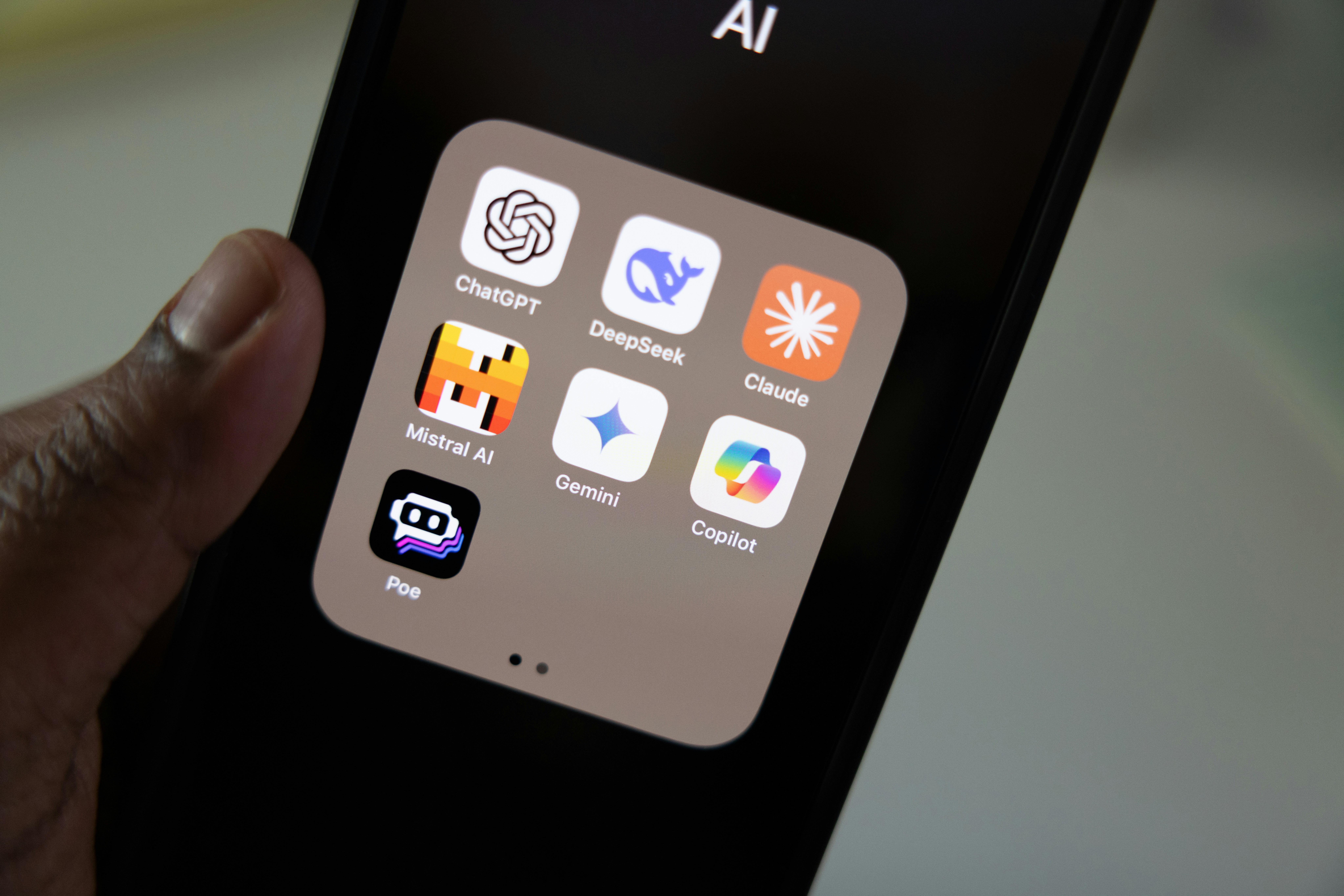
Take tools like Microsoft Copilot Tasks. You don’t just ask it to summarize a document. You can have it read files, extract key points, schedule follow-ups, and prep a report. In one go.
Same with Claude’s newer workflow features. It can run recurring tasks. Think weekly reports, research briefs, content drafts. You set it up once, and it keeps going.
That’s the real upgrade.
Not better answers. Fewer steps.
And once you start thinking this way, your setup changes completely. You stop asking, “Which tool should I use?” and start asking, “What can I automate entirely?”
Small example.
Old way:
Ask AI to summarize meeting notes
Copy into Notion
Write action items manually
Send follow-up email
New way:
AI reads notes
Generates summary
Creates tasks
Drafts the email
Done.
Same outcome. Half the effort. Less context switching.
This is also where most people get stuck. They keep stacking tools instead of building systems. More apps, more tabs, more noise.
But in 2026, the people getting real leverage are doing the opposite. Fewer tools. Smarter connections. Letting AI handle the boring parts end-to-end.
And that’s exactly how we’re going to look at tools in the next section. Not as isolated apps, but as parts of a working system.
The Core AI Stack I’d Actually Use in 2026
If I had to rebuild my entire workflow today, I wouldn’t start with 20 tools.
I’d start with a small stack that covers thinking, organizing, executing, and automating. That’s it. Everything else is optional.
Because here’s the truth most people don’t like: the tool matters less than how you use it.
Still, some tools clearly stand out right now.
Your AI thinking partner
This is where most of your day will happen.
Tools like ChatGPT, Claude, and Gemini are all strong. Honestly, they’re closer than people think. The gap isn’t as dramatic as Twitter makes it sound.
I’ve noticed this: people who jump between all three usually get worse results. Not better.
Pick one. Learn how it thinks. Build workflows around it.
Use it for:
Writing and rewriting
Research and summarization
Breaking down complex problems
Making decisions faster
And here’s a small shift that helps a lot: stop treating it like Google. Treat it like a collaborator.
Ask follow-ups. Push back. Refine.
That’s where the real value shows up.

Your AI workspace
If your files, notes, and ideas are scattered, AI won’t fix that.
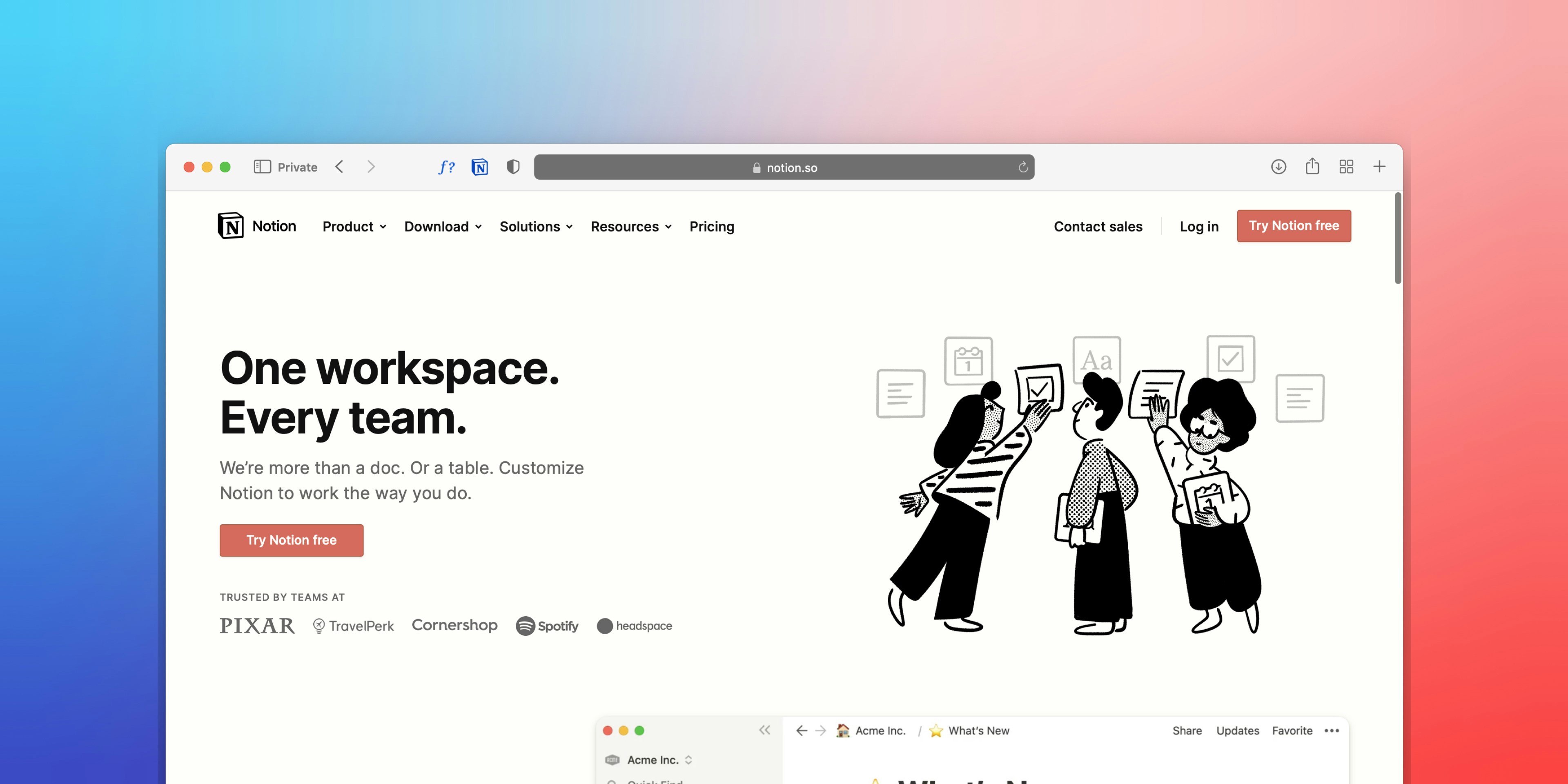
This is where tools like Notion AI come in. Not because they write better, but because they remember better.
You can ask questions across your own notes. Turn messy documents into structured plans. Pull insights from things you forgot you even wrote.
Most people underuse this part.
They use AI to create more content, but not to organize what they already have. That’s a mistake.
In practice, this becomes your second brain. And your AI becomes the search engine for it.
AI agents
This is the part that actually changes your day.
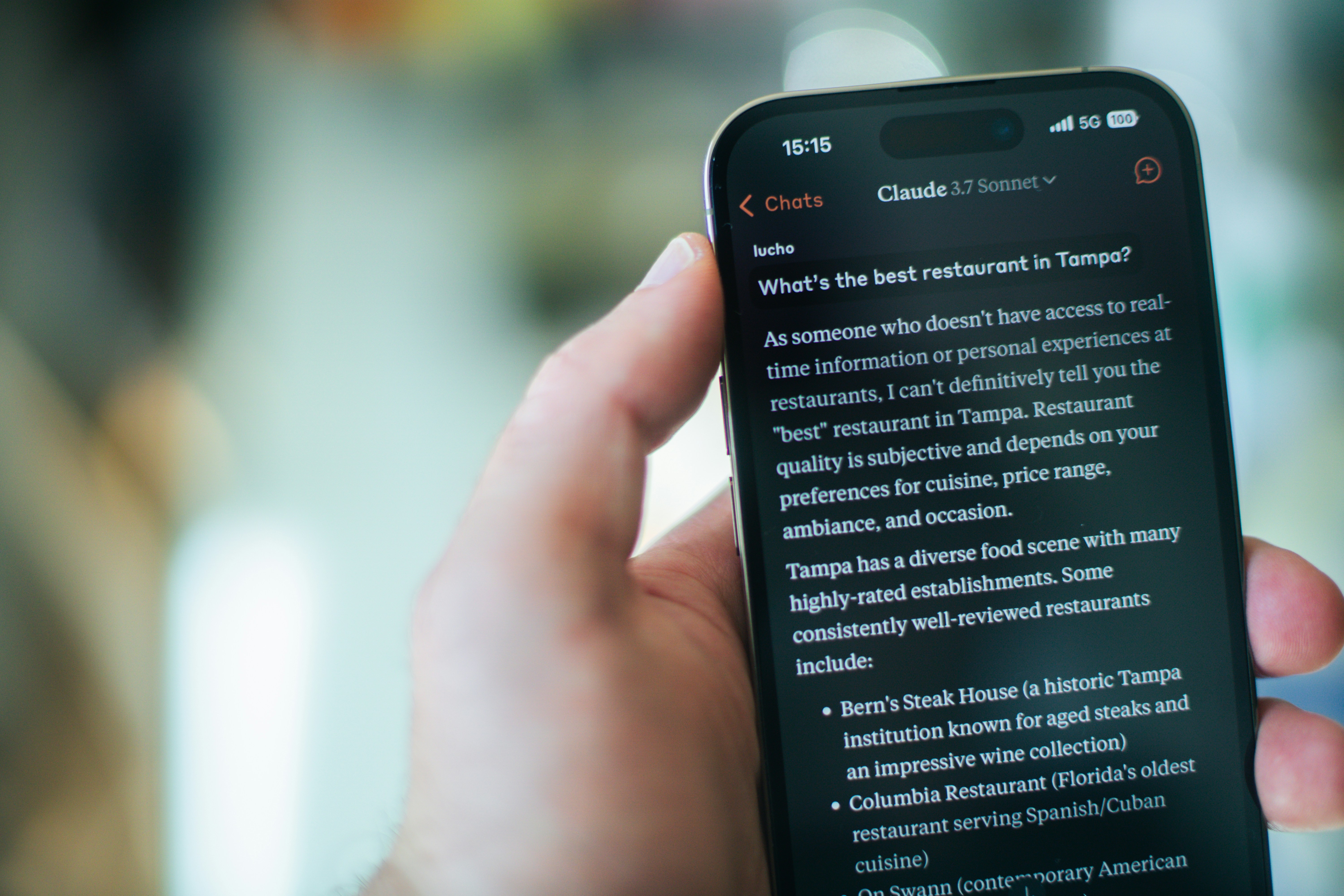
Tools like Copilot Tasks or Claude’s workflow features don’t just help you think. They do things for you.
Multi-step, repeatable, sometimes even scheduled work.
Examples:
Weekly reports generated automatically
Meeting notes turned into tasks and emails
Research compiled while you’re doing something else
This is where you start getting time back.
Not by working faster. By working less.
And to be honest, most people still aren’t using this properly. They’re stuck at the “prompt” level, while the real gains are happening at the workflow level.
Content creation tools
There are a lot of options here. Midjourney, Runway, Gamma, and more.
They’re all impressive. And also… a bit overkill for most people.
You don’t need five different tools to generate images or videos. You need one that fits your workflow.
The bigger shift is this: content generation is getting easier, which means quality matters more. Not just output.
So instead of asking, “Which tool is best?” ask:
“Which one helps me produce something I’d actually publish?”
That usually narrows it down fast.

AI for coding and technical work
Even if you’re not a developer, this category is worth paying attention to.
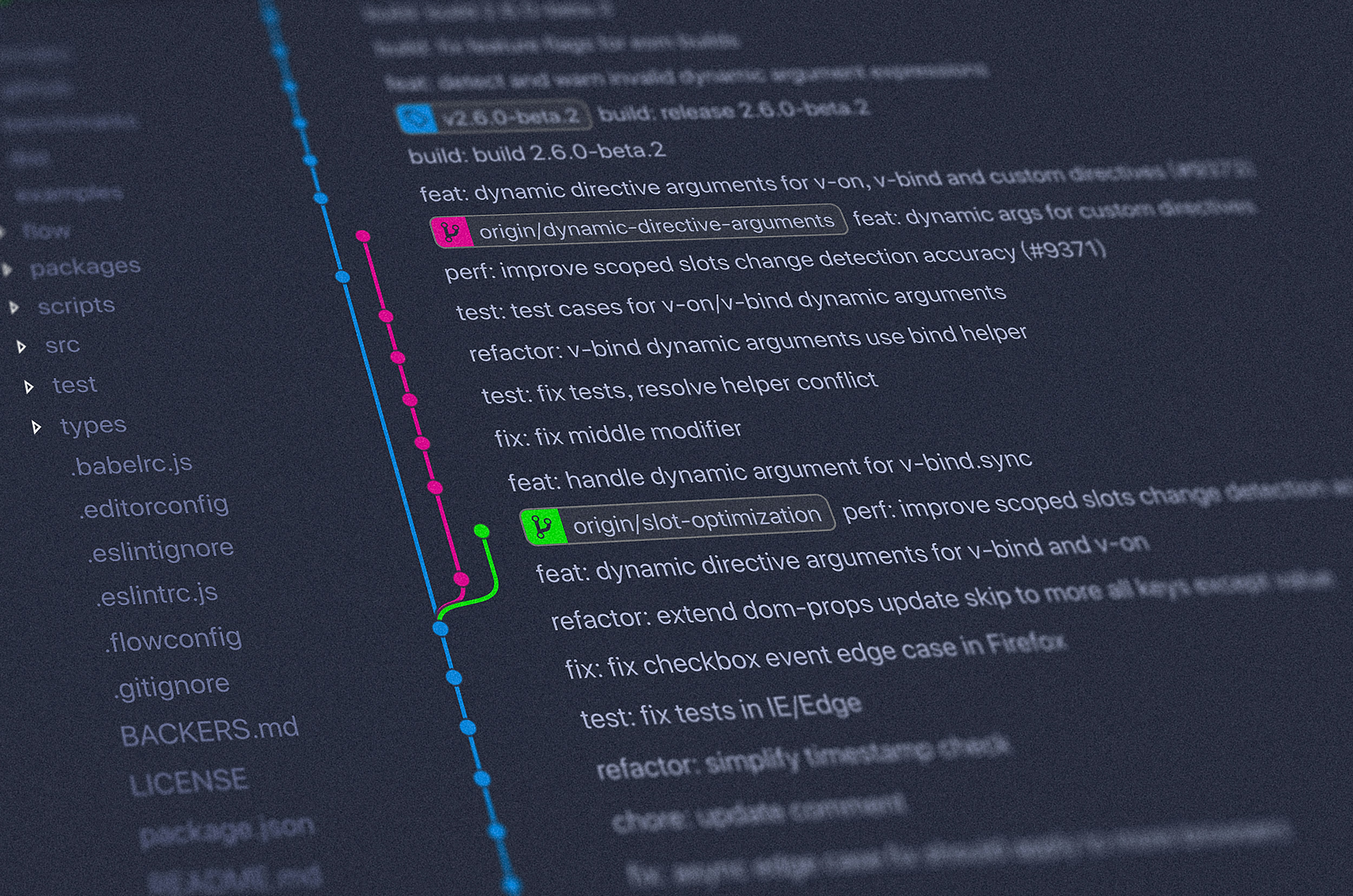
Tools like GitHub Copilot or newer coding agents don’t just autocomplete anymore. They can write, review, and debug code.
For developers, this is obvious leverage.
For everyone else, it’s something else: you can now build small tools without being technical.
Internal dashboards. Automations. Scripts.
Things that used to require a team.
Now? Sometimes just a good prompt and a bit of patience.
Automation layer
This is the least exciting part. And probably the most important.
Tools like Zapier or Make connect everything together. They turn isolated actions into systems.
Without this, you’re still doing manual handoffs between tools.
With it, things start to flow:
AI generates content → sends it to your workspace
Tasks get created → reminders scheduled
Data moves without you touching it
It’s not flashy. But it’s where real productivity gains compound over time.
At this point, you might notice something.
This isn’t about stacking more tools.
It’s about building a system where each piece has a clear role. Where work flows instead of stopping and starting all day.
And once you have that, the difference is noticeable.
You stop feeling busy.
What Actually Improves Your Productivity
Here’s where things get a bit uncomfortable.
Most AI setups look impressive on paper. Tons of tools, complex workflows, fancy automations. But day to day? They don’t really save that much time.
I’ve noticed the biggest gains come from much simpler changes.
Not adding more. Removing friction.
You don’t need more tools. You need fewer decisions
Every extra tool adds a tiny bit of overhead.
Where do I do this task?
Which tool is better for this?
Should I switch or stay?
It sounds small, but it adds up fast.
The most productive setups I’ve seen are almost boring. Same tools, same flows, minimal switching.
Less thinking about the system. More focus on the work.
Context switching is the real productivity killer
This one doesn’t get talked about enough.
Jumping between tabs, apps, and tools drains more energy than the actual work. And AI can make this worse if you’re not careful.
Using one tool for writing, another for notes, another for tasks, and another for automation… it feels optimized, but it’s fragmented.
A better approach?
Let AI handle transitions.
Instead of:
Write something
Copy it
Move it
Reformat it
You let the system carry it through.
That’s where time actually disappears. In a good way.
Automation beats speed every time
A lot of people use AI to do things faster.
That’s fine. But it’s not where the real gains are.
The real jump happens when you stop doing the task entirely.
If something repeats, even once a week, it’s a candidate for automation.
Reports. Emails. Summaries. Data updates.
Set it up once, and it runs in the background.
You don’t get faster. The task just… disappears.
Centralized knowledge changes everything
This one took me a while to fully appreciate.
If your notes, docs, and ideas are scattered, you’ll keep redoing the same thinking over and over.
AI works best when it has context.
When everything lives in one place, you can:
Ask better questions
Get more relevant answers
Build on past work instead of restarting
Without that, even the best AI feels shallow.
The best setups feel almost invisible
This might sound strange, but it’s true.
When your system is working, you don’t notice it.
There’s no friction. No constant decisions. No unnecessary steps.
You just open your workspace and start.
That’s usually a good sign you’ve done it right.
And this is also where most people go wrong.
They chase tools that look powerful instead of building systems that feel effortless.
Which leads to a few very common mistakes.
Common Mistakes People Make With AI Tools
You can have the best tools in the world and still get mediocre results.
I’ve done most of these myself at some point. Probably still do a few.
Tool hopping every few weeks
There’s always a new “best AI tool.”
It’s tempting to switch. Try the new thing. See if it’s faster, smarter, better.
But every switch comes with a cost:
You lose context
You rebuild workflows
You start from zero again
And most of the time, the improvement is marginal.
The people getting real value aren’t chasing tools. They’re building familiarity.
Over-automating too early
Automation sounds great. Until it breaks.
A common mistake is trying to automate everything before understanding the workflow properly.
You end up with fragile systems that:
Fail silently
Produce low-quality output
Require constant fixing
It’s frustrating.
Better approach? Do it manually first. A few times. Understand the steps.
Then automate what’s predictable.
Trusting AI too much
AI is good. Sometimes very good.
But it’s still wrong. More often than people admit.
Blindly copying outputs into emails, reports, or code is risky. Especially in professional work.
You still need judgment.
Think of AI as a fast first draft, not the final answer.

Using AI without context
Generic input → generic output.
If your AI doesn’t know your goals, your style, your past work, it can’t give you great results.
This is where most people hit a ceiling.
They use AI statelessly. One prompt at a time. No memory, no structure.
And then they wonder why everything feels average.
Ignoring privacy and data boundaries
This one doesn’t get enough attention.
People paste sensitive data into tools without thinking twice. Client info, internal docs, private notes.
Depending on the tool and setup, that can be risky.
At the very least, it’s worth knowing:
Where your data goes
What gets stored
What gets used for training
A bit of caution goes a long way.
None of these are hard to fix.
But they’re easy to overlook, especially when everything feels new and exciting.
And once you clean these up, something interesting happens.
The tools stop being the bottleneck.
Something else does.
The Real Bottleneck No One Talks About
At some point, your setup starts working. Your AI writes faster, your workflows feel smoother, and tasks start happening with less effort. It’s a good place to be. But then something shifts.
Your computer starts struggling.
It’s not dramatic at first. A bit of lag here, a slow render there, a tab that freezes when you’re in the middle of something important. Then it becomes part of your daily workflow. Waiting. Restarting. Closing things just to open others.
The problem is simple. AI is getting heavier, not lighter.
You’re no longer just generating text. You’re working with high-resolution images, editing video, processing larger datasets, and running multiple tools at the same time. Even if some of that happens in the cloud, your device still carries a lot of the load. And most setups today push that limit without people realizing it.
Your workflow scales. Your hardware doesn’t.
You add one tool, then another, then automation, then content tools. Each one works fine on its own. Together, they start competing for resources. And suddenly, the thing slowing you down isn’t your system or your skills. It’s your machine.
This is exactly where Vagon Cloud Computer fits in.
Instead of relying on your local device, you move your entire workflow to a high-performance cloud machine. You get access to powerful GPUs, more memory, and a setup that can actually handle modern AI workloads without slowing down.
So when you’re running multiple AI tools, generating visuals, editing video, or juggling heavier projects, everything stays responsive. No lag, no crashes, no need to constantly manage your system just to keep things running.
And the biggest difference is this. You stop thinking about performance.
You just open your workspace and start working, from whatever device you have in front of you.
Because at this stage, the tools aren’t the limitation anymore.
Final Thoughts
If you zoom out, the direction is pretty obvious.
We’re moving from using AI as a tool to working with systems that handle parts of our work on their own. Less typing, more overseeing. Less busywork, more decisions.
You don’t need a perfect setup to benefit from this. In fact, trying to build one usually slows you down.
Start simple. Pick one tool. Use it every day. Then find one task you repeat often and automate just that. That’s enough to feel the shift.
From there, things compound.
A few minutes saved here. A bit less friction there. Fewer tabs, fewer steps, fewer things to think about. Over time, that adds up in a way most people underestimate.
And that’s really the point.
AI won’t magically do your work for you. But it will change how your work gets done. The people who get the most out of it aren’t the ones using the most tools. They’re the ones building systems that quietly remove friction from their day.
So don’t chase every new release.
Build something that works. Keep it simple. Improve it over time.
Because when it clicks, you won’t feel busier.
You’ll just feel faster.
FAQs
1. What is the best AI productivity tool in 2026?
There isn’t a single “best” tool. It really comes down to how you work. In most cases, one strong AI assistant like ChatGPT, Claude, or Gemini will cover most of your needs, especially when paired with a workspace tool like Notion. If you’re using a lot of tools and still feel busy, the problem is usually not the tools themselves, but how they’re set up.
2. Are AI agents actually useful or just hype?
They’re genuinely useful, but only if you go beyond basic prompts. If you’re still using AI like a chatbot, the benefits will feel limited. The real value shows up when you let it handle multi-step workflows such as reports, summaries, or recurring tasks. That’s where you start saving real time.
3. How many AI tools should I be using?
Fewer than you think. Most people do better with a simple setup built around one main AI assistant and a central place for notes and organization. Adding more tools only makes sense if they solve a very specific problem. Otherwise, they tend to add complexity instead of improving productivity.
4. Do I need technical skills to use AI tools effectively?
Not really. You don’t need to code or have a technical background to use AI well in 2026. What matters more is understanding your own workflow. If you can clearly explain how a task works step by step, you can usually automate parts of it with AI.
5. What’s the biggest mistake people make with AI?
Switching tools too often. It’s easy to get pulled into trying every new tool that comes out, but that usually resets your progress. You lose context, rebuild your setup, and never fully benefit from any one tool. Sticking with a system tends to work much better.
6. Can AI completely replace my work?
No, but it will change how your work looks. AI is very good at handling repetitive and structured tasks, but it still needs human judgment and direction. It reduces the execution side of your work, not the thinking.
7. Why do AI tools feel slow or laggy sometimes?
In many cases, it comes down to hardware limits. Running multiple AI tools, generating content, or working with larger files can put a lot of pressure on your device. That’s when things start to slow down or crash, especially on less powerful machines.
8. Is it worth investing in a cloud computer for AI workflows?
It depends on how often you use AI. If it’s occasional, you probably don’t need it. But if your daily work involves multiple tools, heavier workloads, or more demanding tasks like video or image generation, a cloud computer can make a noticeable difference. It removes performance issues and lets you focus on getting work done instead of managing your system.
AI tools don’t automatically save you time. A lot of the time, they slow you down.
People are still using them like chatbots. Ask, copy, paste, repeat. It works, but it’s clunky. And honestly, it misses the point.
Here’s what changed in 2026:
AI stopped being just an assistant. It started doing the work.
Tools like Microsoft Copilot Tasks and Claude Cowork can now handle multi-step workflows on their own. Not just answering questions, but actually executing tasks. That shift matters more than any new feature.
So this isn’t a long list of random tools.
It’s a practical stack. Built around how people actually get things done today.
AI Stopped Helping. It Started Doing.
A lot of people haven’t caught up to this yet.
They’re still opening ChatGPT, asking for something, copying the result, pasting it somewhere else, tweaking it, then moving on to the next step. That workflow already feels old.
What’s different now is simple: AI can handle sequences, not just single tasks.
Take tools like Microsoft Copilot Tasks. You don’t just ask it to summarize a document. You can have it read files, extract key points, schedule follow-ups, and prep a report. In one go.
Same with Claude’s newer workflow features. It can run recurring tasks. Think weekly reports, research briefs, content drafts. You set it up once, and it keeps going.
That’s the real upgrade.
Not better answers. Fewer steps.
And once you start thinking this way, your setup changes completely. You stop asking, “Which tool should I use?” and start asking, “What can I automate entirely?”
Small example.
Old way:
Ask AI to summarize meeting notes
Copy into Notion
Write action items manually
Send follow-up email
New way:
AI reads notes
Generates summary
Creates tasks
Drafts the email
Done.
Same outcome. Half the effort. Less context switching.
This is also where most people get stuck. They keep stacking tools instead of building systems. More apps, more tabs, more noise.
But in 2026, the people getting real leverage are doing the opposite. Fewer tools. Smarter connections. Letting AI handle the boring parts end-to-end.
And that’s exactly how we’re going to look at tools in the next section. Not as isolated apps, but as parts of a working system.
The Core AI Stack I’d Actually Use in 2026
If I had to rebuild my entire workflow today, I wouldn’t start with 20 tools.
I’d start with a small stack that covers thinking, organizing, executing, and automating. That’s it. Everything else is optional.
Because here’s the truth most people don’t like: the tool matters less than how you use it.
Still, some tools clearly stand out right now.
Your AI thinking partner
This is where most of your day will happen.
Tools like ChatGPT, Claude, and Gemini are all strong. Honestly, they’re closer than people think. The gap isn’t as dramatic as Twitter makes it sound.
I’ve noticed this: people who jump between all three usually get worse results. Not better.
Pick one. Learn how it thinks. Build workflows around it.
Use it for:
Writing and rewriting
Research and summarization
Breaking down complex problems
Making decisions faster
And here’s a small shift that helps a lot: stop treating it like Google. Treat it like a collaborator.
Ask follow-ups. Push back. Refine.
That’s where the real value shows up.
Your AI workspace
If your files, notes, and ideas are scattered, AI won’t fix that.
This is where tools like Notion AI come in. Not because they write better, but because they remember better.
You can ask questions across your own notes. Turn messy documents into structured plans. Pull insights from things you forgot you even wrote.
Most people underuse this part.
They use AI to create more content, but not to organize what they already have. That’s a mistake.
In practice, this becomes your second brain. And your AI becomes the search engine for it.
AI agents
This is the part that actually changes your day.
Tools like Copilot Tasks or Claude’s workflow features don’t just help you think. They do things for you.
Multi-step, repeatable, sometimes even scheduled work.
Examples:
Weekly reports generated automatically
Meeting notes turned into tasks and emails
Research compiled while you’re doing something else
This is where you start getting time back.
Not by working faster. By working less.
And to be honest, most people still aren’t using this properly. They’re stuck at the “prompt” level, while the real gains are happening at the workflow level.
Content creation tools
There are a lot of options here. Midjourney, Runway, Gamma, and more.
They’re all impressive. And also… a bit overkill for most people.
You don’t need five different tools to generate images or videos. You need one that fits your workflow.
The bigger shift is this: content generation is getting easier, which means quality matters more. Not just output.
So instead of asking, “Which tool is best?” ask:
“Which one helps me produce something I’d actually publish?”
That usually narrows it down fast.
AI for coding and technical work
Even if you’re not a developer, this category is worth paying attention to.
Tools like GitHub Copilot or newer coding agents don’t just autocomplete anymore. They can write, review, and debug code.
For developers, this is obvious leverage.
For everyone else, it’s something else: you can now build small tools without being technical.
Internal dashboards. Automations. Scripts.
Things that used to require a team.
Now? Sometimes just a good prompt and a bit of patience.
Automation layer
This is the least exciting part. And probably the most important.
Tools like Zapier or Make connect everything together. They turn isolated actions into systems.
Without this, you’re still doing manual handoffs between tools.
With it, things start to flow:
AI generates content → sends it to your workspace
Tasks get created → reminders scheduled
Data moves without you touching it
It’s not flashy. But it’s where real productivity gains compound over time.
At this point, you might notice something.
This isn’t about stacking more tools.
It’s about building a system where each piece has a clear role. Where work flows instead of stopping and starting all day.
And once you have that, the difference is noticeable.
You stop feeling busy.
What Actually Improves Your Productivity
Here’s where things get a bit uncomfortable.
Most AI setups look impressive on paper. Tons of tools, complex workflows, fancy automations. But day to day? They don’t really save that much time.
I’ve noticed the biggest gains come from much simpler changes.
Not adding more. Removing friction.
You don’t need more tools. You need fewer decisions
Every extra tool adds a tiny bit of overhead.
Where do I do this task?
Which tool is better for this?
Should I switch or stay?
It sounds small, but it adds up fast.
The most productive setups I’ve seen are almost boring. Same tools, same flows, minimal switching.
Less thinking about the system. More focus on the work.
Context switching is the real productivity killer
This one doesn’t get talked about enough.
Jumping between tabs, apps, and tools drains more energy than the actual work. And AI can make this worse if you’re not careful.
Using one tool for writing, another for notes, another for tasks, and another for automation… it feels optimized, but it’s fragmented.
A better approach?
Let AI handle transitions.
Instead of:
Write something
Copy it
Move it
Reformat it
You let the system carry it through.
That’s where time actually disappears. In a good way.
Automation beats speed every time
A lot of people use AI to do things faster.
That’s fine. But it’s not where the real gains are.
The real jump happens when you stop doing the task entirely.
If something repeats, even once a week, it’s a candidate for automation.
Reports. Emails. Summaries. Data updates.
Set it up once, and it runs in the background.
You don’t get faster. The task just… disappears.
Centralized knowledge changes everything
This one took me a while to fully appreciate.
If your notes, docs, and ideas are scattered, you’ll keep redoing the same thinking over and over.
AI works best when it has context.
When everything lives in one place, you can:
Ask better questions
Get more relevant answers
Build on past work instead of restarting
Without that, even the best AI feels shallow.
The best setups feel almost invisible
This might sound strange, but it’s true.
When your system is working, you don’t notice it.
There’s no friction. No constant decisions. No unnecessary steps.
You just open your workspace and start.
That’s usually a good sign you’ve done it right.
And this is also where most people go wrong.
They chase tools that look powerful instead of building systems that feel effortless.
Which leads to a few very common mistakes.
Common Mistakes People Make With AI Tools
You can have the best tools in the world and still get mediocre results.
I’ve done most of these myself at some point. Probably still do a few.
Tool hopping every few weeks
There’s always a new “best AI tool.”
It’s tempting to switch. Try the new thing. See if it’s faster, smarter, better.
But every switch comes with a cost:
You lose context
You rebuild workflows
You start from zero again
And most of the time, the improvement is marginal.
The people getting real value aren’t chasing tools. They’re building familiarity.
Over-automating too early
Automation sounds great. Until it breaks.
A common mistake is trying to automate everything before understanding the workflow properly.
You end up with fragile systems that:
Fail silently
Produce low-quality output
Require constant fixing
It’s frustrating.
Better approach? Do it manually first. A few times. Understand the steps.
Then automate what’s predictable.
Trusting AI too much
AI is good. Sometimes very good.
But it’s still wrong. More often than people admit.
Blindly copying outputs into emails, reports, or code is risky. Especially in professional work.
You still need judgment.
Think of AI as a fast first draft, not the final answer.
Using AI without context
Generic input → generic output.
If your AI doesn’t know your goals, your style, your past work, it can’t give you great results.
This is where most people hit a ceiling.
They use AI statelessly. One prompt at a time. No memory, no structure.
And then they wonder why everything feels average.
Ignoring privacy and data boundaries
This one doesn’t get enough attention.
People paste sensitive data into tools without thinking twice. Client info, internal docs, private notes.
Depending on the tool and setup, that can be risky.
At the very least, it’s worth knowing:
Where your data goes
What gets stored
What gets used for training
A bit of caution goes a long way.
None of these are hard to fix.
But they’re easy to overlook, especially when everything feels new and exciting.
And once you clean these up, something interesting happens.
The tools stop being the bottleneck.
Something else does.
The Real Bottleneck No One Talks About
At some point, your setup starts working. Your AI writes faster, your workflows feel smoother, and tasks start happening with less effort. It’s a good place to be. But then something shifts.
Your computer starts struggling.
It’s not dramatic at first. A bit of lag here, a slow render there, a tab that freezes when you’re in the middle of something important. Then it becomes part of your daily workflow. Waiting. Restarting. Closing things just to open others.
The problem is simple. AI is getting heavier, not lighter.
You’re no longer just generating text. You’re working with high-resolution images, editing video, processing larger datasets, and running multiple tools at the same time. Even if some of that happens in the cloud, your device still carries a lot of the load. And most setups today push that limit without people realizing it.
Your workflow scales. Your hardware doesn’t.
You add one tool, then another, then automation, then content tools. Each one works fine on its own. Together, they start competing for resources. And suddenly, the thing slowing you down isn’t your system or your skills. It’s your machine.
This is exactly where Vagon Cloud Computer fits in.
Instead of relying on your local device, you move your entire workflow to a high-performance cloud machine. You get access to powerful GPUs, more memory, and a setup that can actually handle modern AI workloads without slowing down.
So when you’re running multiple AI tools, generating visuals, editing video, or juggling heavier projects, everything stays responsive. No lag, no crashes, no need to constantly manage your system just to keep things running.
And the biggest difference is this. You stop thinking about performance.
You just open your workspace and start working, from whatever device you have in front of you.
Because at this stage, the tools aren’t the limitation anymore.
Final Thoughts
If you zoom out, the direction is pretty obvious.
We’re moving from using AI as a tool to working with systems that handle parts of our work on their own. Less typing, more overseeing. Less busywork, more decisions.
You don’t need a perfect setup to benefit from this. In fact, trying to build one usually slows you down.
Start simple. Pick one tool. Use it every day. Then find one task you repeat often and automate just that. That’s enough to feel the shift.
From there, things compound.
A few minutes saved here. A bit less friction there. Fewer tabs, fewer steps, fewer things to think about. Over time, that adds up in a way most people underestimate.
And that’s really the point.
AI won’t magically do your work for you. But it will change how your work gets done. The people who get the most out of it aren’t the ones using the most tools. They’re the ones building systems that quietly remove friction from their day.
So don’t chase every new release.
Build something that works. Keep it simple. Improve it over time.
Because when it clicks, you won’t feel busier.
You’ll just feel faster.
FAQs
1. What is the best AI productivity tool in 2026?
There isn’t a single “best” tool. It really comes down to how you work. In most cases, one strong AI assistant like ChatGPT, Claude, or Gemini will cover most of your needs, especially when paired with a workspace tool like Notion. If you’re using a lot of tools and still feel busy, the problem is usually not the tools themselves, but how they’re set up.
2. Are AI agents actually useful or just hype?
They’re genuinely useful, but only if you go beyond basic prompts. If you’re still using AI like a chatbot, the benefits will feel limited. The real value shows up when you let it handle multi-step workflows such as reports, summaries, or recurring tasks. That’s where you start saving real time.
3. How many AI tools should I be using?
Fewer than you think. Most people do better with a simple setup built around one main AI assistant and a central place for notes and organization. Adding more tools only makes sense if they solve a very specific problem. Otherwise, they tend to add complexity instead of improving productivity.
4. Do I need technical skills to use AI tools effectively?
Not really. You don’t need to code or have a technical background to use AI well in 2026. What matters more is understanding your own workflow. If you can clearly explain how a task works step by step, you can usually automate parts of it with AI.
5. What’s the biggest mistake people make with AI?
Switching tools too often. It’s easy to get pulled into trying every new tool that comes out, but that usually resets your progress. You lose context, rebuild your setup, and never fully benefit from any one tool. Sticking with a system tends to work much better.
6. Can AI completely replace my work?
No, but it will change how your work looks. AI is very good at handling repetitive and structured tasks, but it still needs human judgment and direction. It reduces the execution side of your work, not the thinking.
7. Why do AI tools feel slow or laggy sometimes?
In many cases, it comes down to hardware limits. Running multiple AI tools, generating content, or working with larger files can put a lot of pressure on your device. That’s when things start to slow down or crash, especially on less powerful machines.
8. Is it worth investing in a cloud computer for AI workflows?
It depends on how often you use AI. If it’s occasional, you probably don’t need it. But if your daily work involves multiple tools, heavier workloads, or more demanding tasks like video or image generation, a cloud computer can make a noticeable difference. It removes performance issues and lets you focus on getting work done instead of managing your system.
Get Beyond Your Computer Performance
Run applications on your cloud computer with the latest generation hardware. No more crashes or lags.

Trial includes 1 hour usage + 7 days of storage.
Summarize with AI

Ready to focus on your creativity?
Vagon gives you the ability to create & render projects, collaborate, and stream applications with the power of the best hardware.

Vagon Blog



Run heavy applications on any device with
your personal computer on the cloud.
San Francisco, California
Solutions
Vagon Teams
Vagon Streams
Use Cases
Resources
Vagon Blog
Best GeForce Now Alternatives in 2026: 5 Top Options
FL Studio Keyboard Shortcuts: Complete Cheat Sheet
Adobe Illustrator Keyboard Shortcuts: Windows & Mac
How Much Does Maya Cost? Maya Pricing Guide (2026)
Fusion 360 Pricing 2026: Personal, Startup & Paid
SketchUp Pricing 2026: Free, Go, Pro & Studio Compared
Running SOLIDWORKS in the Cloud: A Practical Guide
Render Farm vs Cloud Workstation: Which Do You Need?
SolidWorks Keyboard Shortcuts & Mouse Gestures Guide
Vagon Blog
Run heavy applications on any device with
your personal computer on the cloud.
San Francisco, California
Solutions
Vagon Teams
Vagon Streams
Use Cases
Resources
Vagon Blog
Best GeForce Now Alternatives in 2026: 5 Top Options
FL Studio Keyboard Shortcuts: Complete Cheat Sheet
Adobe Illustrator Keyboard Shortcuts: Windows & Mac
How Much Does Maya Cost? Maya Pricing Guide (2026)
Fusion 360 Pricing 2026: Personal, Startup & Paid
SketchUp Pricing 2026: Free, Go, Pro & Studio Compared
Running SOLIDWORKS in the Cloud: A Practical Guide
Render Farm vs Cloud Workstation: Which Do You Need?
SolidWorks Keyboard Shortcuts & Mouse Gestures Guide
Vagon Blog
Run heavy applications on any device with
your personal computer on the cloud.
San Francisco, California
Solutions
Vagon Teams
Vagon Streams
Use Cases
Resources
Vagon Blog