Instant Connection for Pixel Streaming
— New Feature Automated Setup

Vagon vs GitHub Codespaces: Cloud Dev Environments Compared (2026)
Vagon vs GitHub Codespaces: Cloud Dev Environments Compared (2026)
Vagon vs GitHub Codespaces: Cloud Dev Environments Compared (2026)
Table of Contents
Quick answer: GitHub Codespaces is a cloud coding environment, browser-based VS Code wired to your repo, with no desktop and no GPU. Vagon is a full Ubuntu desktop with an optional GPU that you see and drive from any device. Choose Codespaces for pure coding inside a repo with tight GitHub integration. Choose Vagon when you need a GPU, native GUI apps, a browser to drive, or a general-purpose Linux computer, not just a code editor.
Key Takeaways
Codespaces is a coding environment, VS Code in a browser tied to a GitHub repo, with reproducible dev containers.
Vagon is a full desktop with an optional GPU, running any Linux GUI app, not just an editor.
Codespaces has no GPU; Vagon offers NVIDIA T4, A10G, and higher for rendering, ML, and CUDA work.
For pure coding in a repo, Codespaces is more purpose-built and often cheaper.
For graphical, GPU, or non-coding work, Codespaces can't do it at any price; Vagon can.
Many teams sensibly use both, Codespaces for the coding loop and Vagon for GPU and GUI work.
Let me start with the part that isn't in Vagon's favor. GitHub Codespaces is excellent, and for a huge number of developers it's the right answer, full stop. If your work is writing code in VS Code against a repo, Codespaces is fast, tightly integrated, and hard to beat. So this isn't a hit piece. It's a guide to the line where Codespaces stops being the right tool and a full cloud desktop like Vagon starts making more sense, because they solve overlapping but genuinely different problems.
Both give you a computer in the cloud. The difference is what kind of computer, and that difference should decide which one you reach for.
The One-Sentence Version
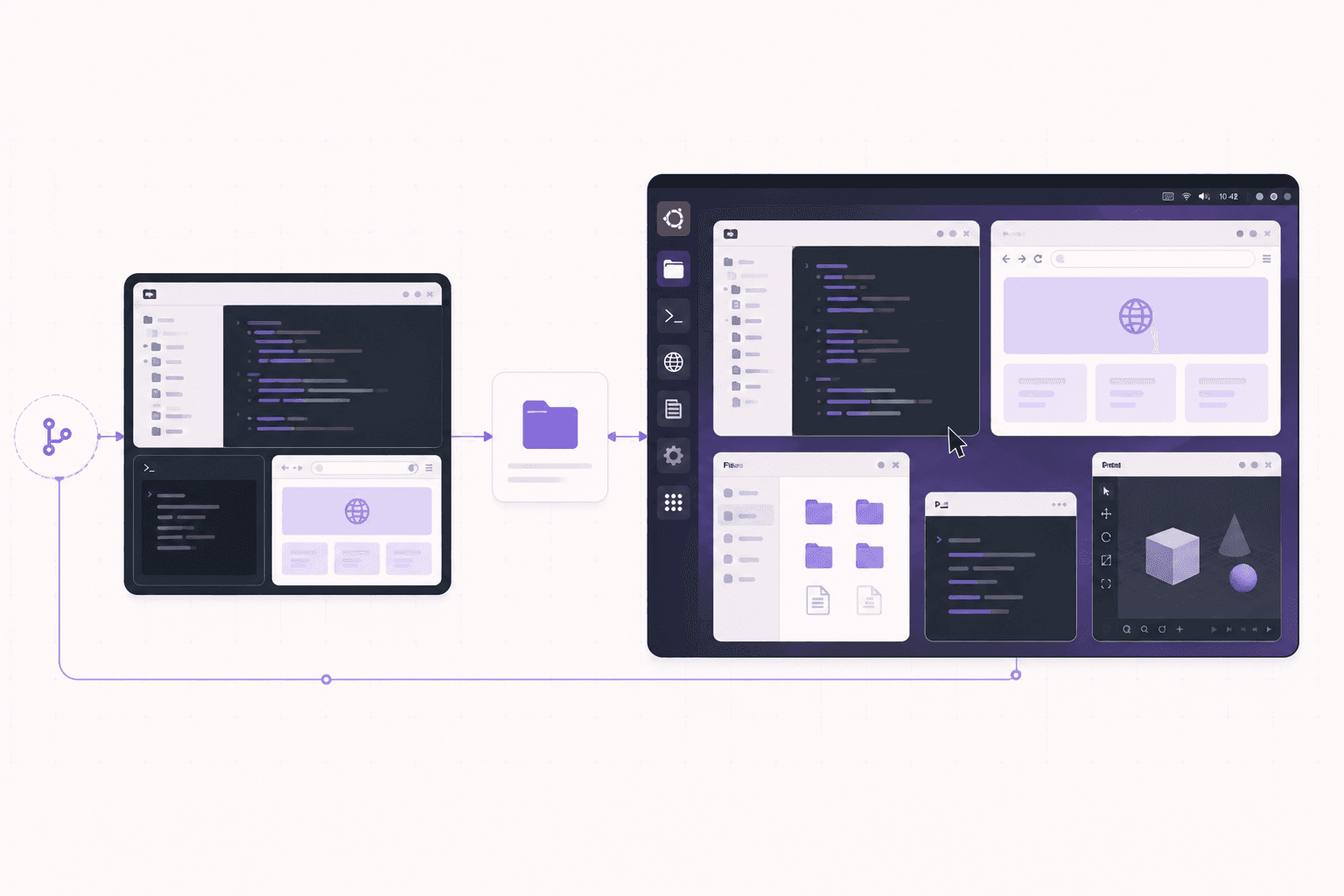
Codespaces gives you a cloud coding environment, a browser-based VS Code wired straight into your GitHub repo, with no desktop and no GPU. Vagon gives you a full Ubuntu desktop with an optional GPU that you can see and drive from any device. If your work is pure coding in an editor, Codespaces is likely the better fit. If you need a real desktop, GPU-backed apps, a browser to drive, or graphical tools, that's what Vagon is for.
Let's get specific.
If you’re looking for a full Linux environment without setting up local hardware, this guide explains how to get an Ubuntu desktop in the cloud.
What Codespaces Is Great At
Real strengths, stated plainly.
Deep GitHub and VS Code integration
Codespaces launches straight from a repo. Your branch, your dev container config, your extensions, all wired up. For a team standardizing dev environments across a codebase, that tight integration is genuinely valuable. Everyone gets the same setup in seconds, and it's all one click from the repository. If your world revolves around GitHub, that integration is a real, daily convenience.
Fast, frictionless for pure coding
If your day is editing code, running tests, and pushing commits, Codespaces removes almost all the setup friction. It's built for exactly that loop, and it does it well. Open the repo, and you're coding in a familiar editor within moments, with no local environment to configure.
Reproducible environments via dev containers
The dev container spec means your environment is defined as code. New contributor, new machine, same environment. That reproducibility is a real advantage for teams, because it eliminates the "works on my machine" problem and makes onboarding a new developer nearly instant.
Priced per core-hour, plus storage
Codespaces bills by compute usage and storage, and for light coding it can be quite affordable. For a lot of developers, the cost of a coding environment is modest, especially for the smaller machine sizes that pure coding needs.
If your work lives inside VS Code and a repo, Codespaces is a strong default and I'd happily recommend it. It's very good at its job, and its job is a common one.
What Vagon Is Great At
The other side, where a full desktop matters.
A real desktop, not just an editor
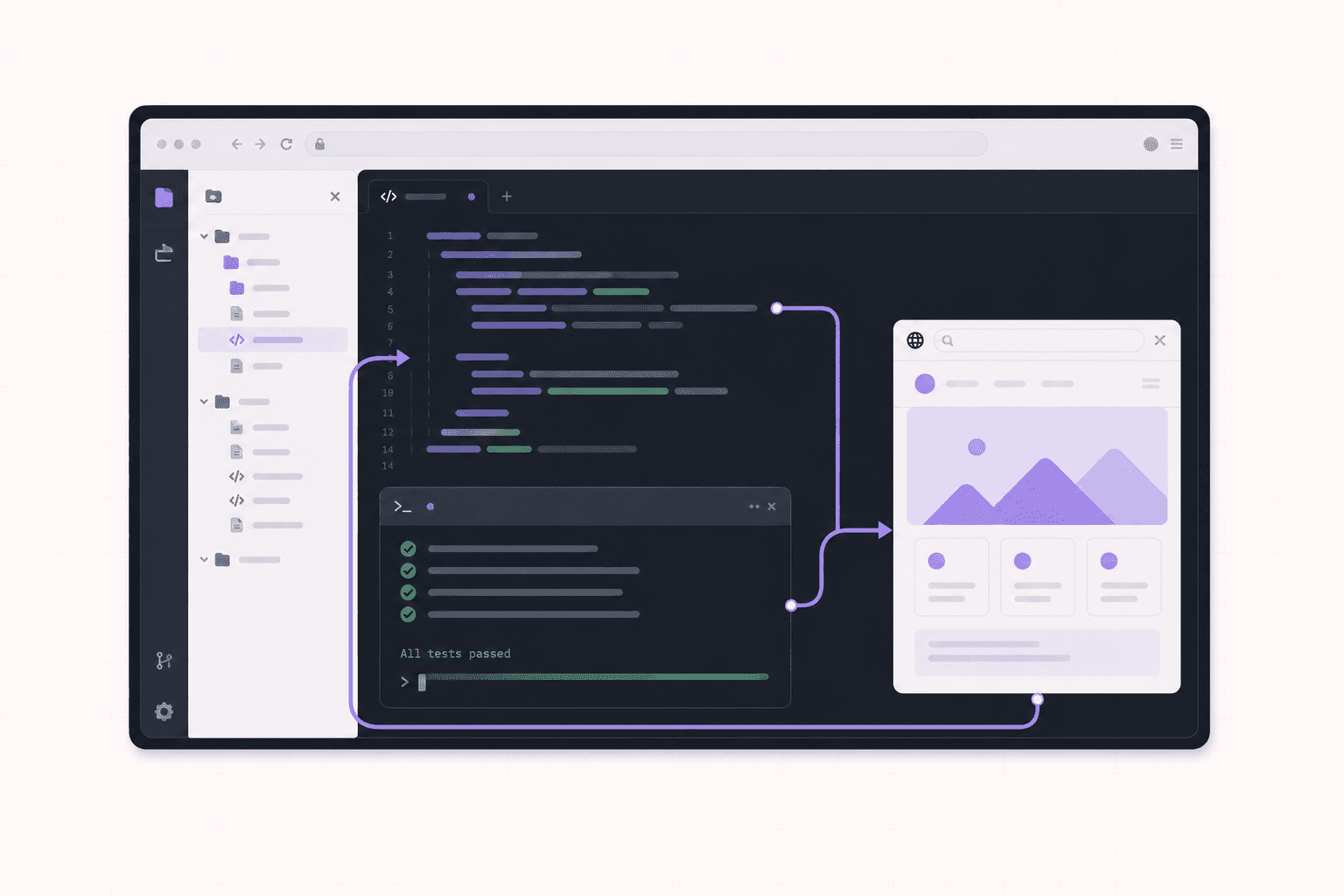
Codespaces is an editor in a browser. Vagon is a complete Ubuntu GNOME desktop. You get a file manager, multiple real applications, a full browser, system settings, the whole environment. When your work needs more than a code editor, that difference is the whole story. You're not limited to what fits inside an editor's interface; you have an entire operating system to work with.
A GPU when you need one
Codespaces doesn't give you a GPU. Vagon does. If you're rendering in Blender, generating images in ComfyUI, training or running models, or doing anything CUDA-based, you need a GPU, and a coding-focused environment simply can't offer that at any tier. This is the single hardest line between the two: GPU work is possible on one and impossible on the other.
GUI applications
Design tools, 3D software, a browser you want to drive with automation, database GUIs, media apps. These want a desktop. Codespaces can run a web preview of a web app, but it can't run a native GUI desktop application. Vagon can run all of them, because it's a real desktop with a real display.
Any device, and things that aren't code
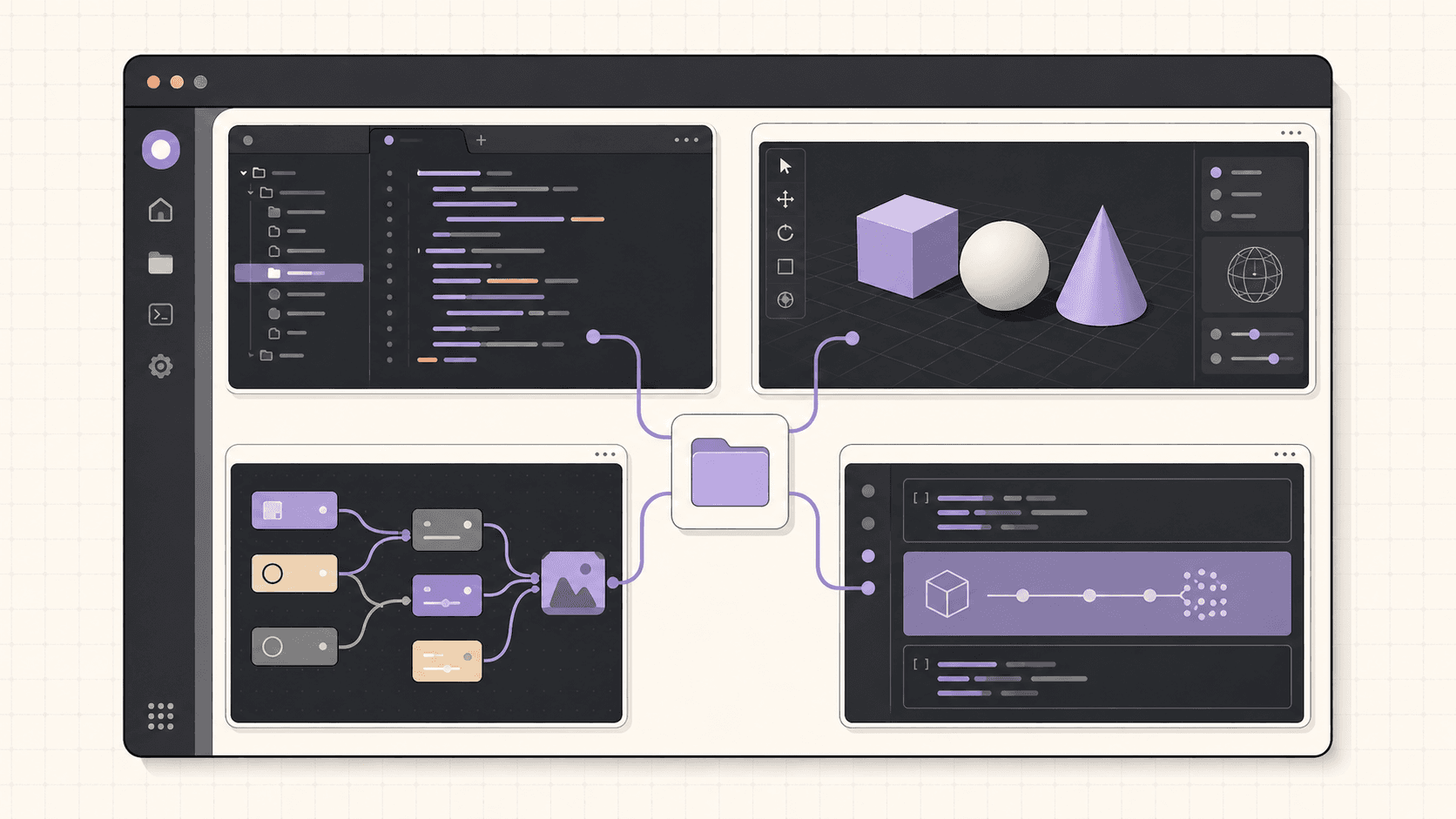
Because Vagon streams a desktop, you can use it for far more than development. Creative work, ML experiments, running an AI agent you want to watch, or just needing a Linux machine for something graphical. Codespaces is squarely a developer coding tool. Vagon is a general-purpose cloud computer that happens to be great for coding among many other things.
Isolated, resettable VM
Every Vagon machine is a separate VM you can reset to a clean image, which is handy when you're running things you don't fully trust, or when you just want a fresh environment.
Feature Comparison Table
Feature | GitHub Codespaces | Vagon |
|---|---|---|
Core offering | Browser VS Code on a repo | Full Ubuntu GNOME desktop |
GPU | No | Yes, T4, A10G, and higher |
Native GUI apps | No | Yes |
GitHub integration | Deep, one click from a repo | Standard Git, no special integration |
Reproducible environments | Yes, dev containers | You set the machine up yourself |
Access | Browser, VS Code | Browser and native apps, any device |
Best for | Pure coding in a repo | GPU, GUI, graphical, general-purpose work |
Non-coding use | Limited | Full desktop for anything |
Isolation | Container | Separate VM, resettable |
The Honest Overlap
Here's the nuance, because these two do overlap in the middle, and pretending they don't would be dishonest.
You can absolutely write code on Vagon. It's a full Ubuntu desktop, so you can install VS Code, clone your repos, and develop like normal. But if pure coding is all you need, Codespaces' tight repo integration and reproducible environments make it the more purpose-built choice, and you'd be paying Vagon for a desktop you may not need.
And you can do a little more than pure coding on Codespaces, like previewing a web app in the browser. But the moment you need a GPU, a native GUI app, or a real desktop, Codespaces hits a wall that Vagon simply doesn't have.
So the overlap is real but the edges are clear. Coding-only: Codespaces. Coding plus graphical or GPU work, or non-coding work entirely: Vagon. The trick is being honest with yourself about which side of that line your work actually sits on, and not paying for capability you won't use or picking a tool that can't do what you need.
Where Teams Actually Land
In practice, a lot of teams don't have to choose just one, and it's worth saying so.
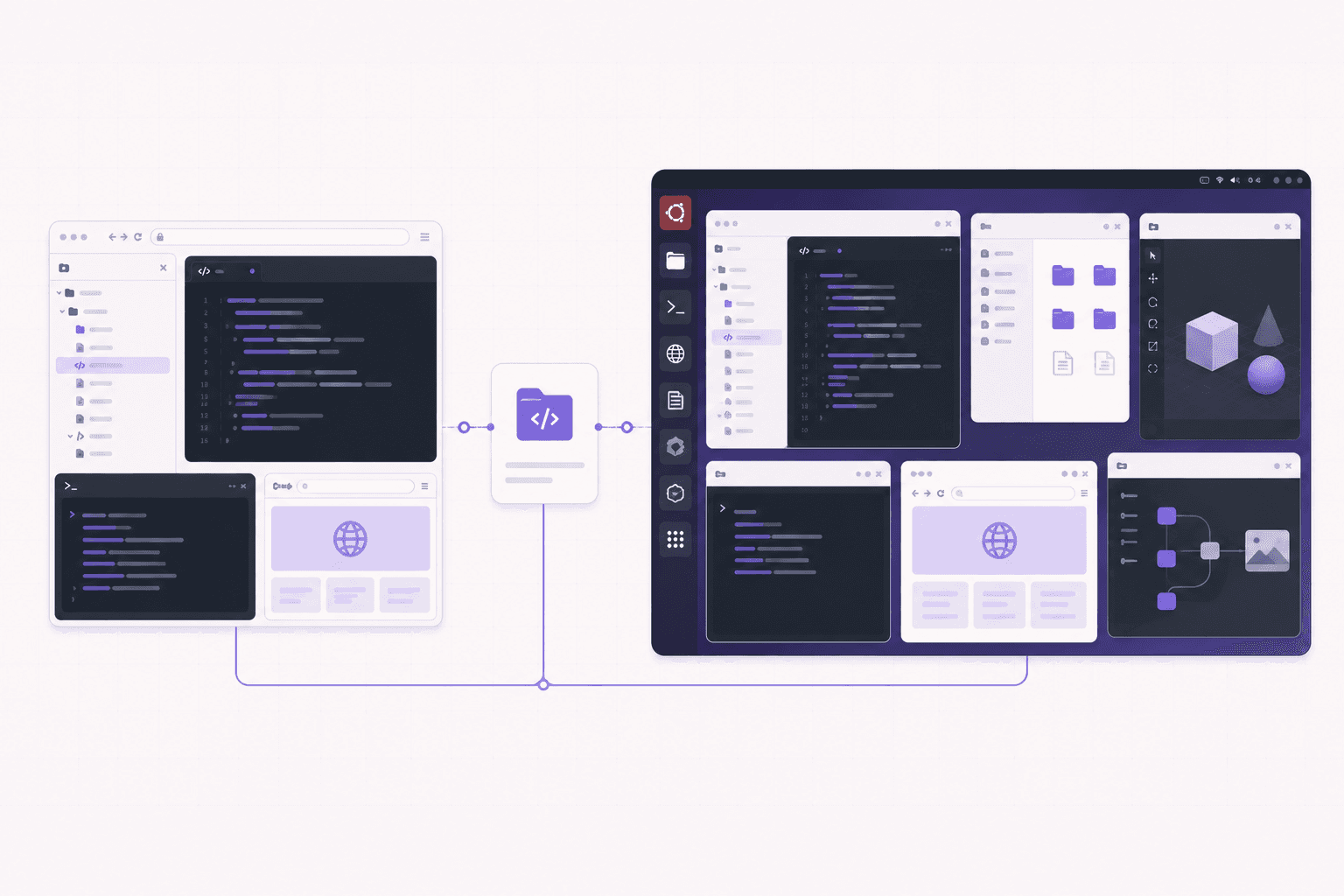
A common pattern looks like this. The core development loop lives in Codespaces, because the GitHub integration and reproducible dev containers keep everyone's coding environment consistent and fast to spin up. Then, for the work that Codespaces can't do, the team reaches for a cloud desktop. The ML engineer who needs a GPU for a training run. The person building a browser-automation flow who needs to watch it work. The designer or technical artist who needs Blender or a creative app. The developer testing something that needs a real desktop and a full browser rather than a headless preview.
That split tends to feel natural rather than redundant, because the two tools cover genuinely different needs. Codespaces owns the coding loop. A cloud desktop owns the graphical, GPU, and general-purpose work. Trying to force one tool to do both jobs is usually where friction shows up: either you're wrestling a coding environment into doing desktop work it wasn't built for, or you're paying for a full desktop just to edit text.
So if you're evaluating these against each other, it's worth asking whether it's really an either-or decision for you, or whether each tool simply owns a different part of your workflow.
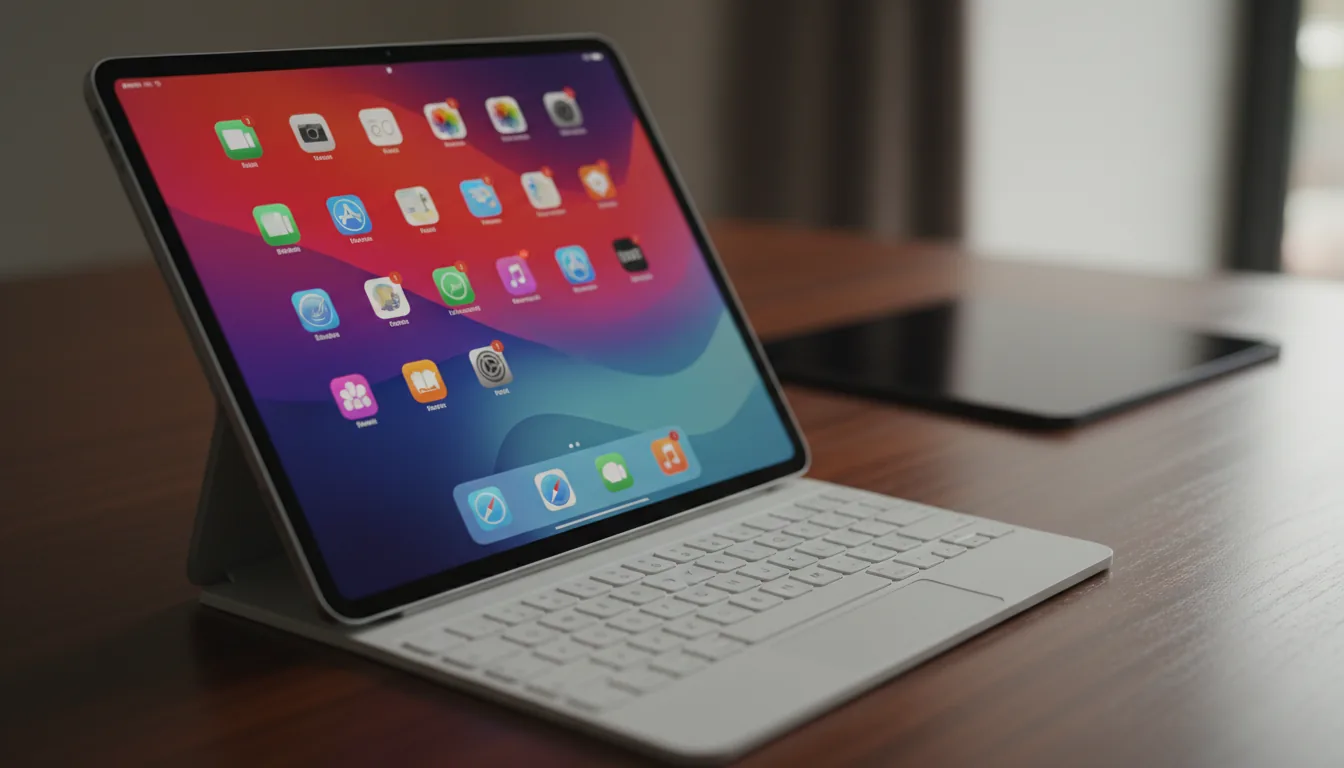
If you’re working from a tablet, you can learn how to run Ubuntu on an iPad and access a complete Linux desktop remotely.
Detailed Use Cases
Concrete scenarios and the better fit for each.
Working on a web application in a team
Codespaces shines here. The dev container defines the environment, everyone gets the same setup, the GitHub integration is seamless, and previewing the running app in the browser covers the testing need. There's no GPU or native GUI requirement, so a coding environment is exactly right.
Training or fine-tuning a machine learning model
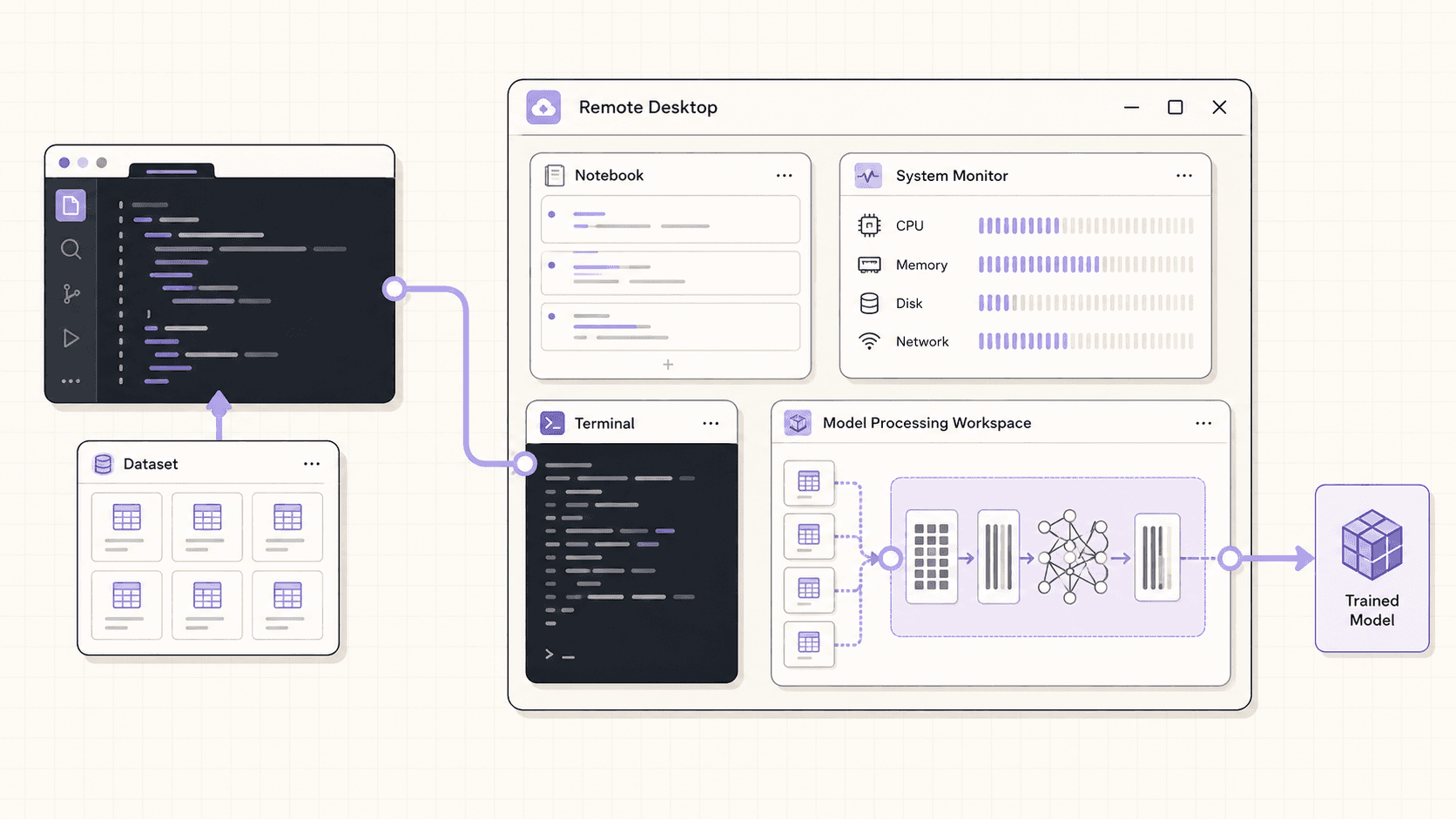
Codespaces can't do this, because there's no GPU. Vagon gives you an NVIDIA card with CUDA configured, plus a desktop where you can run notebooks alongside GUI tools. For GPU-backed ML work, Vagon is the only one of the two that applies.
Building a 3D or creative project
Blender, ComfyUI, video editing, and design tools need a GPU and a graphical desktop. Codespaces offers neither. Vagon runs them natively on a real desktop with a GPU underneath.
Contributing to an open-source project
Codespaces is a great fit, especially since many open-source repos ship a dev container config, so a contributor can jump into a ready environment straight from the repo with zero local setup.
Automating a browser or running a watchable agent
This needs a real browser on a real desktop you can see. Codespaces is a headless coding environment, so Vagon fits, letting you watch the automation and take over when needed, all in an isolated VM.
A student learning to code
For pure programming coursework, Codespaces is approachable and often has generous allowances for students. For coursework that involves GPU work, graphical applications, or a full Linux desktop, Vagon covers what a coding environment can't.
The Cost Conversation
Codespaces bills per core-hour plus storage, and for light coding it's often cheap, since pure coding runs fine on smaller machine sizes. Vagon bills for the desktop and, on GPU plans, the GPU, so it costs more than a bare coding environment because you're getting more, a full desktop and optional GPU hardware.
The honest framing is this: if you only need an editor, don't pay for a desktop. If you need a desktop or a GPU, a coding environment can't do the job at any price, so the comparison isn't really about cost, it's about capability. When both tools can do the work, Codespaces is usually the leaner and cheaper option for pure coding. When only Vagon can do the work, because it involves a GPU or GUI, cost is beside the point.
Both bill by usage and both reward shutting down when you're done. Neither is meant to be parked online 24/7 as a cheap always-on server, so for that job a small VPS remains the better choice.
Can You Code On Vagon Instead Of Codespaces?
Yes, and it's worth understanding what you gain and lose, because for some developers Vagon alone makes sense.
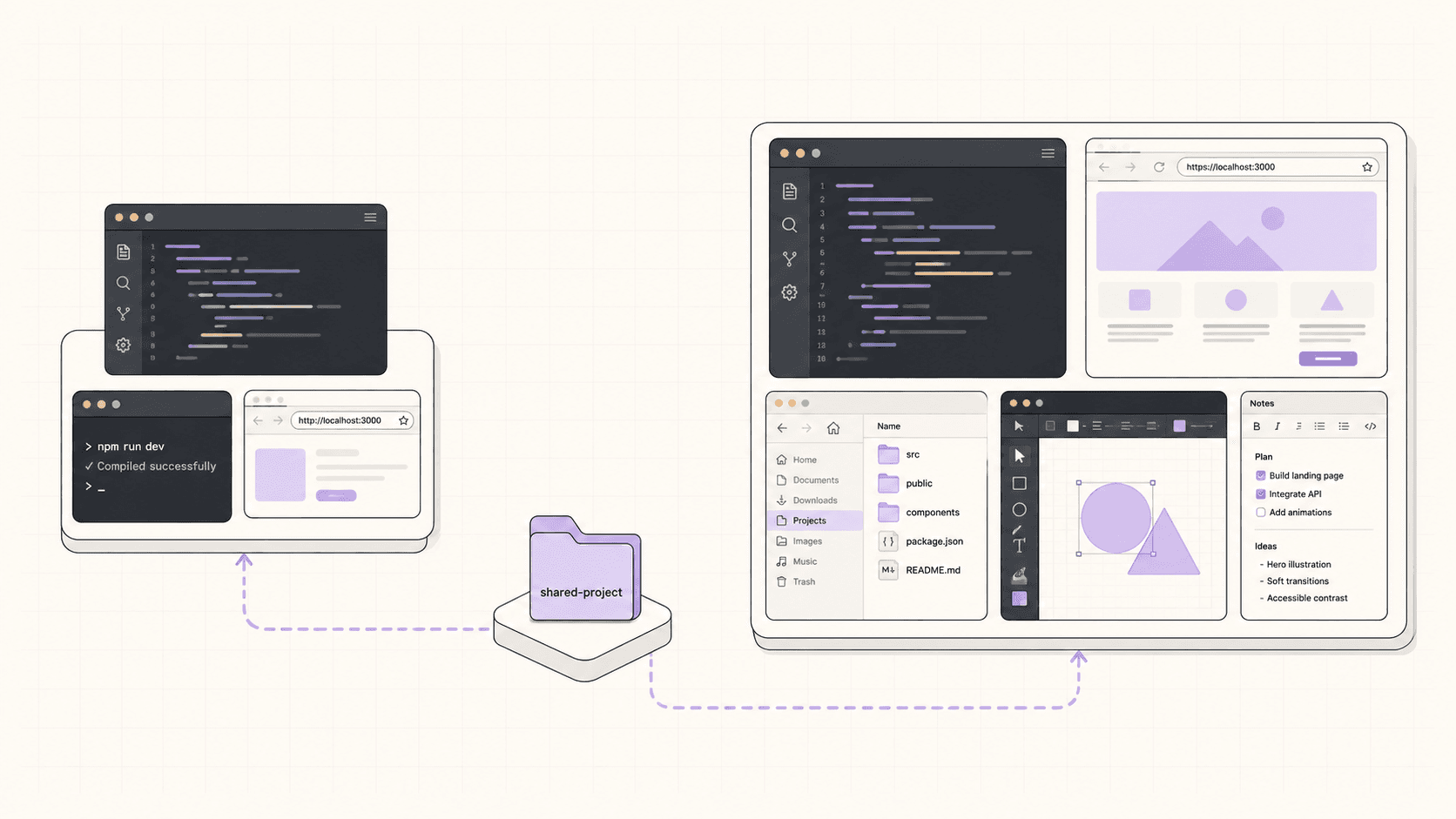
On Vagon, you install VS Code or any editor, clone your repos, set up your runtimes, and develop exactly as you would on a local Linux machine. What you gain is a full desktop around your editor, a real browser, GUI tools, a file manager, and, if you want it, a GPU. That's valuable if your work sometimes spills beyond pure coding into graphical or GPU territory, because everything is in one place.
What you lose compared to Codespaces is the deep GitHub integration and the reproducible dev container workflow. You're setting up your environment yourself rather than having it defined as code and spun up identically every time. For a solo developer or someone whose work regularly mixes coding with GPU or GUI tasks, that trade is often worth it, one machine does everything. For a team that values standardized, reproducible coding environments above all, Codespaces' model is stronger for the coding part specifically.
If you’re experimenting with private AI models, this guide walks through how to run Ollama in the cloud.
Two Different Jobs, Not Two Versions Of The Same Tool
It's tempting to line these up as competitors and pick a winner, but that framing misleads more than it helps, because they were built to do different jobs.
Codespaces exists to answer a specific question: how do you give developers a consistent, ready-to-code environment tied to their repository, without anyone configuring a local setup? Everything about it, the VS Code editor, the dev containers, the GitHub integration, the per-core-hour pricing, flows from that goal. It is a coding environment, optimized end to end for the coding loop.
Vagon exists to answer a broader question: how do you give someone a real computer, with a GPU if they want one, that they can use from any device? Everything about it, the full desktop, the GPU options, the streaming to iPads and Chromebooks, the isolated resettable VM, flows from that goal. It is a general-purpose cloud computer that happens to be excellent for coding among many other uses.
Seen this way, asking "which is better" is like asking whether a code editor is better than a computer. For the narrow task of editing code in a repo, the purpose-built coding environment is often the better fit. For everything a computer does beyond that, you need the computer. The productive question isn't which tool wins, it's which job you're doing, and quite often the answer is that you do both jobs and want both tools.
The Dev Container Advantage, Explained
Since dev containers are Codespaces' signature strength, it's worth understanding what they give you, because it clarifies when Codespaces is genuinely the better pick.
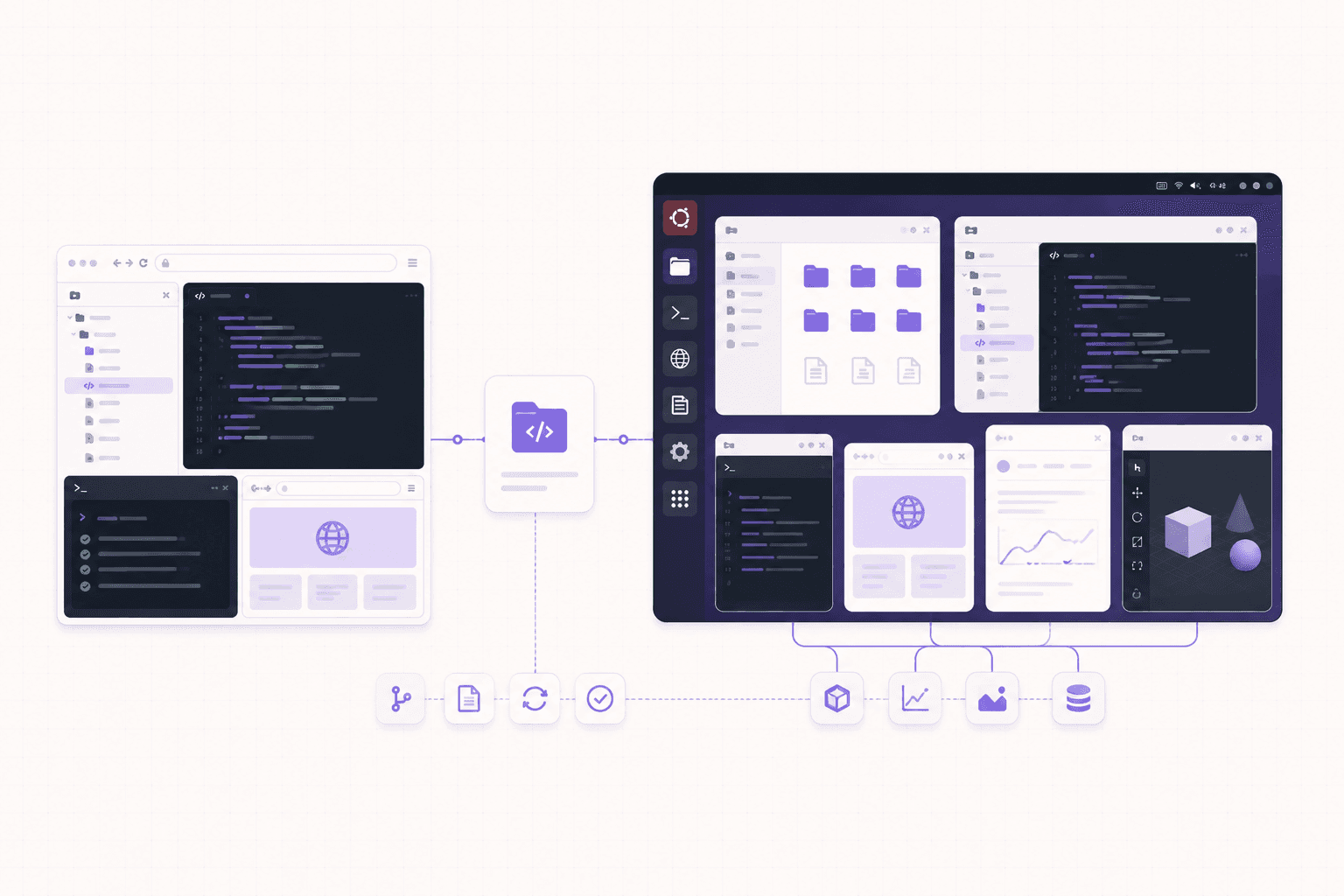
A dev container is a definition, stored in your repository, of exactly what environment your project needs: the language runtime, the tools, the extensions, the settings. When someone opens the repo in Codespaces, that definition is used to build their environment automatically. The result is that every developer, and every machine, gets an identical setup, and a brand-new contributor can go from opening the repo to writing code in moments, with nothing to install.
This is a real advantage for team coding, and it's something a general-purpose desktop doesn't replicate out of the box. On Vagon, you set up your environment yourself, which is more flexible but not automatically reproducible across a team the way a dev container is. So if your priority is standardized, defined-as-code coding environments that every team member shares identically, that specific strength points to Codespaces for the coding part of your work. If reproducibility across a team isn't your main concern, or your work extends beyond coding into GPU and GUI territory, the calculus shifts toward a full desktop.
What Combining Them Looks Like In Practice
Since many people benefit from using both, here's how that actually plays out day to day.
Imagine a developer who also does some machine learning. Their everyday coding, working on the application, fixing bugs, reviewing pull requests, happens in Codespaces, where the repo integration and instant environment make the coding loop smooth. When they need to train or test a model on a GPU, or run a GPU-accelerated tool, they switch to a Vagon desktop, do the GPU work, and shut it down when finished. Neither tool is trying to do the other's job, and the developer gets the best of both.
Or picture a small studio building an interactive product. The engineers use Codespaces for the codebase. The technical artists use Vagon desktops for the 3D and creative work that needs a GPU and graphical apps. Both groups are in the cloud, each with the tool suited to their work, and there's no attempt to force everyone into one environment that fits some of them badly.
The practical takeaway is that these tools coexist comfortably. Because both bill by usage with no long commitment, adding the second one when you hit the limits of the first is low-risk. You don't have to declare allegiance to one; you use each for what it's best at.
If you’re building node-based image generation workflows, here’s how to run ComfyUI in the cloud with access to more powerful GPUs.
Performance And Machine Sizing
A brief note on performance, since it affects the experience.
Codespaces lets you choose a machine size, more cores and memory for heavier projects, and for pure coding, even modest sizes are usually plenty, which keeps costs down. The performance you feel is mostly about how quickly your project builds and your tests run, which scales with the machine size you pick.
Vagon's performance spans a wider range because it includes GPU machines. For coding, a plan without a GPU performs well and costs less; for GPU work, you pick a plan with the card your task needs. The desktop is streamed, so the smoothness of the interface depends on your connection, while the underlying compute performance depends on the plan. The key difference is simply that Vagon's ceiling is much higher, since it reaches into GPU territory that a coding environment doesn't cover at all.
Choose the machine size or plan that matches your actual workload on either platform, and you avoid paying for power you don't use while ensuring the tool keeps up with the work.
A Simple Way To Decide
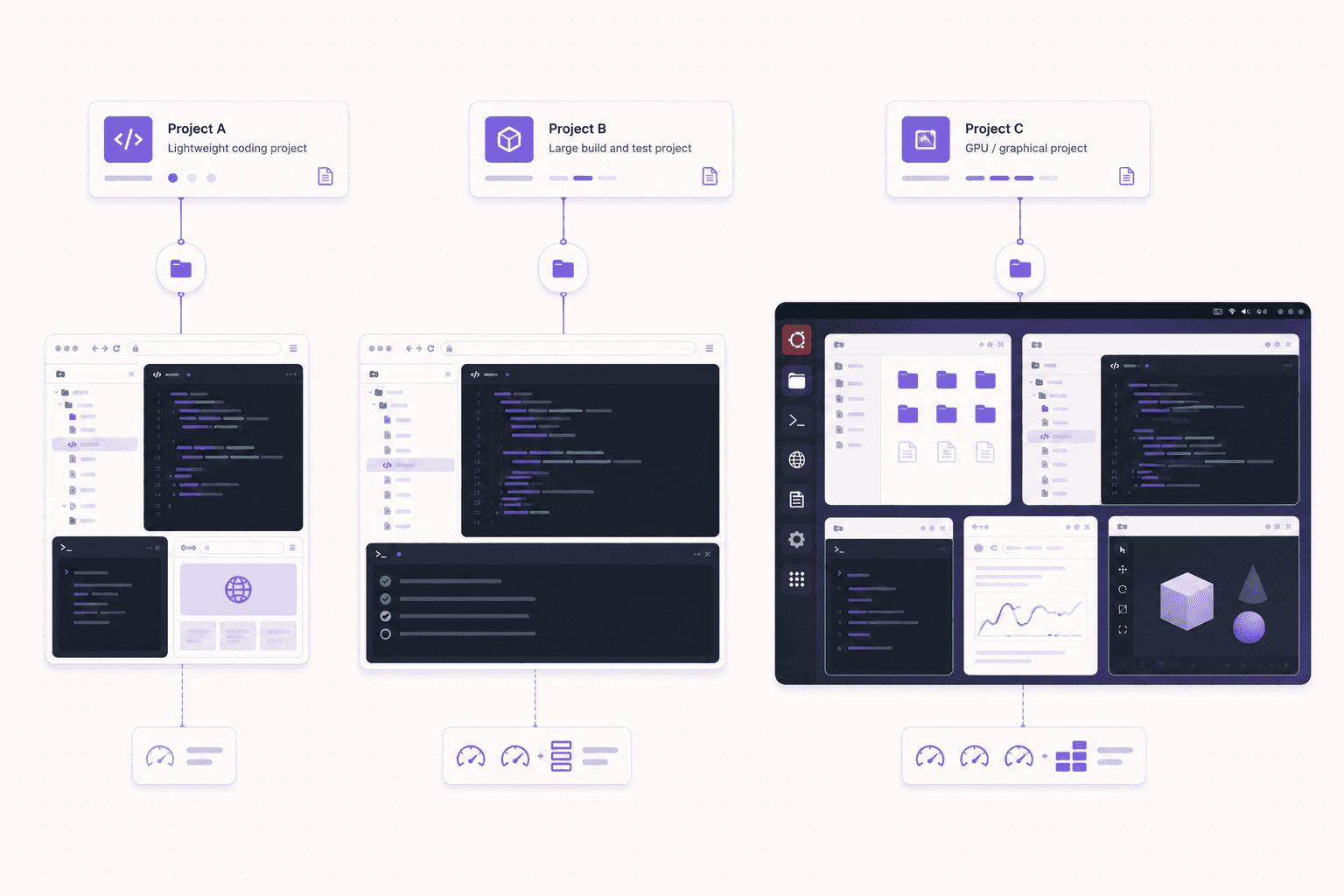
One question. Do I need more than a code editor?
If no, Codespaces is the tighter, more purpose-built, often cheaper choice. If yes, whether that's a GPU, a GUI app, a browser to drive, or a full desktop, then you need a real computer in the cloud, and that's Vagon.
Isolation, environments, and safety
Both tools give you an environment separate from your local machine, which is useful when you're running unfamiliar code, but the models differ slightly and it's worth understanding.
Codespaces runs your environment in a container, isolated from your local computer, which means experiments and dependencies stay off your machine. When you're done, you can delete the codespace. For coding work, this is exactly the right amount of isolation, and it keeps your projects tidy and separate.
Vagon runs each machine as a separate virtual machine that you can reset to a clean image. This is a strong fit when you want to run something you don't fully trust, an unfamiliar tool, a script from the internet, or an AI agent that installs its own packages, because the blast radius is contained to that VM and a reset wipes it clean. It's the more general-purpose isolation model, matching the more general-purpose machine.
In both cases, the sensible habits are the same: keep long-lived secrets off environments you'll discard, use scoped credentials for anything sensitive, and lean on the ability to delete or reset when you're done. The isolation each provides is genuinely useful, and using it well is what makes it pay off.
If you’re working on demanding 3D scenes or rendering projects, this guide explains how to run Blender on a cloud GPU with Ubuntu.
Common Misconceptions
A few misunderstandings recur when people weigh these two, so it's worth addressing them directly.
"Vagon is just a more expensive Codespaces." No, it's a different kind of product. Codespaces is a coding environment; Vagon is a full desktop computer with an optional GPU. For pure coding, Codespaces is leaner and often cheaper, but Vagon does things Codespaces simply cannot, like GPU work and native GUI apps. They're not two price points on the same thing.
"Codespaces can do everything a developer needs." For pure coding in a repo, largely yes. But the moment a developer's work touches a GPU, a native desktop application, or graphical tools, Codespaces reaches a hard limit. Plenty of developers do work that stays within Codespaces' scope, and plenty do work that doesn't.
"You have to choose one." You don't, and many teams use both, Codespaces for the coding loop and Vagon for GPU and graphical work. Since both bill by usage, adding the second when you hit the first's limits is low-risk.
"A full desktop is overkill for development." It depends on the development. If you only edit code, a desktop is more than you need and Codespaces is the tighter fit. If your development regularly spills into GPU work, running desktop tools, or driving a browser, the full desktop is exactly right, not overkill.
"Codespaces has a GPU option, so it's the same." Codespaces is centered on coding, not GPU compute, and GPU-backed desktop workloads like rendering and ML training are not its purpose. For serious GPU work, a cloud desktop built for it is the appropriate tool. Always check current capabilities, but don't assume a coding environment covers GPU desktop work.
If you’re working with vector graphics from any device, this guide shows how to run Inkscape in the cloud.
Final Word
Codespaces and Vagon aren't really rivals, they're tools for different shapes of work. Codespaces is a purpose-built cloud coding environment, tightly integrated with GitHub, ideal when your work lives in an editor and a repo. Vagon is a full Ubuntu desktop with an optional GPU, ideal when you need more than an editor: graphical apps, GPU compute, a browser to drive, or a general-purpose Linux computer you can reach from any device. Pick the one that matches what your work actually needs, use both if your work spans both, and don't pay for capability you won't use.
Need more than a code editor in the cloud? Create a Vagon account, launch an Ubuntu machine, and see what a full cloud desktop adds to your workflow.
Frequently Asked Questions
Can I just code on Vagon instead of using Codespaces?
Yes. It's a full desktop, so install your editor, clone your repos, and go. You lose Codespaces' deep repo integration and dev-container reproducibility, but you gain a full desktop and an optional GPU. If you sometimes need graphical or GPU work alongside coding, that trade can be worth it.
Does Codespaces support GPUs?
Codespaces is a coding environment centered on VS Code and repos, not GPU compute. For GPU work like rendering, image generation, or ML, you want a GPU machine, which is where a cloud desktop like Vagon comes in. Check current Codespaces docs for any specialized options, but GPU-backed desktop work is not its purpose.
Which is better for a whole team?
For a team standardizing coding environments across a codebase, Codespaces' dev containers are excellent. For a team that also needs desktops, GPUs, or graphical tools, Vagon covers cases Codespaces can't. Many teams sensibly use both, Codespaces for coding and Vagon for GPU and graphical work.
Which is cheaper?
For pure light coding, Codespaces is usually cheaper because it's a leaner tool. But if you need a desktop or a GPU, Codespaces can't do it at all, so cost isn't the deciding factor, capability is.
Can I watch an AI agent work on either?
On Vagon, yes, because it's a real desktop where you can watch an agent drive a browser and take over when needed, all in an isolated VM. Codespaces isn't built for that graphical, watchable workflow.
Can I run native desktop applications on Codespaces?
No. Codespaces runs a browser-based editor and can preview web apps, but it doesn't run native GUI desktop applications. For those, you need a real desktop like Vagon.
Is Codespaces or Vagon better for machine learning?
If your ML work is GPU-backed, Vagon, because Codespaces has no GPU. If your ML work is light and CPU-only, Codespaces can handle it. The GPU requirement is usually the deciding factor.
Can I use Vagon from an iPad?
Yes. Vagon streams a full desktop to any device, including an iPad. Codespaces runs in a browser, so it's accessible on a tablet too, but it's a coding editor rather than a full desktop.
Do I need a GitHub account for Vagon?
No. Vagon is a general-purpose cloud desktop, not tied to GitHub. You can use standard Git with any provider, but there's no GitHub-specific requirement like there is with Codespaces.
Which should I choose as a beginner?
If you're learning to code and your work is pure programming, Codespaces is approachable and cheap. If your learning involves GPU work, graphical apps, or a full Linux desktop, Vagon gives you the complete environment a coding tool can't.
Can I preview a running web app on both?
On Codespaces, yes, you can preview a web app in the browser, which covers a common development need. On Vagon, you have a full browser on the desktop, so you can run and view your app exactly as a user would, plus do anything else a desktop allows.
Is one faster than the other for coding?
For pure coding, both are responsive when you pick an appropriate machine size, and the difference comes down to the machine you choose rather than the platform. Codespaces is leaner for the coding loop specifically; Vagon gives you a whole desktop around the editor.
Do I lose my work when I stop the environment?
On Codespaces, your codespace persists until you delete it, and your code is in the repo regardless. On Vagon, add persistent storage to keep your setup between sessions, or make sure your work is committed and pushed before shutting down a non-persistent machine.
Can teams manage many users on Vagon?
Yes. Vagon offers team management with the ability to assign machines to members, share files centrally, and manage sessions across Linux and Windows workstations, which suits organizations that need managed desktops rather than only coding environments.
Which is better for data science notebooks?
Both can run notebooks. Codespaces suits CPU-based notebook work tied to a repo. Vagon suits notebook work that needs a GPU or benefits from a full desktop with GUI tools alongside, and it's the only one of the two that offers a GPU.
Quick answer: GitHub Codespaces is a cloud coding environment, browser-based VS Code wired to your repo, with no desktop and no GPU. Vagon is a full Ubuntu desktop with an optional GPU that you see and drive from any device. Choose Codespaces for pure coding inside a repo with tight GitHub integration. Choose Vagon when you need a GPU, native GUI apps, a browser to drive, or a general-purpose Linux computer, not just a code editor.
Key Takeaways
Codespaces is a coding environment, VS Code in a browser tied to a GitHub repo, with reproducible dev containers.
Vagon is a full desktop with an optional GPU, running any Linux GUI app, not just an editor.
Codespaces has no GPU; Vagon offers NVIDIA T4, A10G, and higher for rendering, ML, and CUDA work.
For pure coding in a repo, Codespaces is more purpose-built and often cheaper.
For graphical, GPU, or non-coding work, Codespaces can't do it at any price; Vagon can.
Many teams sensibly use both, Codespaces for the coding loop and Vagon for GPU and GUI work.
Let me start with the part that isn't in Vagon's favor. GitHub Codespaces is excellent, and for a huge number of developers it's the right answer, full stop. If your work is writing code in VS Code against a repo, Codespaces is fast, tightly integrated, and hard to beat. So this isn't a hit piece. It's a guide to the line where Codespaces stops being the right tool and a full cloud desktop like Vagon starts making more sense, because they solve overlapping but genuinely different problems.
Both give you a computer in the cloud. The difference is what kind of computer, and that difference should decide which one you reach for.
The One-Sentence Version
Codespaces gives you a cloud coding environment, a browser-based VS Code wired straight into your GitHub repo, with no desktop and no GPU. Vagon gives you a full Ubuntu desktop with an optional GPU that you can see and drive from any device. If your work is pure coding in an editor, Codespaces is likely the better fit. If you need a real desktop, GPU-backed apps, a browser to drive, or graphical tools, that's what Vagon is for.
Let's get specific.
If you’re looking for a full Linux environment without setting up local hardware, this guide explains how to get an Ubuntu desktop in the cloud.
What Codespaces Is Great At
Real strengths, stated plainly.
Deep GitHub and VS Code integration
Codespaces launches straight from a repo. Your branch, your dev container config, your extensions, all wired up. For a team standardizing dev environments across a codebase, that tight integration is genuinely valuable. Everyone gets the same setup in seconds, and it's all one click from the repository. If your world revolves around GitHub, that integration is a real, daily convenience.
Fast, frictionless for pure coding
If your day is editing code, running tests, and pushing commits, Codespaces removes almost all the setup friction. It's built for exactly that loop, and it does it well. Open the repo, and you're coding in a familiar editor within moments, with no local environment to configure.
Reproducible environments via dev containers
The dev container spec means your environment is defined as code. New contributor, new machine, same environment. That reproducibility is a real advantage for teams, because it eliminates the "works on my machine" problem and makes onboarding a new developer nearly instant.
Priced per core-hour, plus storage
Codespaces bills by compute usage and storage, and for light coding it can be quite affordable. For a lot of developers, the cost of a coding environment is modest, especially for the smaller machine sizes that pure coding needs.
If your work lives inside VS Code and a repo, Codespaces is a strong default and I'd happily recommend it. It's very good at its job, and its job is a common one.
What Vagon Is Great At
The other side, where a full desktop matters.
A real desktop, not just an editor
Codespaces is an editor in a browser. Vagon is a complete Ubuntu GNOME desktop. You get a file manager, multiple real applications, a full browser, system settings, the whole environment. When your work needs more than a code editor, that difference is the whole story. You're not limited to what fits inside an editor's interface; you have an entire operating system to work with.
A GPU when you need one
Codespaces doesn't give you a GPU. Vagon does. If you're rendering in Blender, generating images in ComfyUI, training or running models, or doing anything CUDA-based, you need a GPU, and a coding-focused environment simply can't offer that at any tier. This is the single hardest line between the two: GPU work is possible on one and impossible on the other.
GUI applications
Design tools, 3D software, a browser you want to drive with automation, database GUIs, media apps. These want a desktop. Codespaces can run a web preview of a web app, but it can't run a native GUI desktop application. Vagon can run all of them, because it's a real desktop with a real display.
Any device, and things that aren't code
Because Vagon streams a desktop, you can use it for far more than development. Creative work, ML experiments, running an AI agent you want to watch, or just needing a Linux machine for something graphical. Codespaces is squarely a developer coding tool. Vagon is a general-purpose cloud computer that happens to be great for coding among many other things.
Isolated, resettable VM
Every Vagon machine is a separate VM you can reset to a clean image, which is handy when you're running things you don't fully trust, or when you just want a fresh environment.
Feature Comparison Table
Feature | GitHub Codespaces | Vagon |
|---|---|---|
Core offering | Browser VS Code on a repo | Full Ubuntu GNOME desktop |
GPU | No | Yes, T4, A10G, and higher |
Native GUI apps | No | Yes |
GitHub integration | Deep, one click from a repo | Standard Git, no special integration |
Reproducible environments | Yes, dev containers | You set the machine up yourself |
Access | Browser, VS Code | Browser and native apps, any device |
Best for | Pure coding in a repo | GPU, GUI, graphical, general-purpose work |
Non-coding use | Limited | Full desktop for anything |
Isolation | Container | Separate VM, resettable |
The Honest Overlap
Here's the nuance, because these two do overlap in the middle, and pretending they don't would be dishonest.
You can absolutely write code on Vagon. It's a full Ubuntu desktop, so you can install VS Code, clone your repos, and develop like normal. But if pure coding is all you need, Codespaces' tight repo integration and reproducible environments make it the more purpose-built choice, and you'd be paying Vagon for a desktop you may not need.
And you can do a little more than pure coding on Codespaces, like previewing a web app in the browser. But the moment you need a GPU, a native GUI app, or a real desktop, Codespaces hits a wall that Vagon simply doesn't have.
So the overlap is real but the edges are clear. Coding-only: Codespaces. Coding plus graphical or GPU work, or non-coding work entirely: Vagon. The trick is being honest with yourself about which side of that line your work actually sits on, and not paying for capability you won't use or picking a tool that can't do what you need.
Where Teams Actually Land
In practice, a lot of teams don't have to choose just one, and it's worth saying so.
A common pattern looks like this. The core development loop lives in Codespaces, because the GitHub integration and reproducible dev containers keep everyone's coding environment consistent and fast to spin up. Then, for the work that Codespaces can't do, the team reaches for a cloud desktop. The ML engineer who needs a GPU for a training run. The person building a browser-automation flow who needs to watch it work. The designer or technical artist who needs Blender or a creative app. The developer testing something that needs a real desktop and a full browser rather than a headless preview.
That split tends to feel natural rather than redundant, because the two tools cover genuinely different needs. Codespaces owns the coding loop. A cloud desktop owns the graphical, GPU, and general-purpose work. Trying to force one tool to do both jobs is usually where friction shows up: either you're wrestling a coding environment into doing desktop work it wasn't built for, or you're paying for a full desktop just to edit text.
So if you're evaluating these against each other, it's worth asking whether it's really an either-or decision for you, or whether each tool simply owns a different part of your workflow.
If you’re working from a tablet, you can learn how to run Ubuntu on an iPad and access a complete Linux desktop remotely.
Detailed Use Cases
Concrete scenarios and the better fit for each.
Working on a web application in a team
Codespaces shines here. The dev container defines the environment, everyone gets the same setup, the GitHub integration is seamless, and previewing the running app in the browser covers the testing need. There's no GPU or native GUI requirement, so a coding environment is exactly right.
Training or fine-tuning a machine learning model
Codespaces can't do this, because there's no GPU. Vagon gives you an NVIDIA card with CUDA configured, plus a desktop where you can run notebooks alongside GUI tools. For GPU-backed ML work, Vagon is the only one of the two that applies.
Building a 3D or creative project
Blender, ComfyUI, video editing, and design tools need a GPU and a graphical desktop. Codespaces offers neither. Vagon runs them natively on a real desktop with a GPU underneath.
Contributing to an open-source project
Codespaces is a great fit, especially since many open-source repos ship a dev container config, so a contributor can jump into a ready environment straight from the repo with zero local setup.
Automating a browser or running a watchable agent
This needs a real browser on a real desktop you can see. Codespaces is a headless coding environment, so Vagon fits, letting you watch the automation and take over when needed, all in an isolated VM.
A student learning to code
For pure programming coursework, Codespaces is approachable and often has generous allowances for students. For coursework that involves GPU work, graphical applications, or a full Linux desktop, Vagon covers what a coding environment can't.
The Cost Conversation
Codespaces bills per core-hour plus storage, and for light coding it's often cheap, since pure coding runs fine on smaller machine sizes. Vagon bills for the desktop and, on GPU plans, the GPU, so it costs more than a bare coding environment because you're getting more, a full desktop and optional GPU hardware.
The honest framing is this: if you only need an editor, don't pay for a desktop. If you need a desktop or a GPU, a coding environment can't do the job at any price, so the comparison isn't really about cost, it's about capability. When both tools can do the work, Codespaces is usually the leaner and cheaper option for pure coding. When only Vagon can do the work, because it involves a GPU or GUI, cost is beside the point.
Both bill by usage and both reward shutting down when you're done. Neither is meant to be parked online 24/7 as a cheap always-on server, so for that job a small VPS remains the better choice.
Can You Code On Vagon Instead Of Codespaces?
Yes, and it's worth understanding what you gain and lose, because for some developers Vagon alone makes sense.
On Vagon, you install VS Code or any editor, clone your repos, set up your runtimes, and develop exactly as you would on a local Linux machine. What you gain is a full desktop around your editor, a real browser, GUI tools, a file manager, and, if you want it, a GPU. That's valuable if your work sometimes spills beyond pure coding into graphical or GPU territory, because everything is in one place.
What you lose compared to Codespaces is the deep GitHub integration and the reproducible dev container workflow. You're setting up your environment yourself rather than having it defined as code and spun up identically every time. For a solo developer or someone whose work regularly mixes coding with GPU or GUI tasks, that trade is often worth it, one machine does everything. For a team that values standardized, reproducible coding environments above all, Codespaces' model is stronger for the coding part specifically.
If you’re experimenting with private AI models, this guide walks through how to run Ollama in the cloud.
Two Different Jobs, Not Two Versions Of The Same Tool
It's tempting to line these up as competitors and pick a winner, but that framing misleads more than it helps, because they were built to do different jobs.
Codespaces exists to answer a specific question: how do you give developers a consistent, ready-to-code environment tied to their repository, without anyone configuring a local setup? Everything about it, the VS Code editor, the dev containers, the GitHub integration, the per-core-hour pricing, flows from that goal. It is a coding environment, optimized end to end for the coding loop.
Vagon exists to answer a broader question: how do you give someone a real computer, with a GPU if they want one, that they can use from any device? Everything about it, the full desktop, the GPU options, the streaming to iPads and Chromebooks, the isolated resettable VM, flows from that goal. It is a general-purpose cloud computer that happens to be excellent for coding among many other uses.
Seen this way, asking "which is better" is like asking whether a code editor is better than a computer. For the narrow task of editing code in a repo, the purpose-built coding environment is often the better fit. For everything a computer does beyond that, you need the computer. The productive question isn't which tool wins, it's which job you're doing, and quite often the answer is that you do both jobs and want both tools.
The Dev Container Advantage, Explained
Since dev containers are Codespaces' signature strength, it's worth understanding what they give you, because it clarifies when Codespaces is genuinely the better pick.
A dev container is a definition, stored in your repository, of exactly what environment your project needs: the language runtime, the tools, the extensions, the settings. When someone opens the repo in Codespaces, that definition is used to build their environment automatically. The result is that every developer, and every machine, gets an identical setup, and a brand-new contributor can go from opening the repo to writing code in moments, with nothing to install.
This is a real advantage for team coding, and it's something a general-purpose desktop doesn't replicate out of the box. On Vagon, you set up your environment yourself, which is more flexible but not automatically reproducible across a team the way a dev container is. So if your priority is standardized, defined-as-code coding environments that every team member shares identically, that specific strength points to Codespaces for the coding part of your work. If reproducibility across a team isn't your main concern, or your work extends beyond coding into GPU and GUI territory, the calculus shifts toward a full desktop.
What Combining Them Looks Like In Practice
Since many people benefit from using both, here's how that actually plays out day to day.
Imagine a developer who also does some machine learning. Their everyday coding, working on the application, fixing bugs, reviewing pull requests, happens in Codespaces, where the repo integration and instant environment make the coding loop smooth. When they need to train or test a model on a GPU, or run a GPU-accelerated tool, they switch to a Vagon desktop, do the GPU work, and shut it down when finished. Neither tool is trying to do the other's job, and the developer gets the best of both.
Or picture a small studio building an interactive product. The engineers use Codespaces for the codebase. The technical artists use Vagon desktops for the 3D and creative work that needs a GPU and graphical apps. Both groups are in the cloud, each with the tool suited to their work, and there's no attempt to force everyone into one environment that fits some of them badly.
The practical takeaway is that these tools coexist comfortably. Because both bill by usage with no long commitment, adding the second one when you hit the limits of the first is low-risk. You don't have to declare allegiance to one; you use each for what it's best at.
If you’re building node-based image generation workflows, here’s how to run ComfyUI in the cloud with access to more powerful GPUs.
Performance And Machine Sizing
A brief note on performance, since it affects the experience.
Codespaces lets you choose a machine size, more cores and memory for heavier projects, and for pure coding, even modest sizes are usually plenty, which keeps costs down. The performance you feel is mostly about how quickly your project builds and your tests run, which scales with the machine size you pick.
Vagon's performance spans a wider range because it includes GPU machines. For coding, a plan without a GPU performs well and costs less; for GPU work, you pick a plan with the card your task needs. The desktop is streamed, so the smoothness of the interface depends on your connection, while the underlying compute performance depends on the plan. The key difference is simply that Vagon's ceiling is much higher, since it reaches into GPU territory that a coding environment doesn't cover at all.
Choose the machine size or plan that matches your actual workload on either platform, and you avoid paying for power you don't use while ensuring the tool keeps up with the work.
A Simple Way To Decide
One question. Do I need more than a code editor?
If no, Codespaces is the tighter, more purpose-built, often cheaper choice. If yes, whether that's a GPU, a GUI app, a browser to drive, or a full desktop, then you need a real computer in the cloud, and that's Vagon.
Isolation, environments, and safety
Both tools give you an environment separate from your local machine, which is useful when you're running unfamiliar code, but the models differ slightly and it's worth understanding.
Codespaces runs your environment in a container, isolated from your local computer, which means experiments and dependencies stay off your machine. When you're done, you can delete the codespace. For coding work, this is exactly the right amount of isolation, and it keeps your projects tidy and separate.
Vagon runs each machine as a separate virtual machine that you can reset to a clean image. This is a strong fit when you want to run something you don't fully trust, an unfamiliar tool, a script from the internet, or an AI agent that installs its own packages, because the blast radius is contained to that VM and a reset wipes it clean. It's the more general-purpose isolation model, matching the more general-purpose machine.
In both cases, the sensible habits are the same: keep long-lived secrets off environments you'll discard, use scoped credentials for anything sensitive, and lean on the ability to delete or reset when you're done. The isolation each provides is genuinely useful, and using it well is what makes it pay off.
If you’re working on demanding 3D scenes or rendering projects, this guide explains how to run Blender on a cloud GPU with Ubuntu.
Common Misconceptions
A few misunderstandings recur when people weigh these two, so it's worth addressing them directly.
"Vagon is just a more expensive Codespaces." No, it's a different kind of product. Codespaces is a coding environment; Vagon is a full desktop computer with an optional GPU. For pure coding, Codespaces is leaner and often cheaper, but Vagon does things Codespaces simply cannot, like GPU work and native GUI apps. They're not two price points on the same thing.
"Codespaces can do everything a developer needs." For pure coding in a repo, largely yes. But the moment a developer's work touches a GPU, a native desktop application, or graphical tools, Codespaces reaches a hard limit. Plenty of developers do work that stays within Codespaces' scope, and plenty do work that doesn't.
"You have to choose one." You don't, and many teams use both, Codespaces for the coding loop and Vagon for GPU and graphical work. Since both bill by usage, adding the second when you hit the first's limits is low-risk.
"A full desktop is overkill for development." It depends on the development. If you only edit code, a desktop is more than you need and Codespaces is the tighter fit. If your development regularly spills into GPU work, running desktop tools, or driving a browser, the full desktop is exactly right, not overkill.
"Codespaces has a GPU option, so it's the same." Codespaces is centered on coding, not GPU compute, and GPU-backed desktop workloads like rendering and ML training are not its purpose. For serious GPU work, a cloud desktop built for it is the appropriate tool. Always check current capabilities, but don't assume a coding environment covers GPU desktop work.
If you’re working with vector graphics from any device, this guide shows how to run Inkscape in the cloud.
Final Word
Codespaces and Vagon aren't really rivals, they're tools for different shapes of work. Codespaces is a purpose-built cloud coding environment, tightly integrated with GitHub, ideal when your work lives in an editor and a repo. Vagon is a full Ubuntu desktop with an optional GPU, ideal when you need more than an editor: graphical apps, GPU compute, a browser to drive, or a general-purpose Linux computer you can reach from any device. Pick the one that matches what your work actually needs, use both if your work spans both, and don't pay for capability you won't use.
Need more than a code editor in the cloud? Create a Vagon account, launch an Ubuntu machine, and see what a full cloud desktop adds to your workflow.
Frequently Asked Questions
Can I just code on Vagon instead of using Codespaces?
Yes. It's a full desktop, so install your editor, clone your repos, and go. You lose Codespaces' deep repo integration and dev-container reproducibility, but you gain a full desktop and an optional GPU. If you sometimes need graphical or GPU work alongside coding, that trade can be worth it.
Does Codespaces support GPUs?
Codespaces is a coding environment centered on VS Code and repos, not GPU compute. For GPU work like rendering, image generation, or ML, you want a GPU machine, which is where a cloud desktop like Vagon comes in. Check current Codespaces docs for any specialized options, but GPU-backed desktop work is not its purpose.
Which is better for a whole team?
For a team standardizing coding environments across a codebase, Codespaces' dev containers are excellent. For a team that also needs desktops, GPUs, or graphical tools, Vagon covers cases Codespaces can't. Many teams sensibly use both, Codespaces for coding and Vagon for GPU and graphical work.
Which is cheaper?
For pure light coding, Codespaces is usually cheaper because it's a leaner tool. But if you need a desktop or a GPU, Codespaces can't do it at all, so cost isn't the deciding factor, capability is.
Can I watch an AI agent work on either?
On Vagon, yes, because it's a real desktop where you can watch an agent drive a browser and take over when needed, all in an isolated VM. Codespaces isn't built for that graphical, watchable workflow.
Can I run native desktop applications on Codespaces?
No. Codespaces runs a browser-based editor and can preview web apps, but it doesn't run native GUI desktop applications. For those, you need a real desktop like Vagon.
Is Codespaces or Vagon better for machine learning?
If your ML work is GPU-backed, Vagon, because Codespaces has no GPU. If your ML work is light and CPU-only, Codespaces can handle it. The GPU requirement is usually the deciding factor.
Can I use Vagon from an iPad?
Yes. Vagon streams a full desktop to any device, including an iPad. Codespaces runs in a browser, so it's accessible on a tablet too, but it's a coding editor rather than a full desktop.
Do I need a GitHub account for Vagon?
No. Vagon is a general-purpose cloud desktop, not tied to GitHub. You can use standard Git with any provider, but there's no GitHub-specific requirement like there is with Codespaces.
Which should I choose as a beginner?
If you're learning to code and your work is pure programming, Codespaces is approachable and cheap. If your learning involves GPU work, graphical apps, or a full Linux desktop, Vagon gives you the complete environment a coding tool can't.
Can I preview a running web app on both?
On Codespaces, yes, you can preview a web app in the browser, which covers a common development need. On Vagon, you have a full browser on the desktop, so you can run and view your app exactly as a user would, plus do anything else a desktop allows.
Is one faster than the other for coding?
For pure coding, both are responsive when you pick an appropriate machine size, and the difference comes down to the machine you choose rather than the platform. Codespaces is leaner for the coding loop specifically; Vagon gives you a whole desktop around the editor.
Do I lose my work when I stop the environment?
On Codespaces, your codespace persists until you delete it, and your code is in the repo regardless. On Vagon, add persistent storage to keep your setup between sessions, or make sure your work is committed and pushed before shutting down a non-persistent machine.
Can teams manage many users on Vagon?
Yes. Vagon offers team management with the ability to assign machines to members, share files centrally, and manage sessions across Linux and Windows workstations, which suits organizations that need managed desktops rather than only coding environments.
Which is better for data science notebooks?
Both can run notebooks. Codespaces suits CPU-based notebook work tied to a repo. Vagon suits notebook work that needs a GPU or benefits from a full desktop with GUI tools alongside, and it's the only one of the two that offers a GPU.
Get Beyond Your Computer Performance
Run applications on your cloud computer with the latest generation hardware. No more crashes or lags.
Trial includes 1 hour usage + 7 days of storage.
Summarize with AI

Ready to focus on your creativity?
Vagon gives you the ability to create & render projects, collaborate, and stream applications with the power of the best hardware.

Vagon Blog

Run heavy applications on any device with
your personal computer on the cloud.
San Francisco, California
Solutions
Vagon Teams
Vagon Streams
Use Cases
Resources
Vagon Blog
How to Automate Blender Tasks With GPT-6 Astra
GPT-6 Astra Blender Unreal Engine Workflow: Playable 3D
Reference Image to 3D Scene With GPT-6 Astra & Blender
What Is Application Streaming? How It Works in 2026
Best Digital Twin Platforms & Software (2026)
Best 3D Product Configurator Software in 2026
VDI Solutions Compared: How to Choose the Right VDI Solution
Citrix Pricing: License Cost and Hidden Hardware Expenses
Persistent VDI: Setup, Costs, and Trade-offs
Vagon Blog
Run heavy applications on any device with
your personal computer on the cloud.
San Francisco, California
Solutions
Vagon Teams
Vagon Streams
Use Cases
Resources
Vagon Blog
How to Automate Blender Tasks With GPT-6 Astra
GPT-6 Astra Blender Unreal Engine Workflow: Playable 3D
Reference Image to 3D Scene With GPT-6 Astra & Blender
What Is Application Streaming? How It Works in 2026
Best Digital Twin Platforms & Software (2026)
Best 3D Product Configurator Software in 2026
VDI Solutions Compared: How to Choose the Right VDI Solution
Citrix Pricing: License Cost and Hidden Hardware Expenses
Persistent VDI: Setup, Costs, and Trade-offs
Vagon Blog
Run heavy applications on any device with
your personal computer on the cloud.
San Francisco, California
Solutions
Vagon Teams
Vagon Streams
Use Cases
Resources
Vagon Blog